Setting up for Scanning Originals
Enlarging and Reducing Originals [Enlargement/Reduction]
35
Enlarging and Reducing Originals
[Enlargement/Reduction]
You can enlarge or reduce originals when printing.
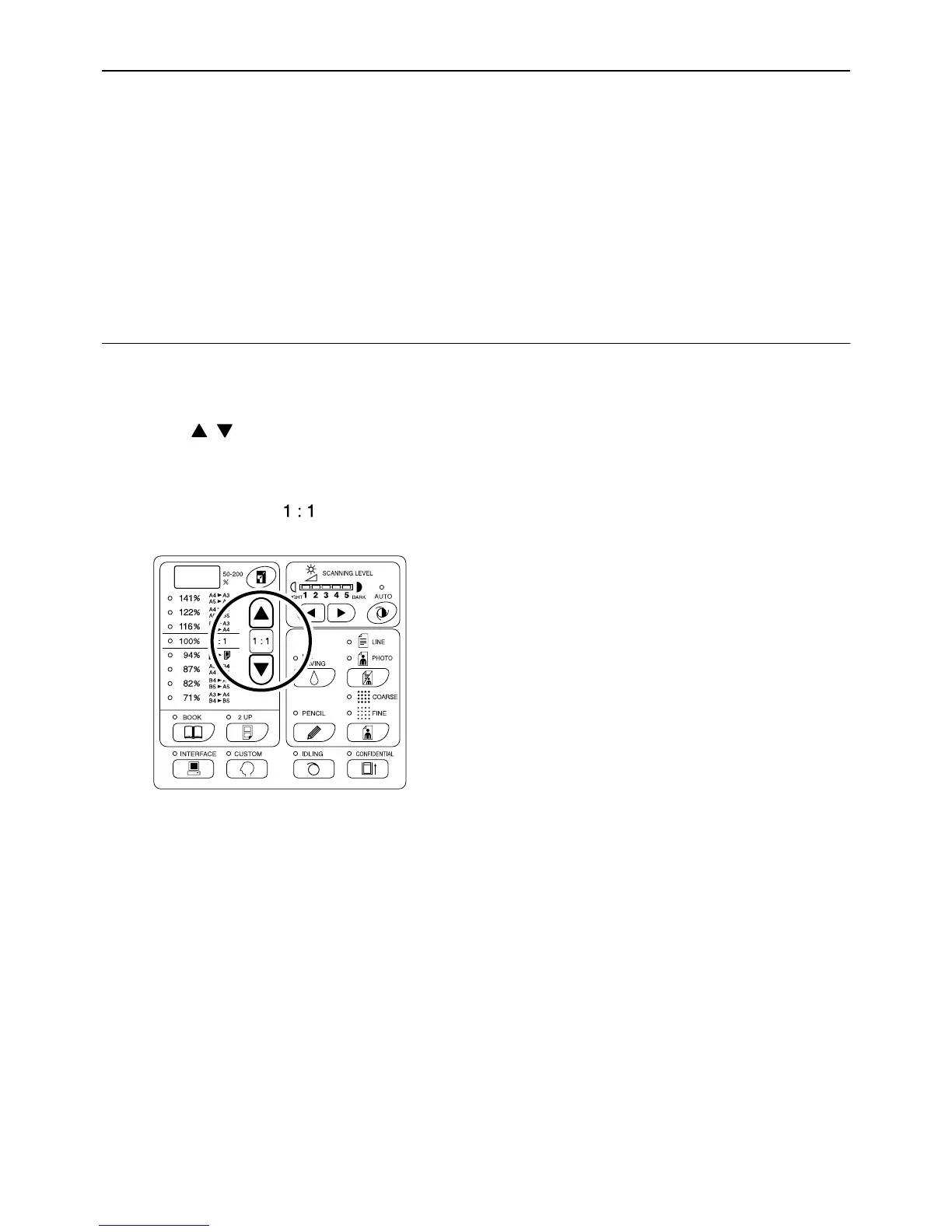
Specify the enlargement/reduction ratio by selecting the standard ratios; or specify it in increments of 1%.
Enlarging and Reducing by Standard Ratios
[Standard]
Select the standard ratios when enlarging or reducing standard-sized originals to another standard size or when
increasing margins around the original.
Press the / keys to specify the
enlargement/reduction ratio.
Each time you press the key, the indicator of the
selected ratio lights.
To restore 100%, press the key.
The standard enlargement/reduction ratios differ
among the models.
Check the panel on your machine.



 To Next Page