Basic Operations
Basic Operations
27
Basic Operations
Printing from a Paper Document or Book
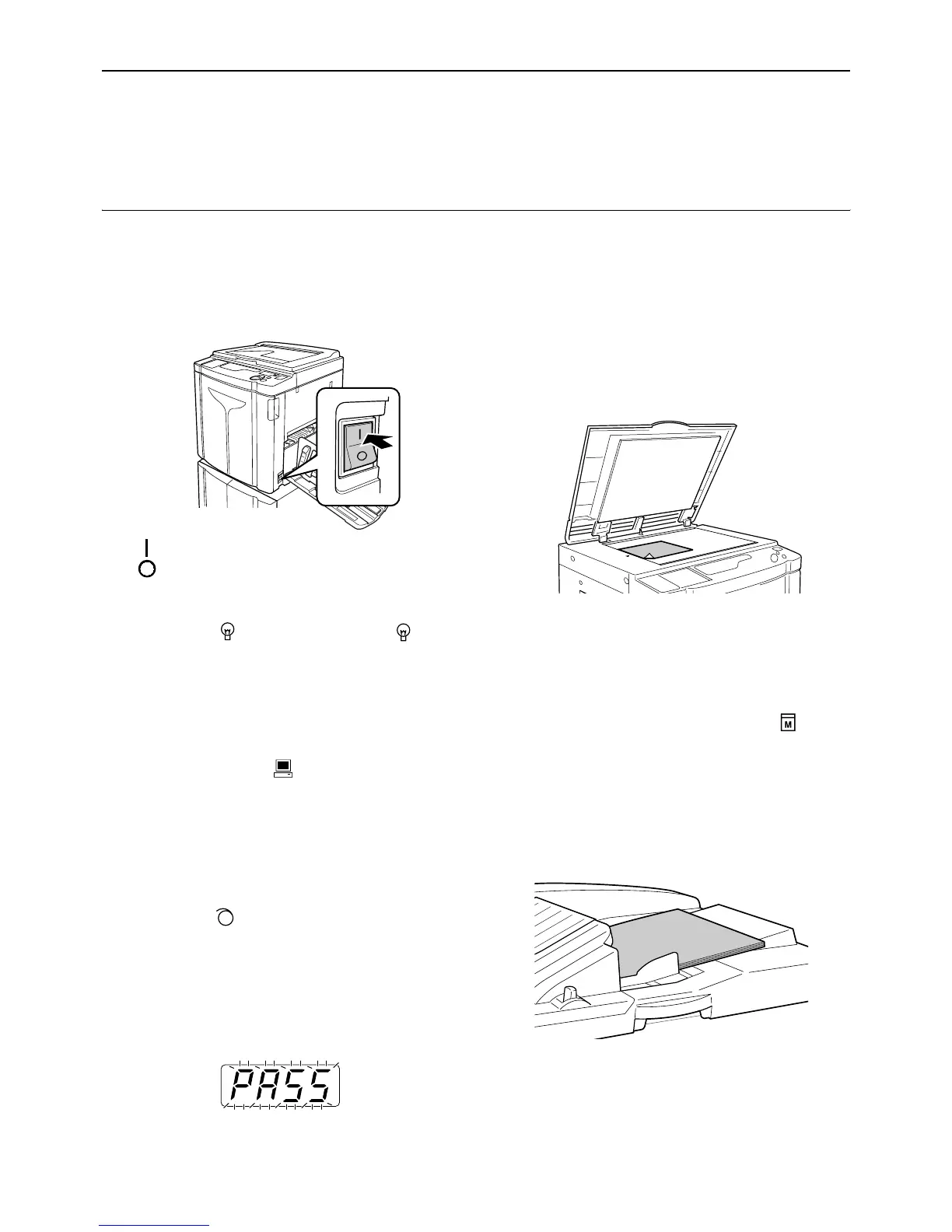
1 Turn the power on.
The power switch is located on the lower right side
of the machine.
: Power On
: Power Off
Important!:
• When the machine is in the Energy Saving
mode, the key is lighted. Press the key to
wake up the machine.
Note:
• If data is received from a computer while the
machine is being operated, that data may be given
a higher priority for making a master. To give a
higher priority to an original placed on the
machine, press the key to turn off its indicator.
2 Check the display.
Check that any Check & Error Display section is
not lighted or blinking.
)p.100
Note:
• When the indicator is lighted, idling action is
activated just before the master-making operation.
)p.62
z When “PASS” is displayed:
The PIN code-input is required when “PASS” is
flashing on the Print Quantity Display. For the
PIN code-input, see )p.29.
3 Place an original.
z When placing on the Glass Platen
Open the Platen Cover and place the original
face down. Align the center of the original with
the mark on the left-hand side of the glass.
After placing the original, slowly close the
Platen Cover.
Note:
• When placing an original is completed, the
process is automatically changed to the
master-making mode; the Master-Making
indicator on the Control Panel lights. If the
indicator is not lighted, press the key.
z When placing in the ADF unit (Option)
Use the ADF unit if you are printing multiple
originals in succession. Place originals face
down and then adjust the ADF Original Guides
to the width of the originals. Insert the originals
as far into the ADF unit as possible.
Important!:
• The sizes of originals to be placed in the
ADF unit must be 100 mm × 148 mm
(3
15
/
16
"×5
27
/
32
") at least. For smaller origi-
nals, use the Glass Platen.



 To Next Page