Replacing and Disposing Consumables
Replacing the Master Roll
88
Replacing the Master Roll
When the entire Master Roll is consumed, the Master Replacement indicator lights. Replace with a new Master Roll.
Important!:
• For the Master Roll, it is recommended to use the products specified by RISO.
• Keep the power ON while replacing the master.
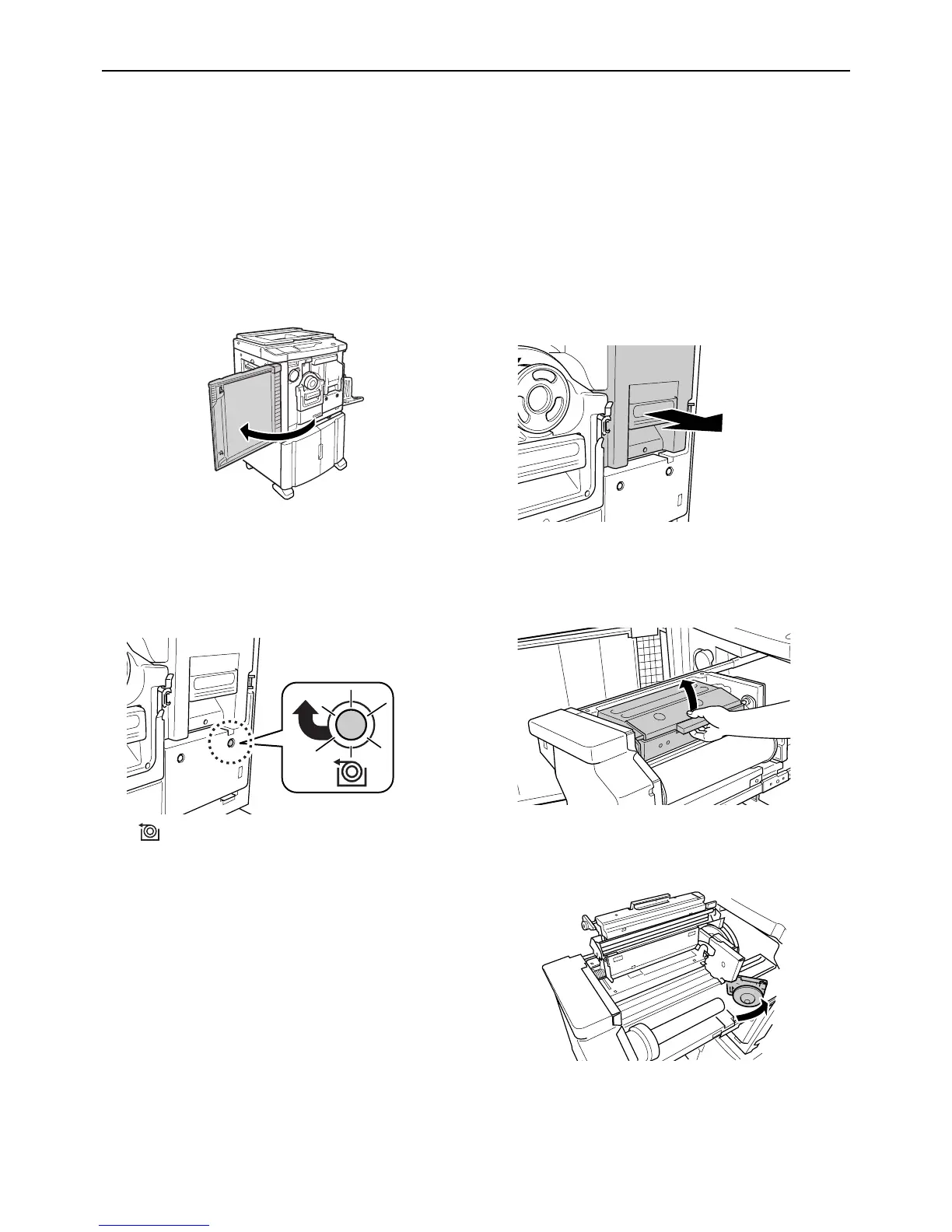
1 Open the Front Cover.
2 Check the indicator of the Master
Making Unit Release button is on.
If the indicator is off, press the Master Making Unit
Release button to turn on its indicator.
:Master Making Unit Release button
Note:
• With the Print Drum (Cylinder) pulled out, you
cannot pull out the Master Making Unit. Place
the Print Drum (Cylinder) into position, and then
press the Master Making Unit Release button.
)p.94
3 Pull out the Master Making Unit.
Grasp the Master Making Unit Handle and pull out
the Master Making Unit until it stops.
4 Open the Master Making Unit Cover.
Grasp the Master Making Unit Cover Lever and
open the Master Making Unit Cover.
5 Open the Master Roll Holder.



 To Next Page