Replacing and Disposing Consumables
Replacing the Ink Cartridge
87
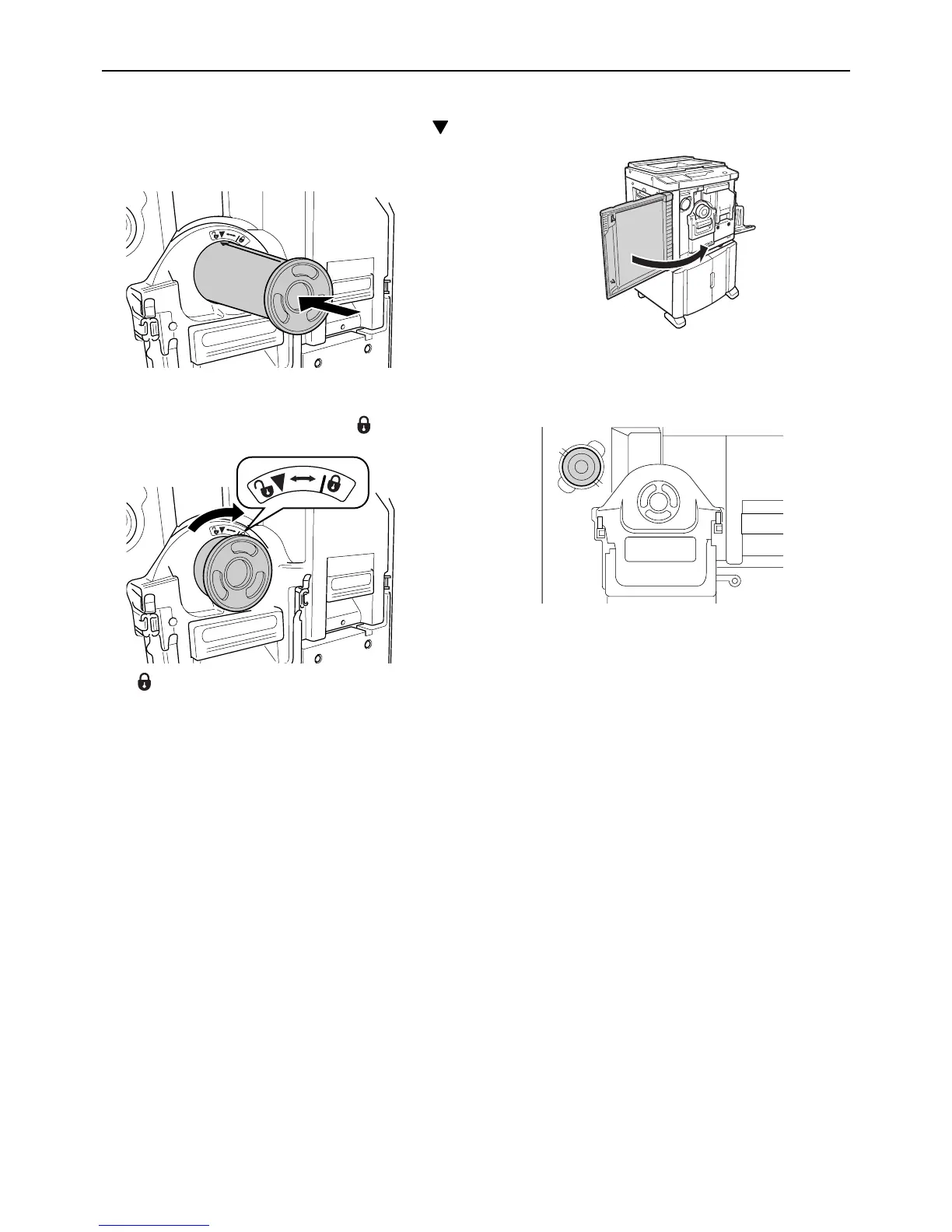
4 Insert the new Ink Cartridge.
Align the arrow on the Ink Cartridge with the
mark on the holder, and push the Ink Cartridge
until it stops.
5 Lock the Ink Cartridge.
Turn the Ink Cartridge clockwise ( ) to lock it.
:Lock
6 Close the Front Cover.
Note:
• You can use the Ink Cartridge Cap Holder to
keep the cap.
• Dispose the empty Ink Cartridge according to
the disposal rule of your local community.
)p.93



 To Next Page