Advanced Features
Setting Up User Management
78
Suspend a user
You can enable or disable any user from using the machine.
A disabled user cannot be allowed to use the machine.
Note:
• The administrator must be registered in advance in the “Create User”. ()p.75)
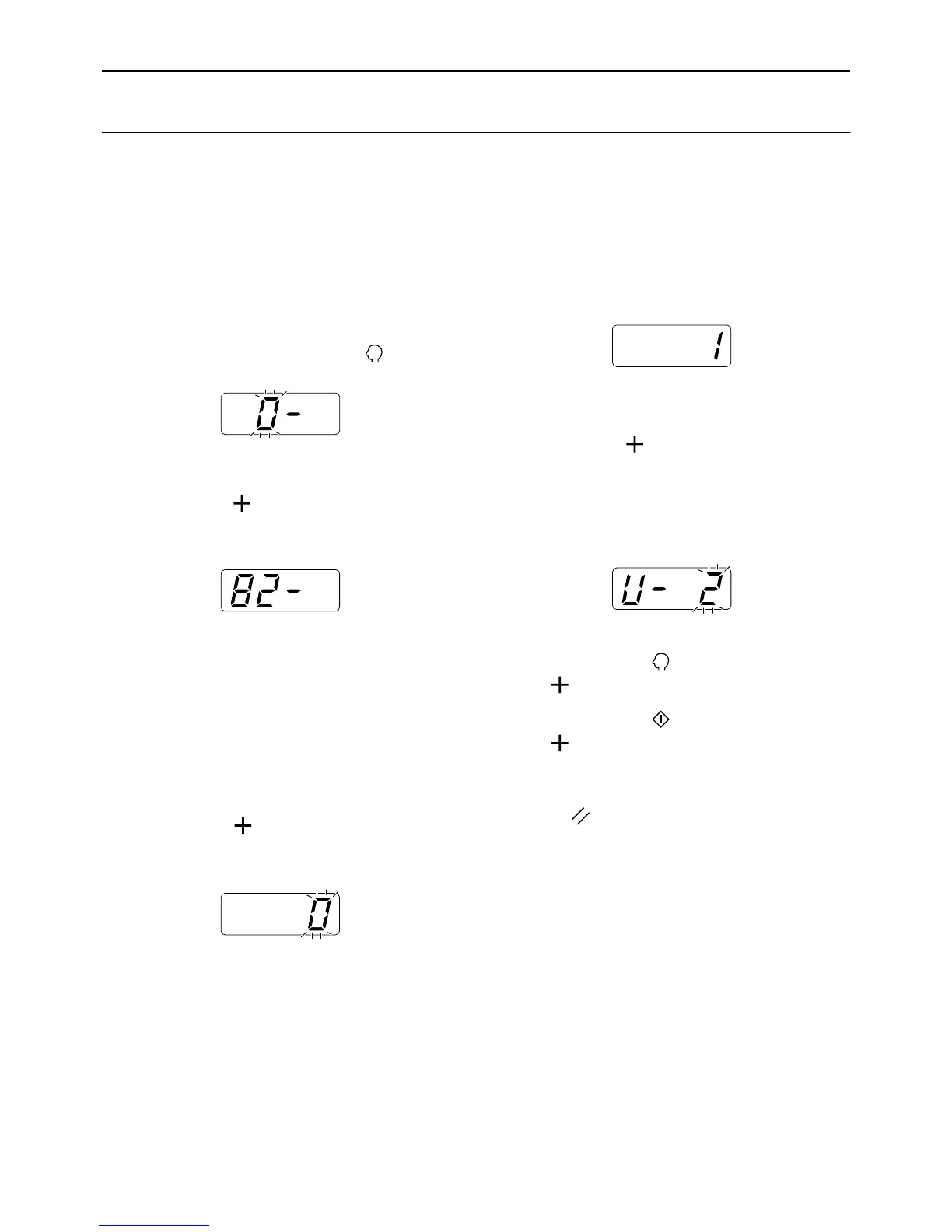
1 Check that the machine is in the item
number entry mode on the Print
Quantity Display.
If “0-” is displayed and “0” flashes, go to step 2.
For all other indications, press the key.
2 Enter the item number “82” and
press the [ ] key.
The user number entry mode is activated.
3 Enter a user number using the Print
Quantity keys.
Note:
• If you enter an unregistered user number or
administrator No. “0”, the alarm sounds and the
user number entry mode is restored. Enter a
correct user number.
4 Press the [ ] key.
The “Disable” mode is activated.
5 Enter a parameter number using the
Print Quantity keys.
0 : ON
1 : OFF
6 Press the [ ] key.
“Suspend a User” is applied, and the next regis-
tered user number is displayed.
Repeat steps 3 through 6 to continue to disable
other users.
Important!:
• If you press the key before pressing the
[] key, the setting is canceled and the nor-
mal mode is restored.
• If you press the key before pressing the
[] key, the setting is applied and the normal
mode is restored.
• An Error No.(F-39) is displayed when a dis-
abled user performs the PIN code-input. Press
the key to release the error.
Note:
• When the last registered user is set, the item
number entry mode is restored.



 To Next Page