Troubleshooting
Troubleshooting Tips
110
Troubleshooting Tips
If any problems occur during printing, check the following items and take appropriate procedures before calling your
authorized service representative.
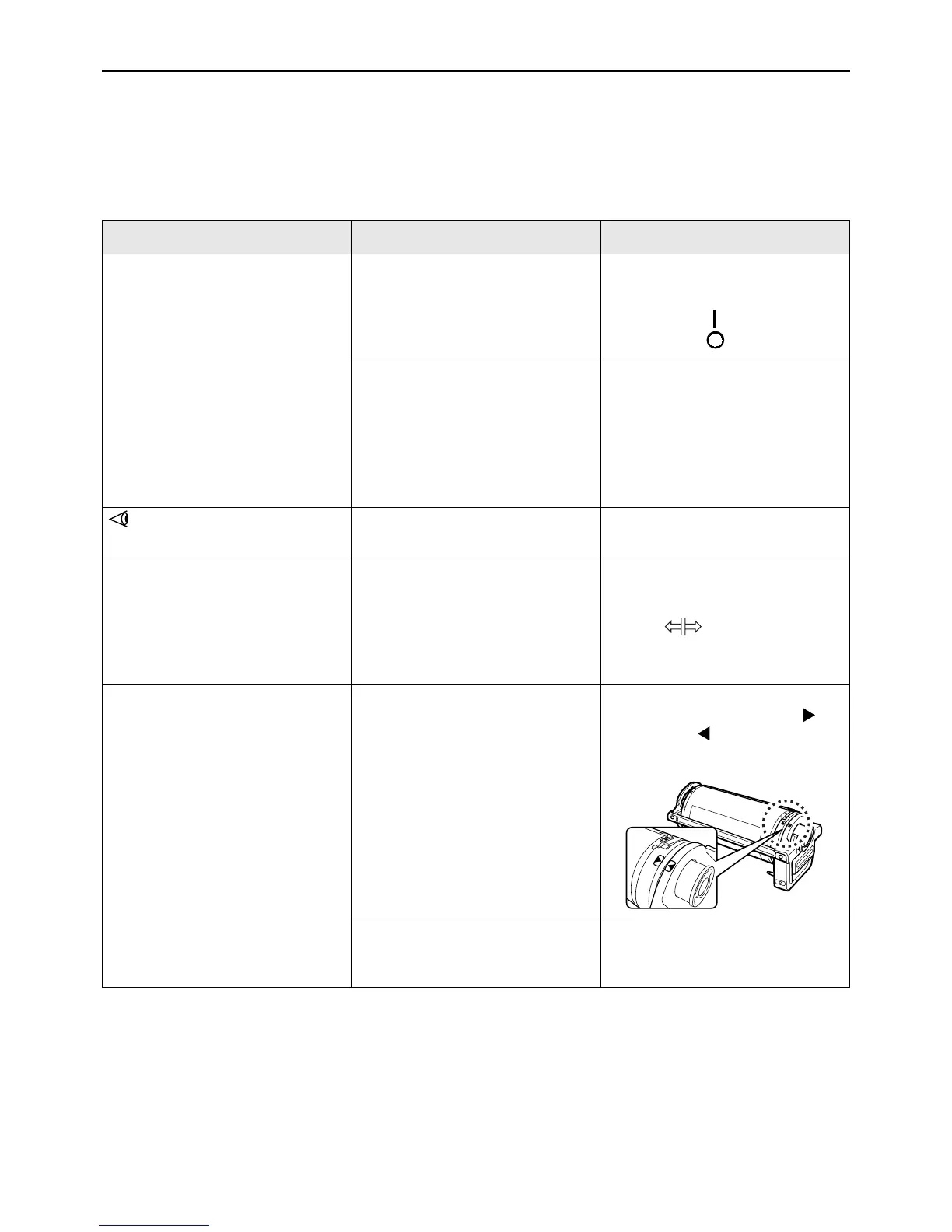
Problem Cause Action
The machine does not start when the
power switch is pressed.
The power was turned off without
notice of the Sleep status.
• Check the indicator on the control
panel and turn on the machine.
The power switch is turned on
when set to , and is turned off
when set to .
Power has been disconnected. • Check if the power cord has been
firmly connected to a electrical
outlet.
• Check if the power cord has been
firmly connected to the machine.
• Check if the commercial power
circuit breaker is on.
does not go off even when the
Front Cover is closed.
The bottom right of the Front Cover
has not been firmly closed.
Firmly close the bottom right of the
Front Cover.
The Paper Feed Tray cannot be
closed.
• The Feed Paper Tray Guides
have not been widen up to the
limit.
• The power was turned off before
the Paper Feed Tray was lowered
to the bottom.
Turn the power on and lower the
Paper Feed Tray to the bottom. Set
the Feed Tray Paper Guide Lock
Lever to , widen the Feed
Tray Paper Guides up to the limit,
and close the Paper Feed Tray.
The Print Drum (Cylinder) cannot be
placed into position.
The Print Drum (Cylinder) was
stopped at an inappropriate position
after rotation.
After manually rotating the drum
(cylinder), make sure that the
mark and the mark meet as
shown.
The Print Drum (Cylinder) has not
been correctly set to the guide.
Set the drum (cylinder) to the guide
correctly.
)p.94



 To Next Page