Basic Operations
Basic Operations
30
Printing with Data Generated by a Computer
(Optional Kit Required)
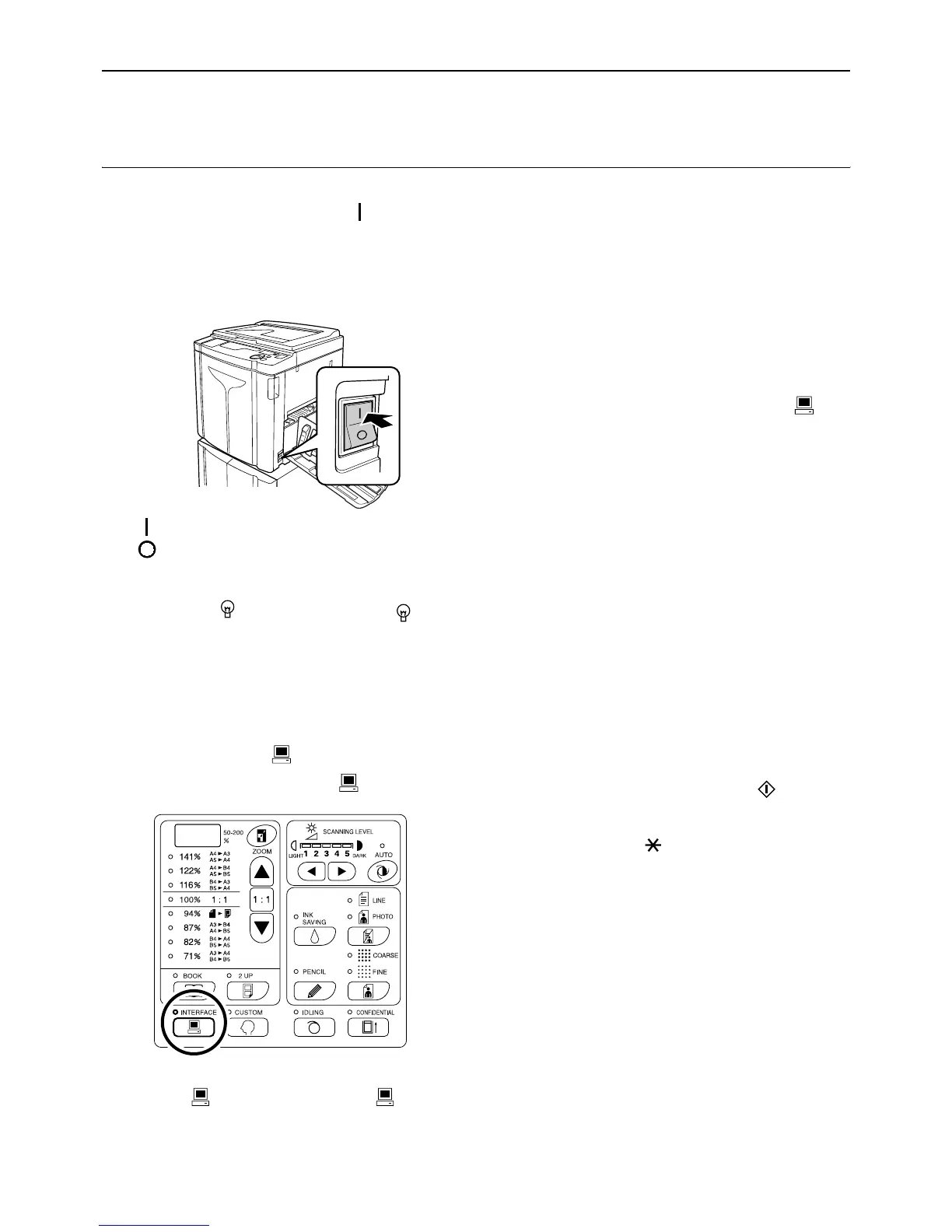
1 Set the power switch to (ON) to
turn the power on.
The power switch is located on the lower right side
of the machine.
: Power On
: Power Off
Important!:
• When the machine is in the Energy Saving
mode, the key is lighted. Press the key to
wake up the machine.
z When “PASS” is displayed:
The PIN code-input is required when “PASS” is
flashing on the Print Quantity Display. For the
PIN code-input, see )p.29.
2 Check that the indicator is on.
If the indicator is off, press the key.
Important!:
• If the key is pressed while the indicator
is flashing, the data currently being received or
which is waiting for output is deleted.
3 Check the paper and Drum (Cylin-
der) color (colour).
To change the paper or Drum (Cylinder) color
(colour), replace the paper on the Paper Feed
Tray or replace the Color Drum (Cylinder) as
needed.
4 Send document data from the com-
puter.
While the machine is receiving data, the indi-
cator blinks.
When data-reception is complete, printing starts
automatically at the printer driver settings.
Important!:
• You cannot make various settings including
image processing mode, by operating the
machine. Only the printer driver allows such
settings. For details, see the user’s guide of the
printer driver.
Note:
• You can also use the printer driver to stop the
master-making or printing process at any point.
For details, see the User's Guide of the printer
driver.
• By checking which Progress Arrow segments
light or blink, you can identify at which status
the machine is stopped. )p.29
When the machine has been halted with
Progress Arrow segments blinking, it is waiting
for a start instruction. Press the key to
resume the process indicated by the blinking
arrow segments.
• If you press the key when the machine is not
in use after the master-making process or when
you stop the machine during printing, the page
number currently being printed will be displayed
in Print Quantity Display.
• Data is printed in the order in which it was
received.
Tip:
When the computer sends document data, the
machine automatically receives it and starts the
master-making process. It is judged whether or
not the machine is in use, based on how much
time elapsed after any key had been pressed last
or printing had been finished.
This time period is called the “Reservation Period”.
You can change the initial setting for the occupied
time in the Custom Setting mode. )p.64



 To Next Page