Advanced Features
Customizing the Initial Settings [Custom Setting Mode]
70
Operation Procedure
This section explains how to set items in the Custom Setting mode.
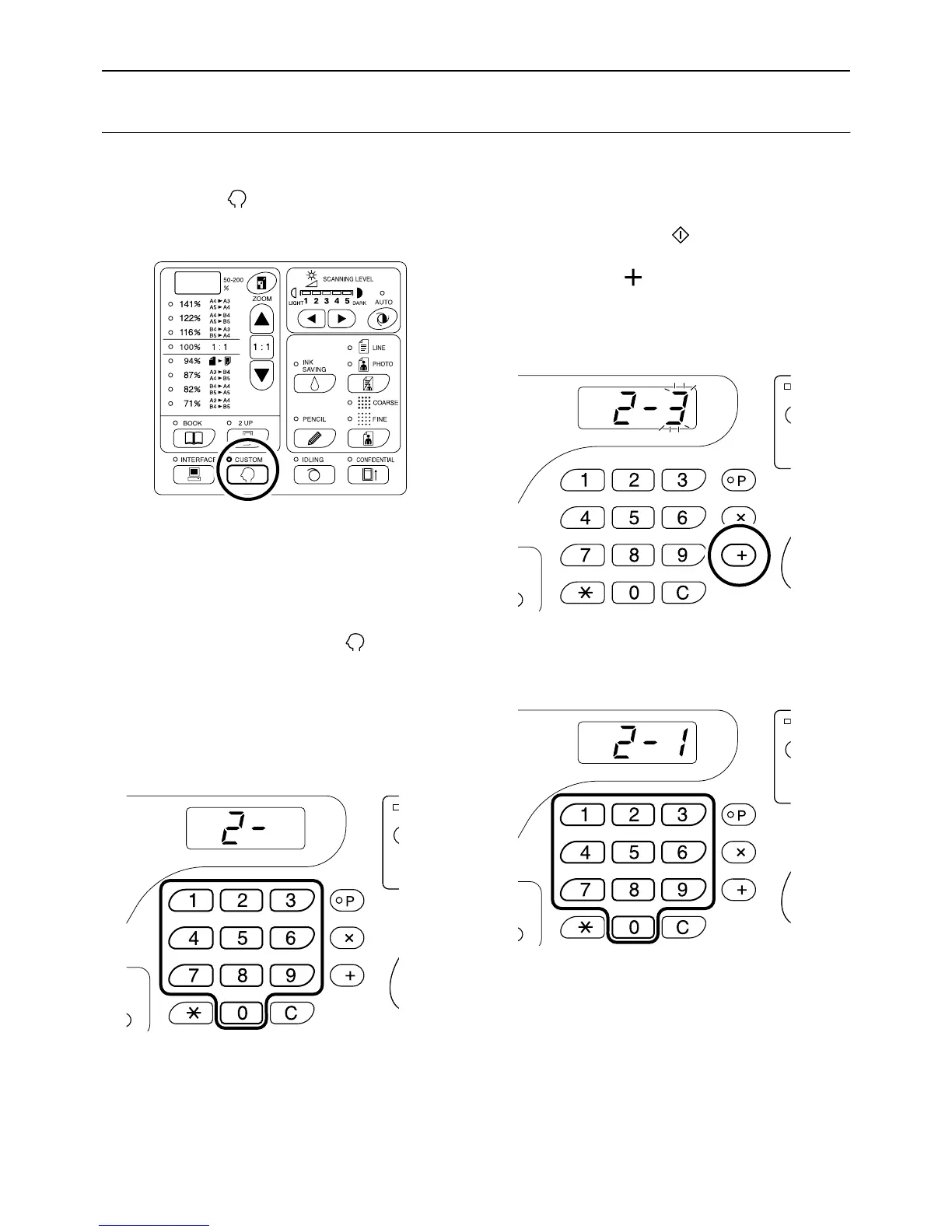
1 Press the key to turn on its indi-
cator.
Important!:
• If the RISO Network Card (option) is installed,
you will not be able to enter the Custom Setting
mode for up to one minute after turning the
power on.
Note:
• To clear the mode, press the key again to
turn off its indicator.
2 Enter an item number to be changed,
using the Print Quantity keys.
The Print Quantity Display shows the current
parameter setting for the selected item number.
Note:
• For items No. 70 through 95 (except 91), the
operation procedures differ.
– Item No. 70: )p.72
– Item No. 80 through 95 (except 91):
)p.75~)p.85
• To restore the initial settings for the Custom
Setting mode, enter “99” and press the [+] key,
and then press the key.
3 Press the [ ] key.
Pressing this key allows you to select a parameter
number.
The currently set parameter number blinks.
4 Enter a parameter number using the
Print Quantity keys.
If there are more than one item to be changed,
press the [+] key, and then repeat steps 2 through
4.



 To Next Page