Before Starting to Use
Preparing to Print
21
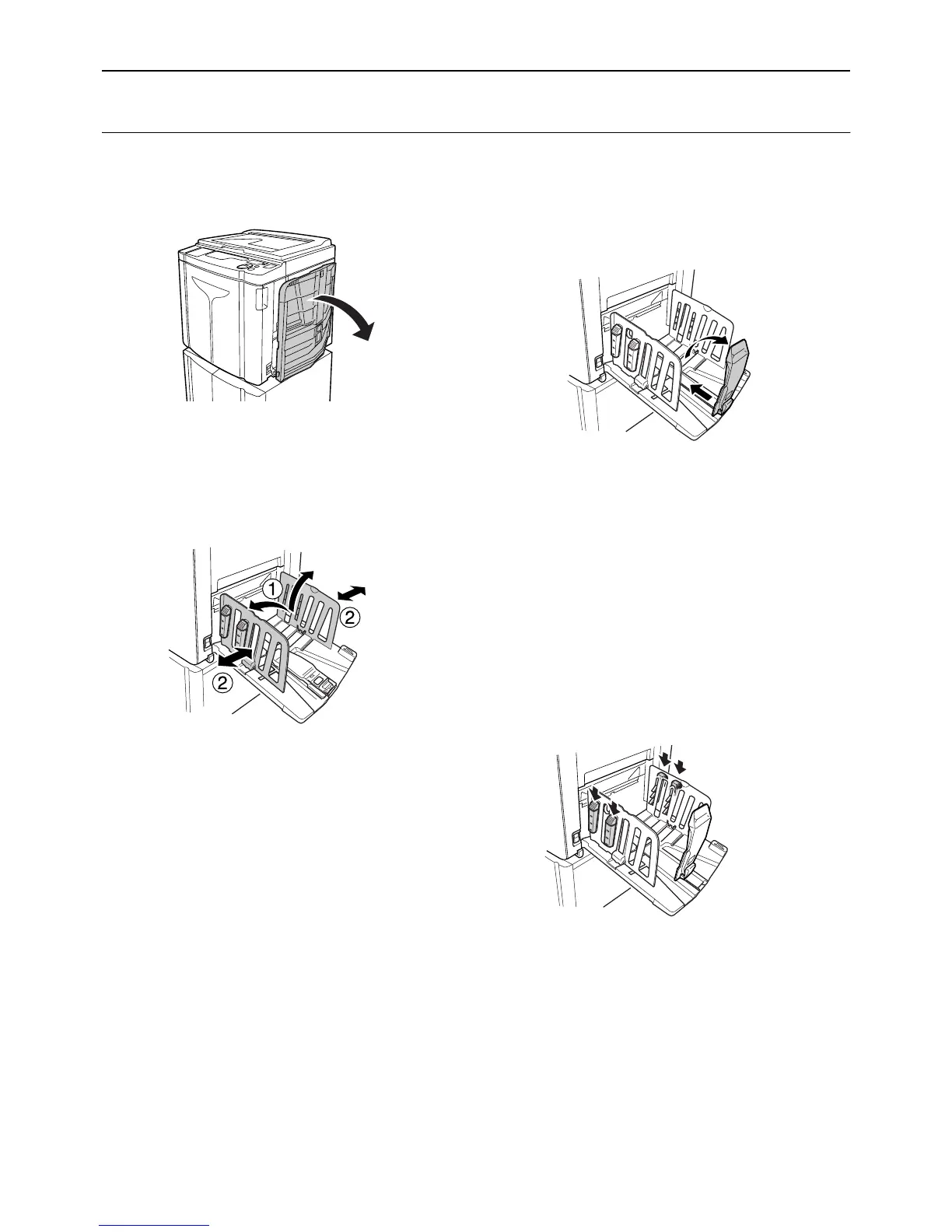
Setting up the Paper Receiving Tray
1 Open the Paper Receiving Tray.
2 Position the Receiving Tray Paper
Guides.
Raise the guides, hold their lower parts, and then
slide them according to the width of paper.
Important!:
• For thick paper such as drawing paper, position
the Receiving Tray Paper Guides a little wider
than the actual paper width.
• When you move the Paper Feed Tray using the
Horizontal Print Position Adjustment Dial, repo-
sition also the Receiving Tray Paper Guides. If
the guides are not correctly positioned, a prob-
lem such as a paper jam can occur.
3 Raise the Paper Stopper, and then
slide it according to the length of
paper.
The subsequent steps differ depending on the
models.
• For EZ3XX, go to step 4.
• For EZ2XX, go to step 6.
4 Adjust the Paper Arrangers.
(For EZ3XX only)
Alignment of paper is affected by sizes and
strength of paper. Adjust the Paper Arrangers so
that printed paper is aligned.
z For ordinary paper
Press to open all of the four Paper Arrangers.



 To Next Page