Before Starting to Use
Preparing to Print
22
z
For ordinary paper with images lopsided on page
Press to open the two Paper Arrangers on the
more heavily printed side.
z For thick paper
Press to open the two Paper Arrangers (right
and left) closer to the machine.
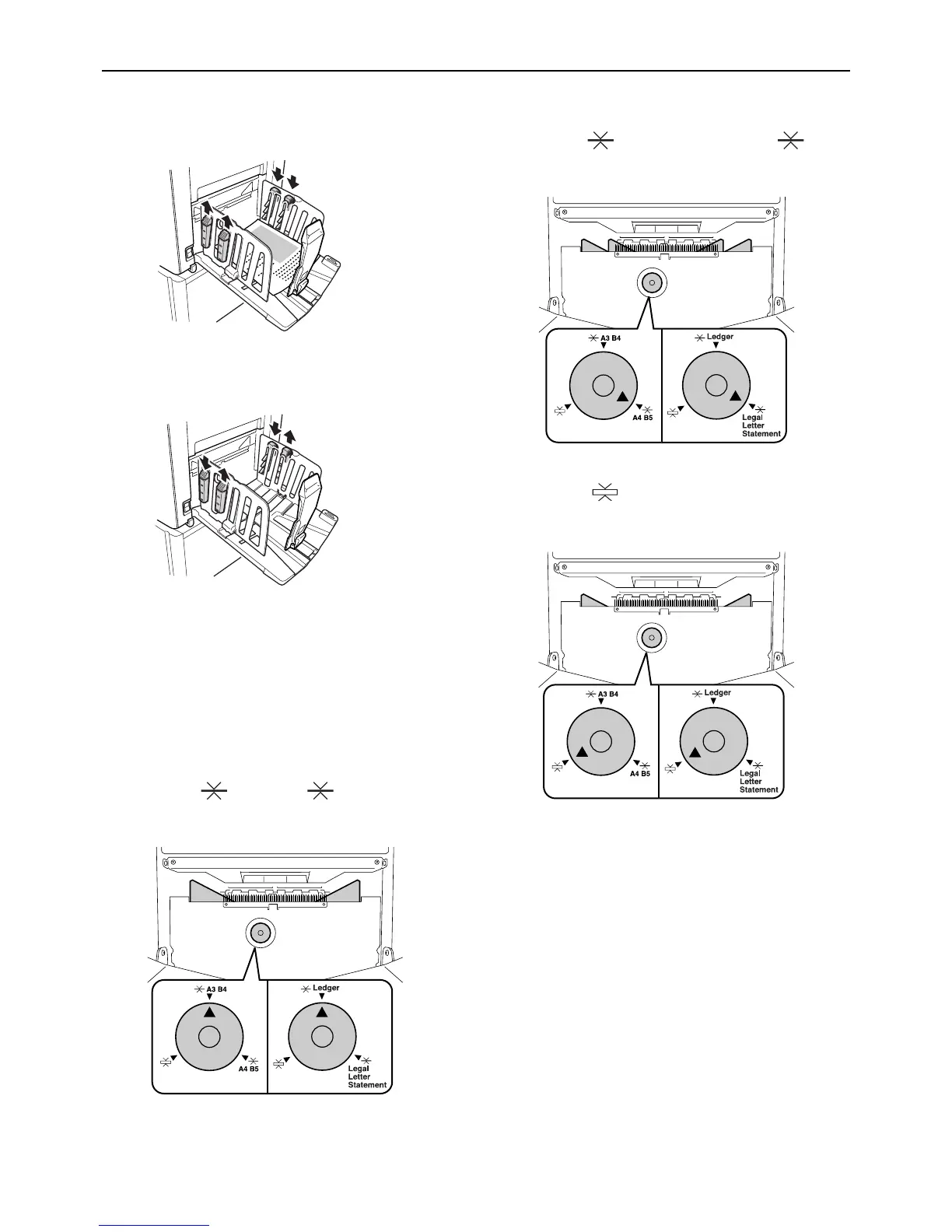
5 Adjust the Paper Jumping Wing.
(For EZ3XX only)
Adjust the Paper Jumping Wing Adjustment Dial
according to the type and width of the paper
loaded in the Paper Feed Tray.
z For ordinary paper widths larger than
Letter, or equal to or larger than B4
Set to Ledger or A3 B4.
z
For ordinary paper widths that are either equal to
or smaller than Letter or that are smaller than B4
Set to Legal Letter Statement or A4 B5.
z For thick paper
Set to regardless of the paper size.



 To Next Page