Advanced Features
Setting Up User Management
84
Output the ID Counter Report
The listing of the use of the machine by all users is printed.
Important!:
• The administrator must be registered in advance in the “Create User”. ()p.75)
• Make sure that A4(Letter) paper has been placed in the Paper Feed Tray.
• If executing output when “Management ON/OFF” is “OFF”, the machine status during the period “Management
ON/OFF” was “ON” is output.
• Only the machine status of the administrator will be output if “Management ON/OFF” has never been “ON” at all.
Note:
• You can set the reminder date. )p.83
• You can select outputting method from Printing or E-mail attached. )p.69
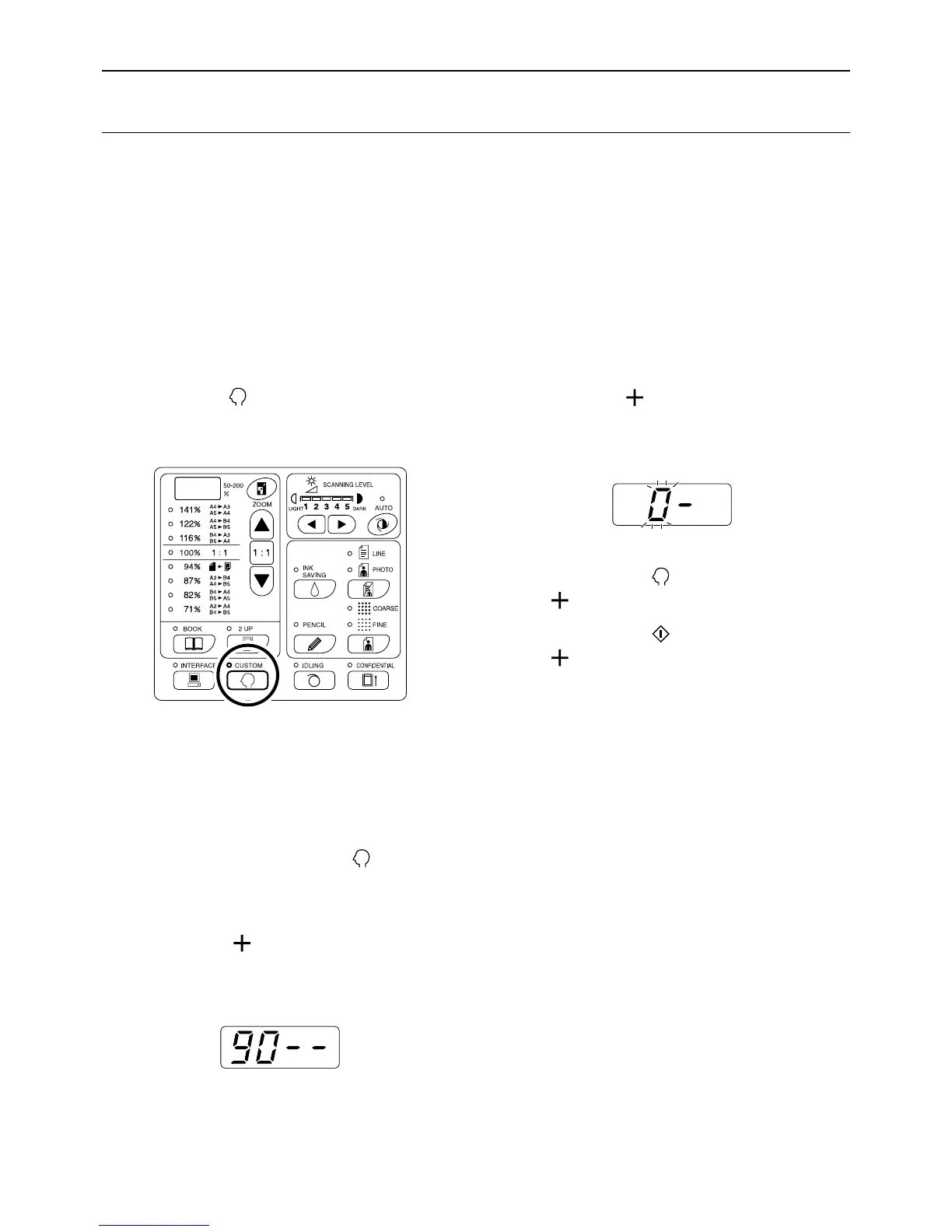
1 Press the key.
Its indicator turns on.
Important!:
• If the RISO Network Card (option) is installed,
you will not be able to enter the Custom Setting
mode for up to one minute after turning the
power on.
Note:
• To clear the setting, press the key again to
turn off its indicator.
2 Enter the item number “90” and
press the [ ] key.
The “ID Counter Report Output” mode is acti-
vated.
3 Press the [ ] key.
The output is executed, and the item number entry
mode is restored.
Important!:
• If you press the key before pressing the
[] key, the counting result is not outputted,
and the normal mode is restored.
• If you press the key before pressing the
[] key, the counting result is outputted, and
the normal mode is restored.



 To Next Page