106
Using the Practice Functions
The RM-700 can display notations not only for the internal songs, but for music files and performances recorded with the RM-700.
This is very convenient for performing while reading the music and for checking songs that have been recorded. When you play back a
music file with lyrics, the lyrics appear on screen.
A notation cannot be displayed for a song from a music CD and an audio/MP3 format.
Selecting the song
• If you want to play back a song from USB memory, connect your USB memory to the External Memory connector first.
• If you want to play back a song from CD-ROM, insert the CD-ROM into your CD drive first.
1.
Select the song that you want to play back (p. 75).
2.
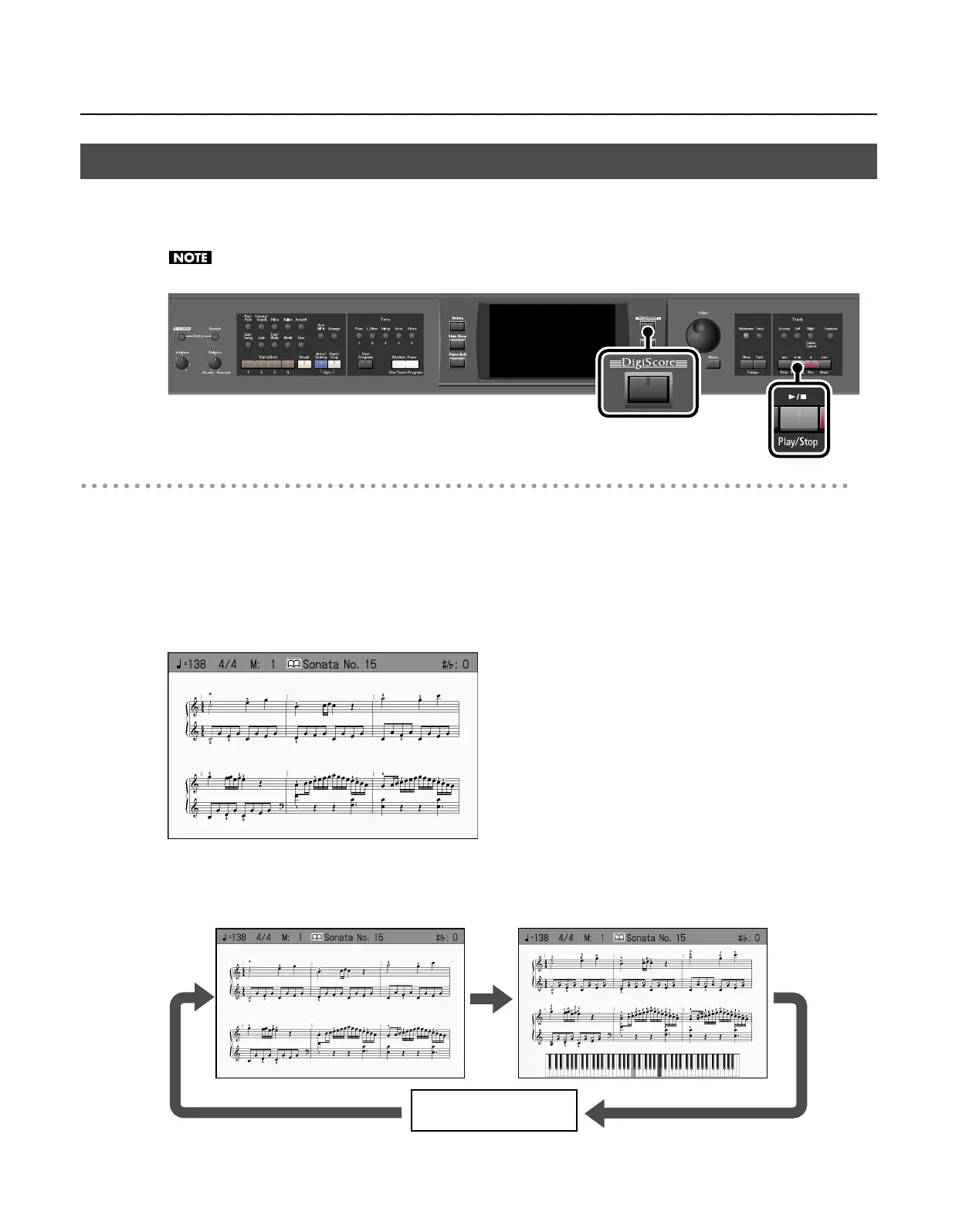
Press the [DigiScore] button so its indicator is lit.
The notation of the selected song appears.
3.
You can switch the type of notation screen by pressing the [DigiScore] button several times.
The RM-700 provides two types of notation screen. Each time you press the [DigiScore] button, the screen will change as follows.
Displaying the Notation (DigiScore)
Notation Notation + Keyboard
Off
RM-700_e.book 106 ページ 2009年3月18日 水曜日 午前11時5分



 To Next Page