46
Performance
You can add liveliness to the sound to give it superb clarity and distinctness.
1.
Press the [Menu] button so its indicator is lit.
2.
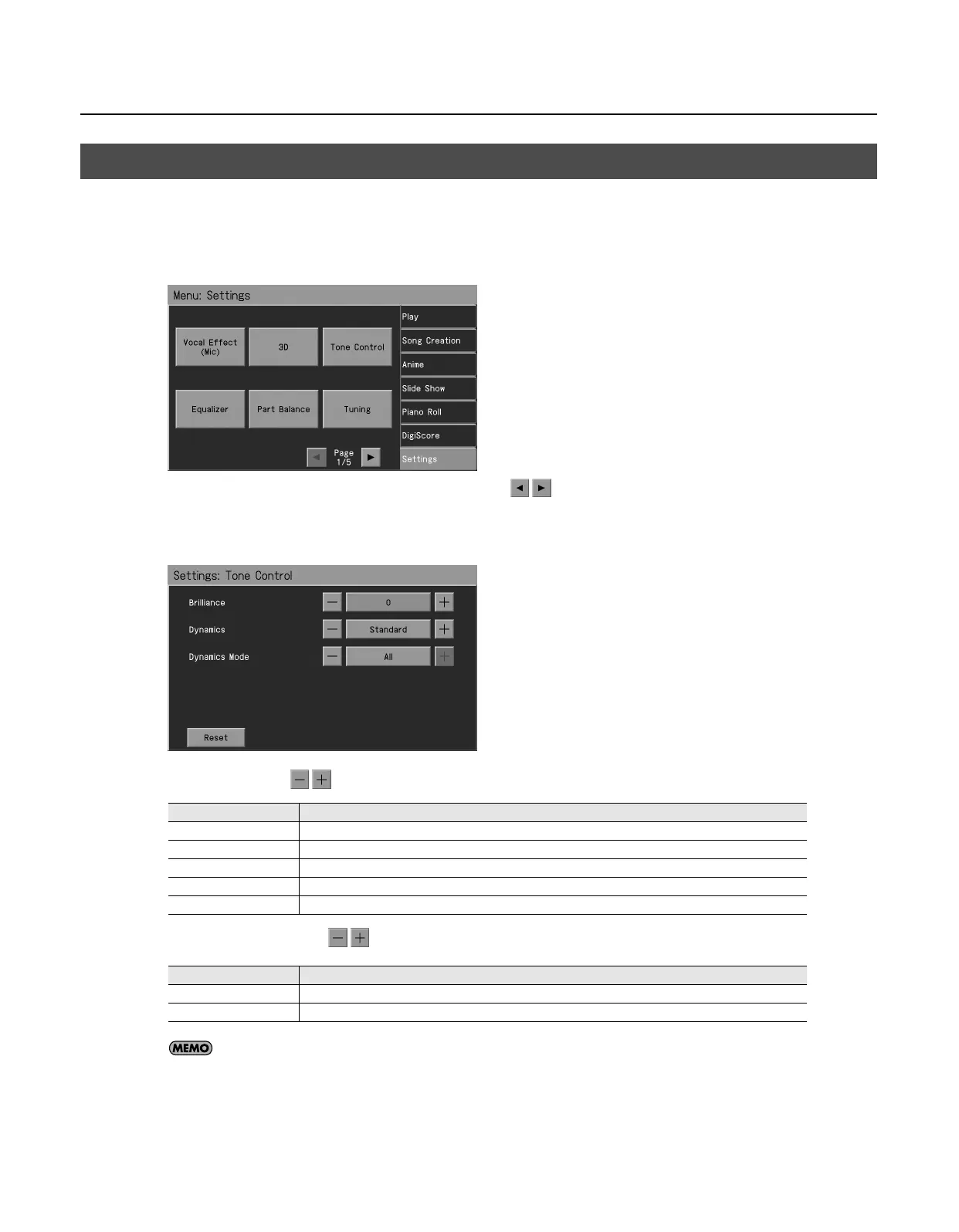
Touch <Settings>.
* The Menu screen for Settings contains five screen pages. Touch to switch between the pages.
3.
Touch <Tone Control>.
The “Tone Control” screen appears.
4.
Touch <Dynamics>
to adjust the setting.
5.
Touch <Dynamics Mode>
to adjust the setting.
If you touch <Reset>, the currently selected setting (parameter) will return to its factory setting.
6.
Press the [Exit] button when you’ve finished making settings.
Adding Liveliness to the Sound (Dynamics)
Setting
Explanation
Off
Dynamics sound control is turned off.
Standard
The typical dynamics will be applied.
Sharp
Creates a sound with boosted bass and treble.
Clear
Produces a sound with chords in the low registers that are clear and distinct.
Power
Creates a sound with boosted bass.
Setting
Explanation
All
Dynamics will be applied to all sounds.
Except Audio
Dynamics will be applied to sounds other than audio.
RM-700_e.book 46 ページ 2009年3月18日 水曜日 午前11時5分



 To Next Page