42
Performance
Apply a reverb effect to the notes you play with the RM-700.
Reverb makes it sound as if you are playing in a concert hall.
1.
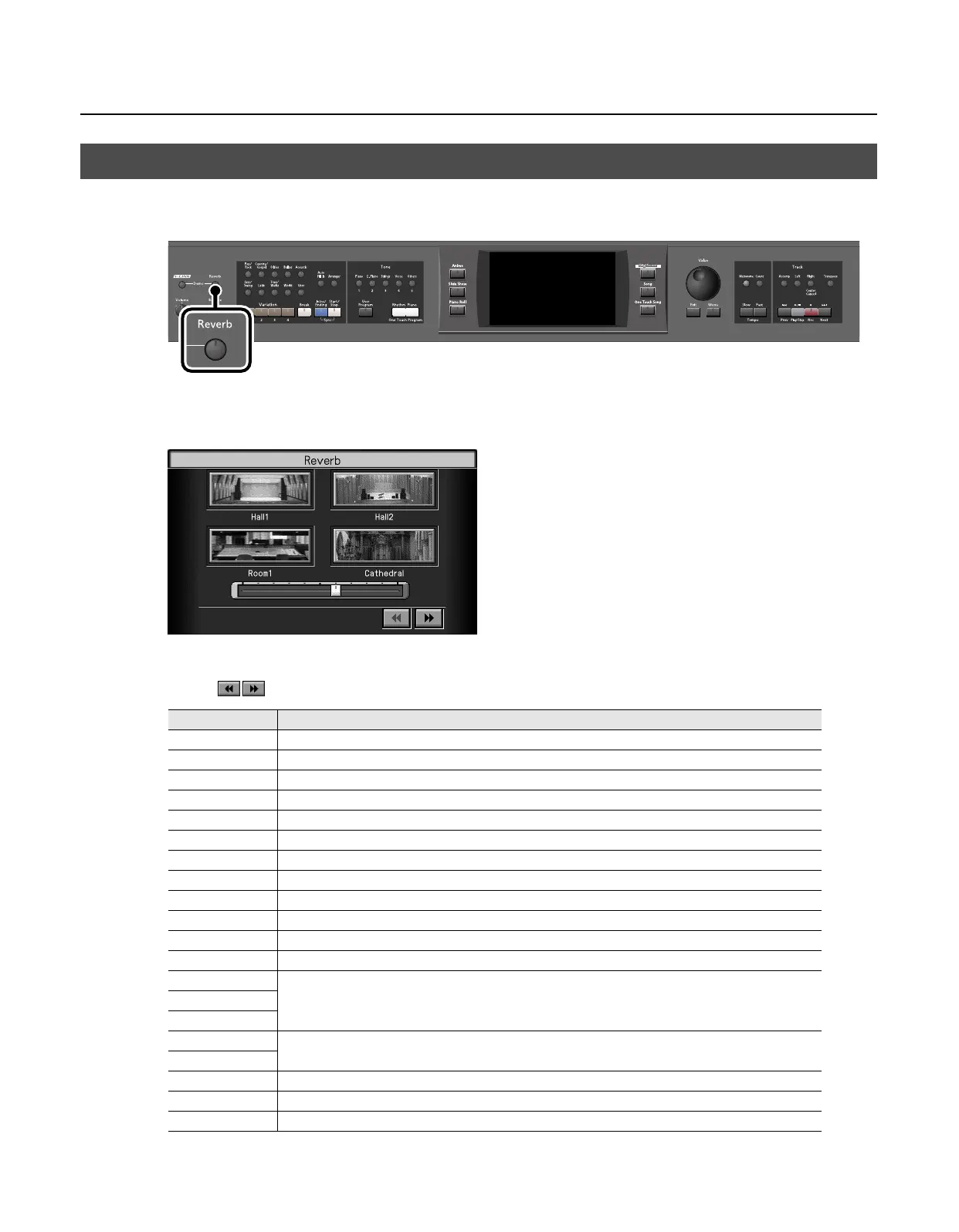
Press the [Reverb] button so its indicator is lit.
The “Reverb” screen appears.
2.
Touch an icon to select the performance space.
* Touch
to switch between screens.
;
Adding Reverberation to the Sound (Reverb)
Display
Explanation
Hall1
Hall with bright reverberation
Hall2
Hall with warm reverberation
Room1
Room reverberation
Cathedral
High-ceilinged cathedral
Ground
Wide open space with no reverberations
Room2
Small room
Lounge
Larger room
Studio
A recording studio
Gymnasium
In a gymnasium
Hall3
Large concert hall reverberation
Dome
A domed ballpark
Cave
Adds the extended reverberations found inside a cave
GS Room1
Reproduces an indoor-type reverb.
Provides a clear, expansive reverberation.
GS Room2
GS Room3
GS Hall1
Reproduces the reverberation found in a hall. Gives reverberation with a greater sense of depth than GS Room.
GS Hall2
GS Plate
Reproduces a plate echo (reverberation created using the vibrations of a metal plate).
GS Delay
A delayed sound that is added to the original, similar to the reflected sounds of mountain echoes.
GS Pan Delay
The reflected sounds are panned (shifted) laterally.
RM-700_e.book 42 ページ 2009年3月18日 水曜日 午前11時5分



 To Next Page