142
Recording and Saving the Performance
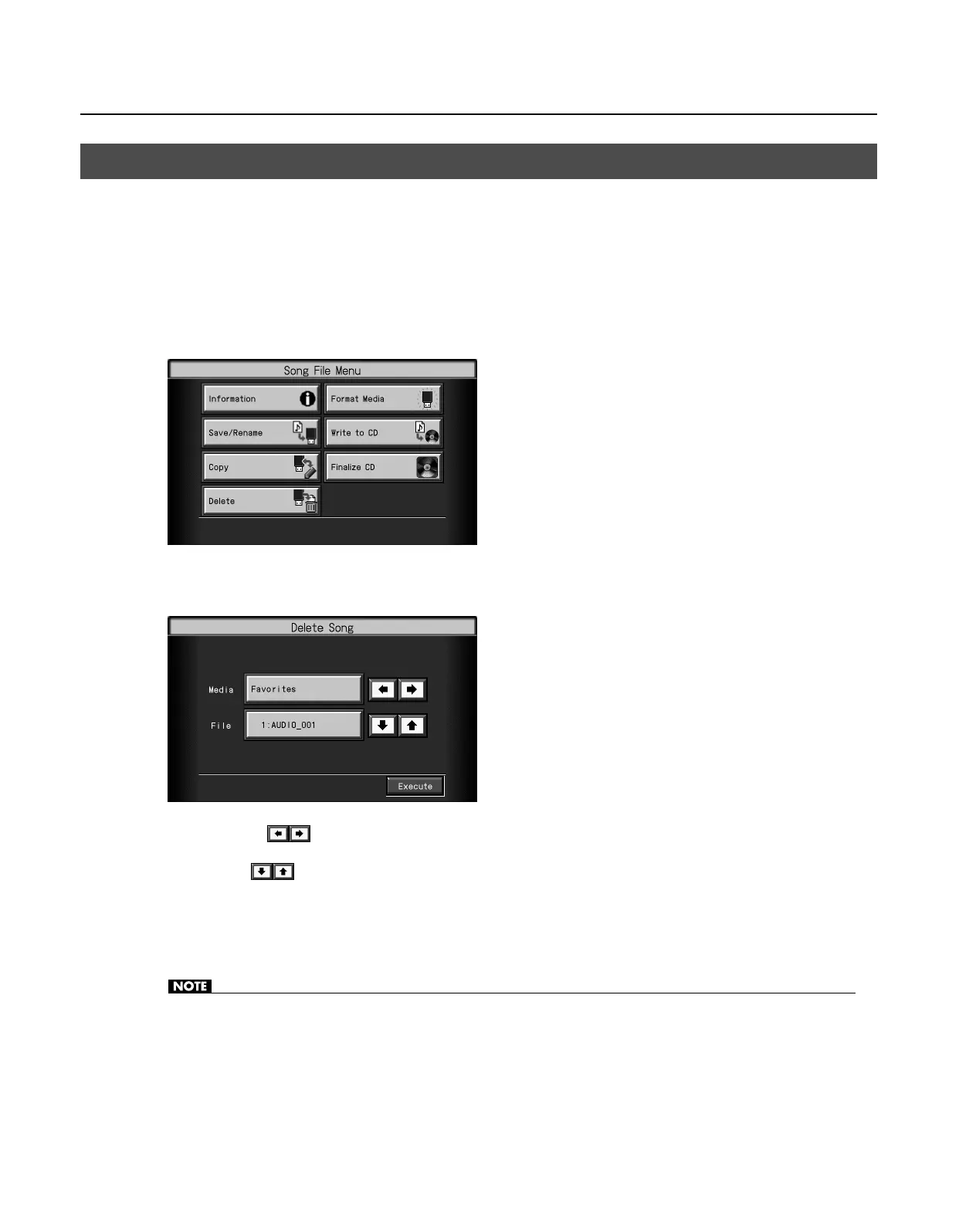
This deletes songs that have been saved on USB memory, or to “Favorites.”
* To delete a song on a USB memory, first connect the USB memory to the External memory connector.
1.
Press the [Song] button so its indicator is lit.
The Song selection screen appears.
2.
Touch <File>.
The “Song File Menu” screen appears.
3.
Touch <Delete>.
The “Delete Song” screen appears.
4.
Touch <Media>
to select the storage media.
5.
Touch <File> to select the song to be deleted.
6.
Touch <Execute>.
The selected song is deleted.
• Never turn off the power or eject the USB memory while the display indicates “Executing...”
Deleting Saved Songs
RM-700_e.book 142 ページ 2009年3月18日 水曜日 午前11時5分



 To Next Page