44
Performance
The RM-700 provides a “3D” function, which creates the sense of spatial depth that you experience when playing a grand piano.
This function adds the natural resonance and spaciousness that are characteristic of an acoustic piano.
If you turn 3D on, “Vocal Effect” will turn off (p. 86).
1.
Press the [Menu] button so its indicator is lit.
2.
Touch <Settings>.
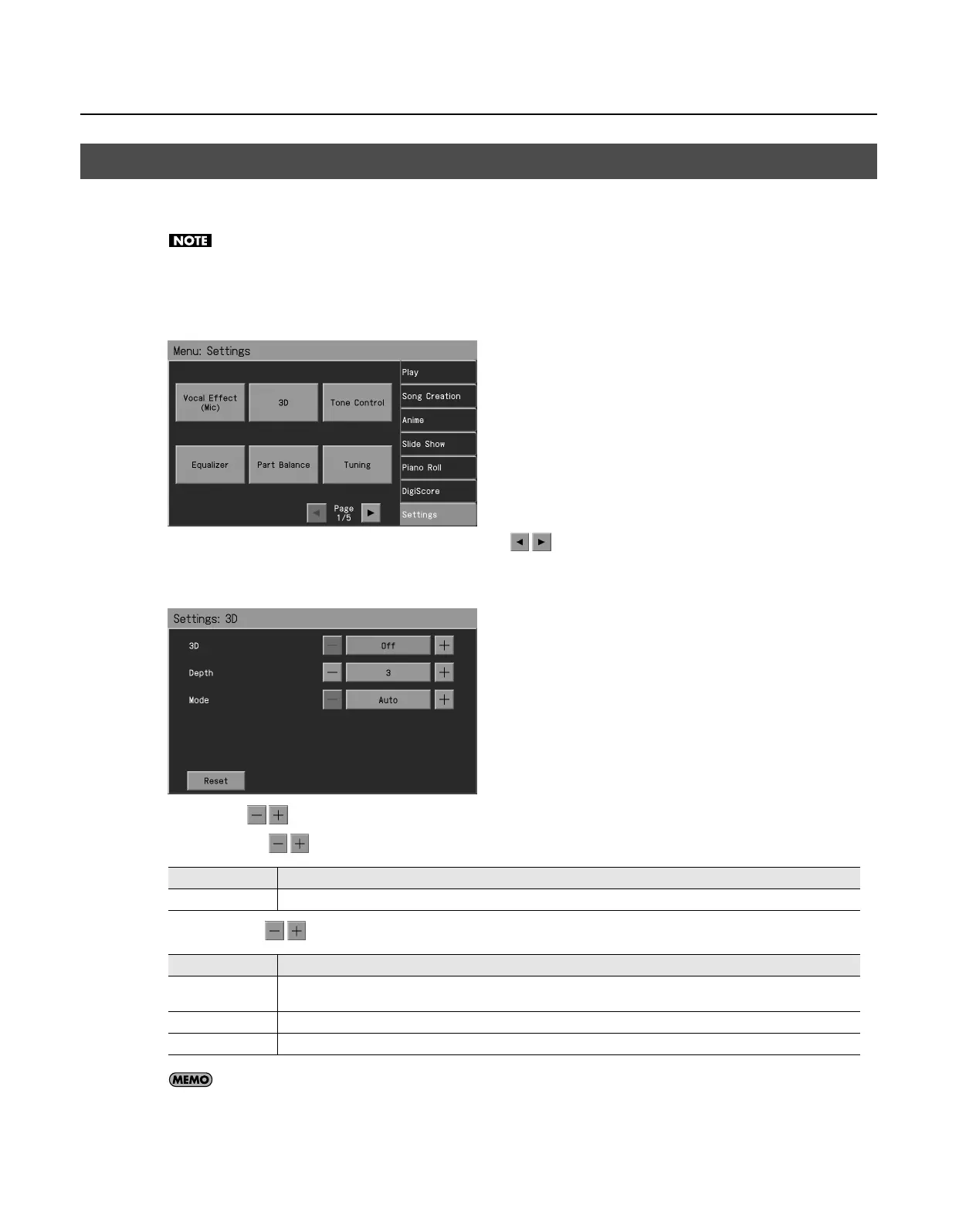
* The Menu screen for Settings contains five screen pages. Touch
to switch between the pages.
3.
Touch <3D>.
The “3D” screen appears.
4.
Touch <3D>
to turn it “On.”
5.
Touch <Depth>
to adjust the depth.
6.
Touch <Mode>
to switch the mode.
If you touch <Reset>, the currently selected setting (parameter) will return to its factory setting.
7.
Press the [Exit] button when you’ve finished making settings.
Giving the Sound More Spatial Depth (3D)
Setting
Explanation
1–4
Increasing the value will increase the spatial depth of the sound.
Setting Explanation
Auto
This selects settings that are adjusted for use with headphones when headphones are connected. When no headphones are
connected, settings adjusted for speakers are selected.
Speaker
Settings adjusted for listening to sounds through speakers are selected.
Headphones
Settings adjusted for listening to sounds through headphones are selected.
RM-700_e.book 44 ページ 2009年3月18日 水曜日 午前11時5分



 To Next Page