100
Using the Practice Functions
Selecting the Song
5.
Touch the screen to select the song that you want to practice.
• You can audition the sound by pressing the [
(Play/Stop)] button.
• You can adjust the tempo by pressing the Tempo [Slow] [Fast] buttons.
• You can also play the metronome sound by pressing the [Metronome] button.
6.
When you’ve selected a song, touch
in the lower right of the screen.
* If you selected <Beginner> or <Challenge>, proceed to step 8.
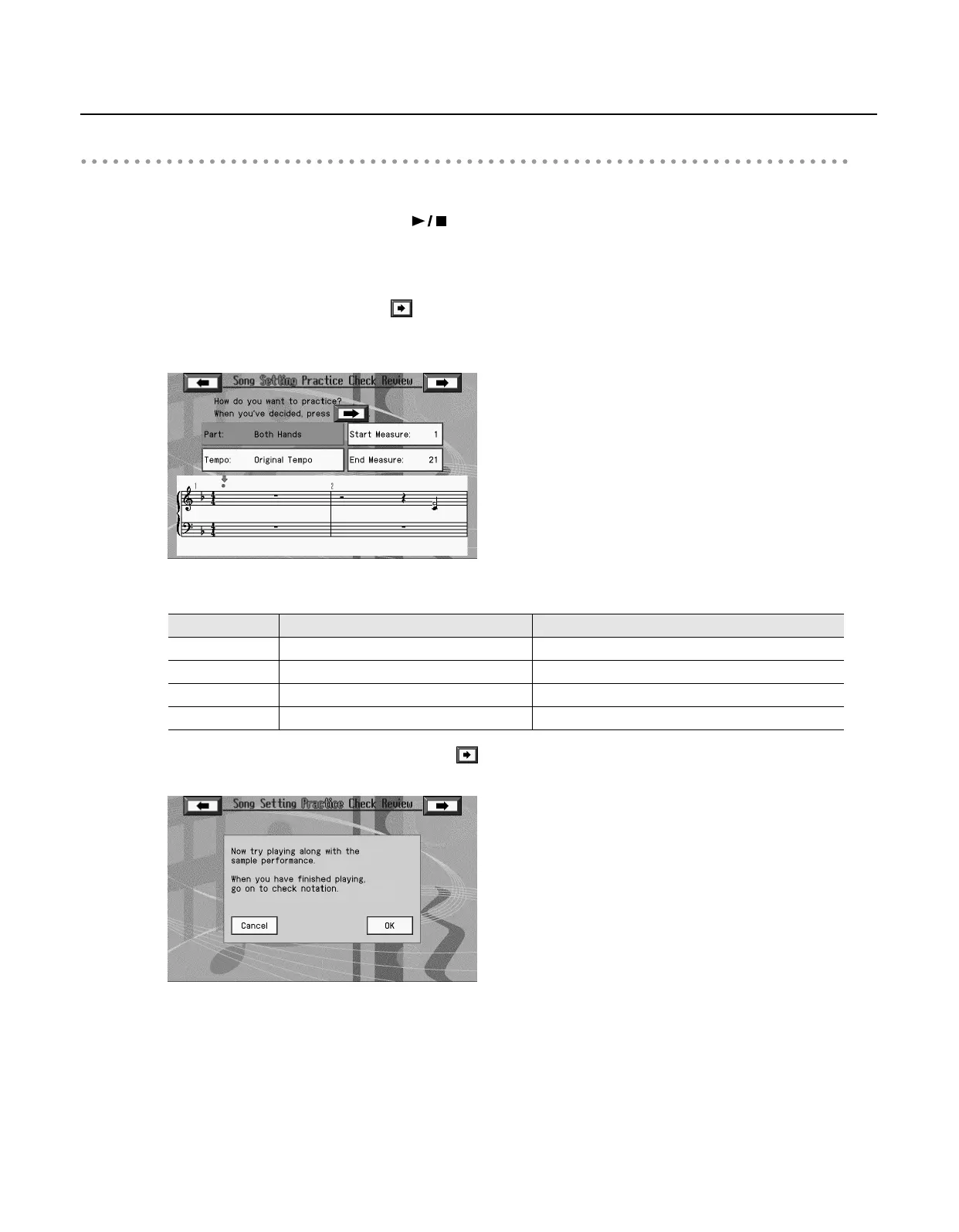
If you selected <Repertoire>, a screen like the following appears.
7.
Touch the item to be specified, and set the value with the [Value] dial.
8.
After you’ve specified the various items, touch
in the center of the screen.
The following screen appears.
Item
Value Explanation
Part
Both Hands, Right Hand, Left Hand This selects the part to be practiced.
Tempo
Much Slower, Slower, A Little Slower, Original Tempo
This sets the tempo for your practice.
Start Measure
(song top) –
This sets the starting measure.
End Measure
– (song end)
This sets the ending measure.
RM-700_e.book 100 ページ 2009年3月18日 水曜日 午前11時5分



 To Next Page