61
Automatic Accompaniment
The RM-700 contains a wide variety of built-in Music Styles, but you can also use Music Styles from USB memory or floppy disk.
1.
Connect the USB memory containing the Music Styles to the External Memory connector.
If you want to use Music Styles from a floppy disk, connect your floppy disk drive to the Ext Drive connector.
2.
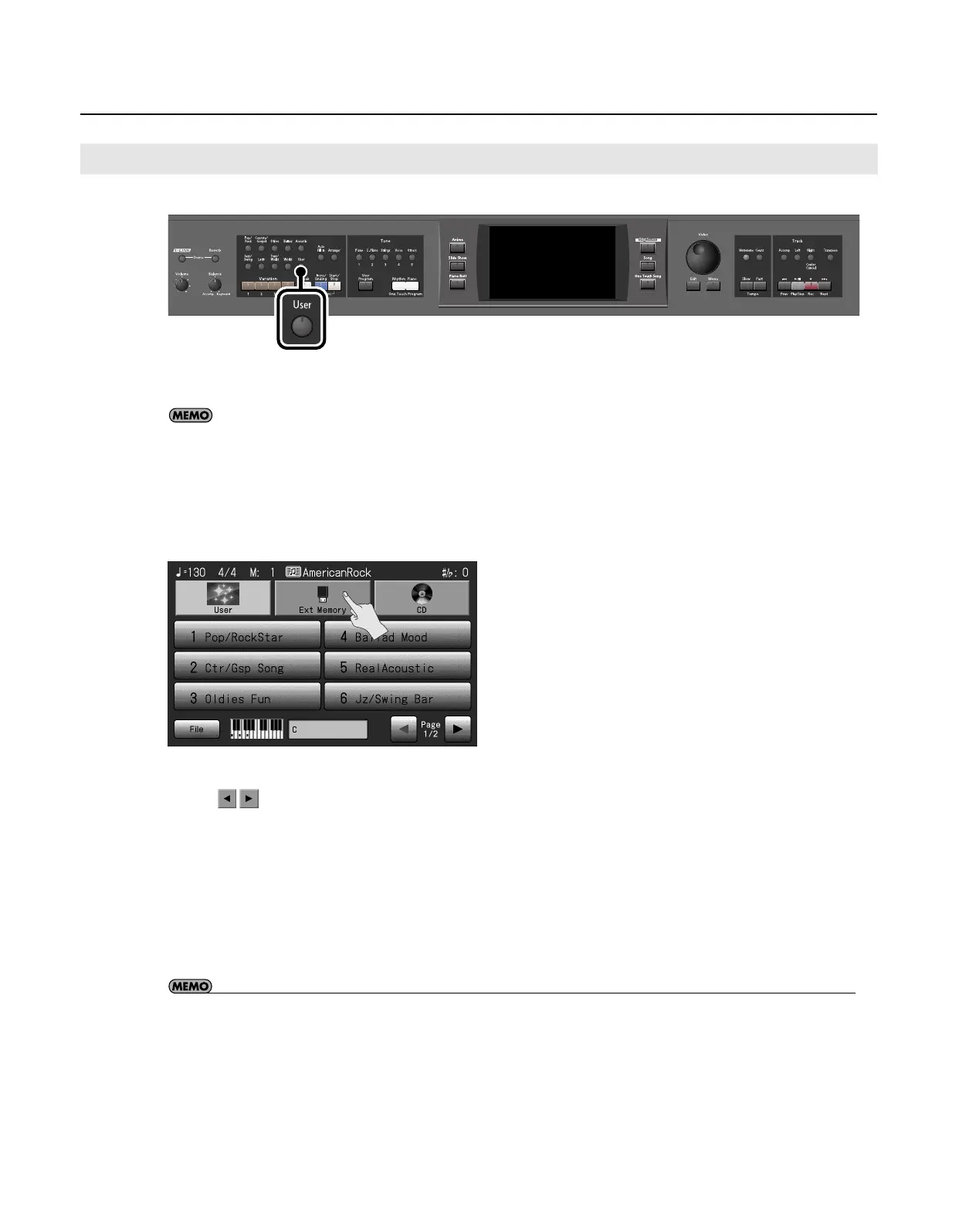
Press the [User] button.
The Music Style selection screen appears.
3.
Touch <Ext Memory>.
The screen for selecting USB memory Styles appears.
4.
Touch the name of a Music Style to select it.
* Touch
to switch pages.
5.
When you’ve selected a Music Style, press the [Exit] button.
6.
Press the [Start/Stop] button.
You can now perform in the selected Music Style.
Music Styles selected from USB memories are stored until the power is turned off. Even after ejecting the USB memory, by pressing the
Music Style [User] button, you can perform using the most recently selected Music Style.
• If you copy Music Styles from USB memory or floppy disk into user memory, you’ll be able to access those Music Styles simply by
pressing the [User] button (p. 73).
Selecting an Music Style from USB Memory
RM-700_e.book 61 ページ 2009年3月18日 水曜日 午前11時5分



 To Next Page