151
Saving Your Performance Settings (User Program)
1.
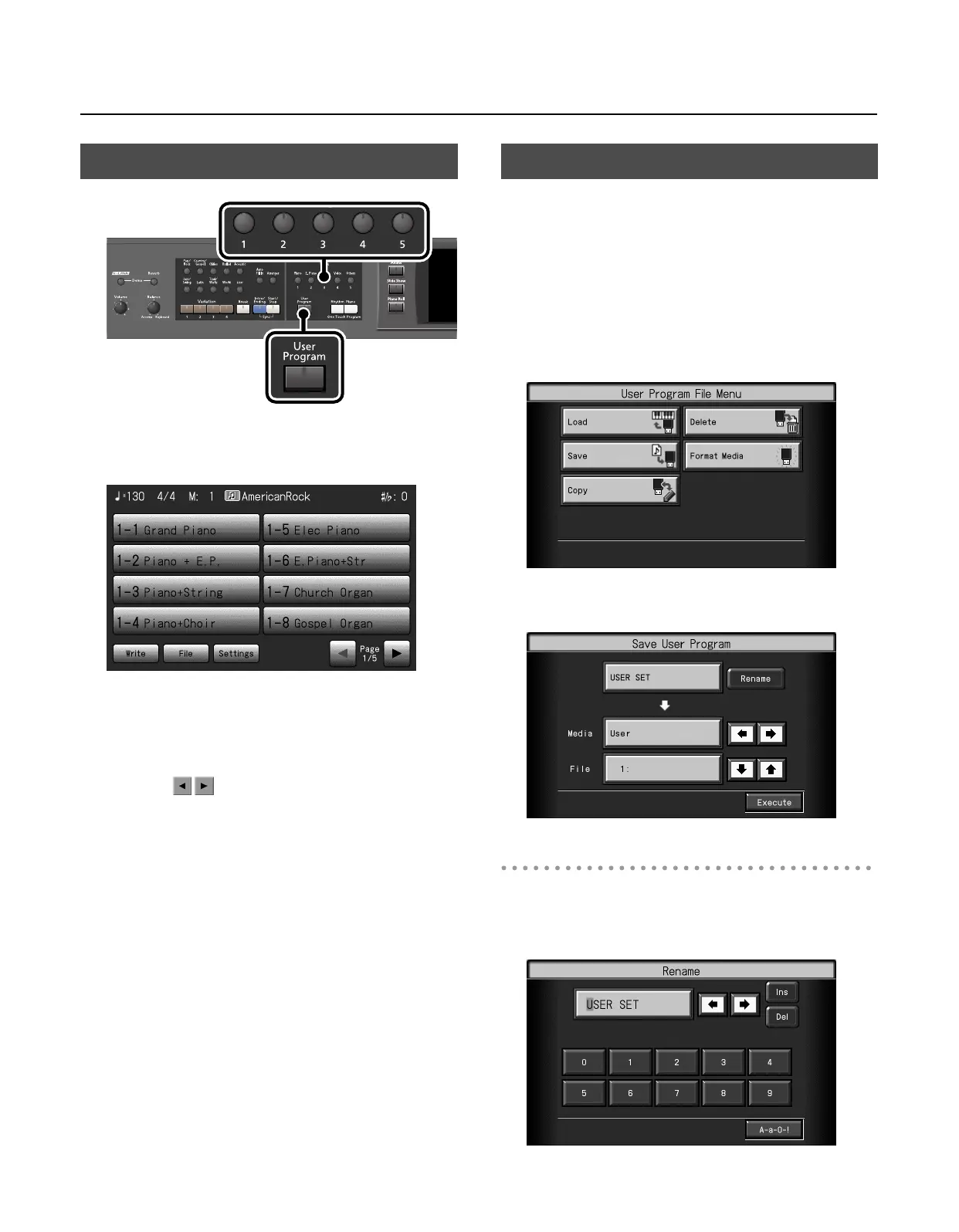
Press the [User Program] button so its indicator is lit.
The User Program selection screen appears.
2.
Press one of the [1]–[5] buttons to recall the user
program that was stored at that button.
The current performance settings will change to the settings of the
selected user program.
* By touching , you can switch between screens without
recalling a user program.
3.
Touch the name to select a variation for the user
program.
The current performance settings will change to the settings of the
selected user program.
* You can also use the [Value] dial to select variations.
* Information about which variation you’ve selected from the eight
that are available is stored to the [1]–[5] buttons.
You can take the 40 user programs saved to the [User Program]
button and save them as a set to a USB memory, or to user memory.
* If you want to save the user program set to USB memory, connect
your USB memory to the External Memory connector now.
1.
Press the [User Program] button so its indicator is lit.
The User Program selection screen appears.
2.
Touch <File>.
The “User Program File Menu” screen appears.
3.
Touch <Save>.
The “Save User Program” screen appears.
Giving a Name to a Set of User Programs
* If you don’t need to rename the user program, proceed to step 8.
4.
Touch <Rename>.
The “Rename” screen appears.
Calling Up Saved User Programs
Saving the User Program Sets
RM-700_e.book 151 ページ 2009年3月18日 水曜日 午前11時5分



 To Next Page