78
Song Playback
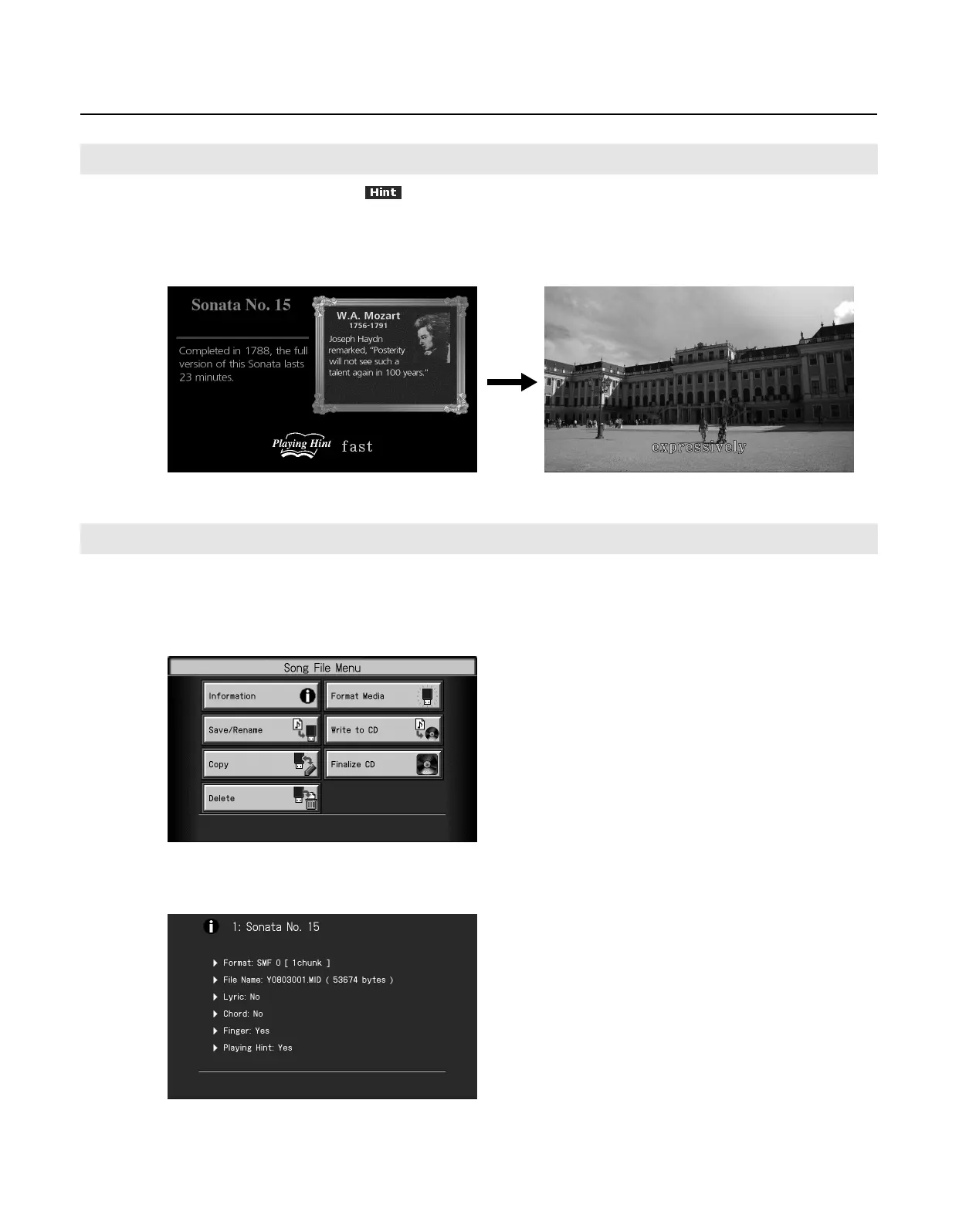
When you select a song that indicates
and press the [Slide Show] button so the button’s indicator is lit, the screen will show
information about that song and a profile of the composer. In addition, advice on how to play the song will be shown at the bottom of
the screen.
This function is called “Playing Hint.”
When you press the [Play/Stop] button to play the song, this advice will be shown at various points during the song.
You can view information about the song, such as the file name and the data format.
1.
In the Song selection screen, touch <File>.
The “Song File Menu” screen appears.
2.
Touch <Information>.
The song information will be displayed.
3.
Press the [Exit] button a number of times to return to the previous screen.
Viewing the Playing Hint
Viewing Information About the Song
RM-700_e.book 78 ページ 2009年3月18日 水曜日 午前11時5分



 To Next Page