82
Song Playback
Here’s how to change the tempo of a song.
If a song is too fast for you to play or sing along comfortably, you can slow it down to a more comfortable tempo.
Changing the tempo (playback speed) will not affect the pitch. You can also change the tempo even while the song is playing.
In the case of a music CD or audio/MP3 format song, the playback speed will change.
1.
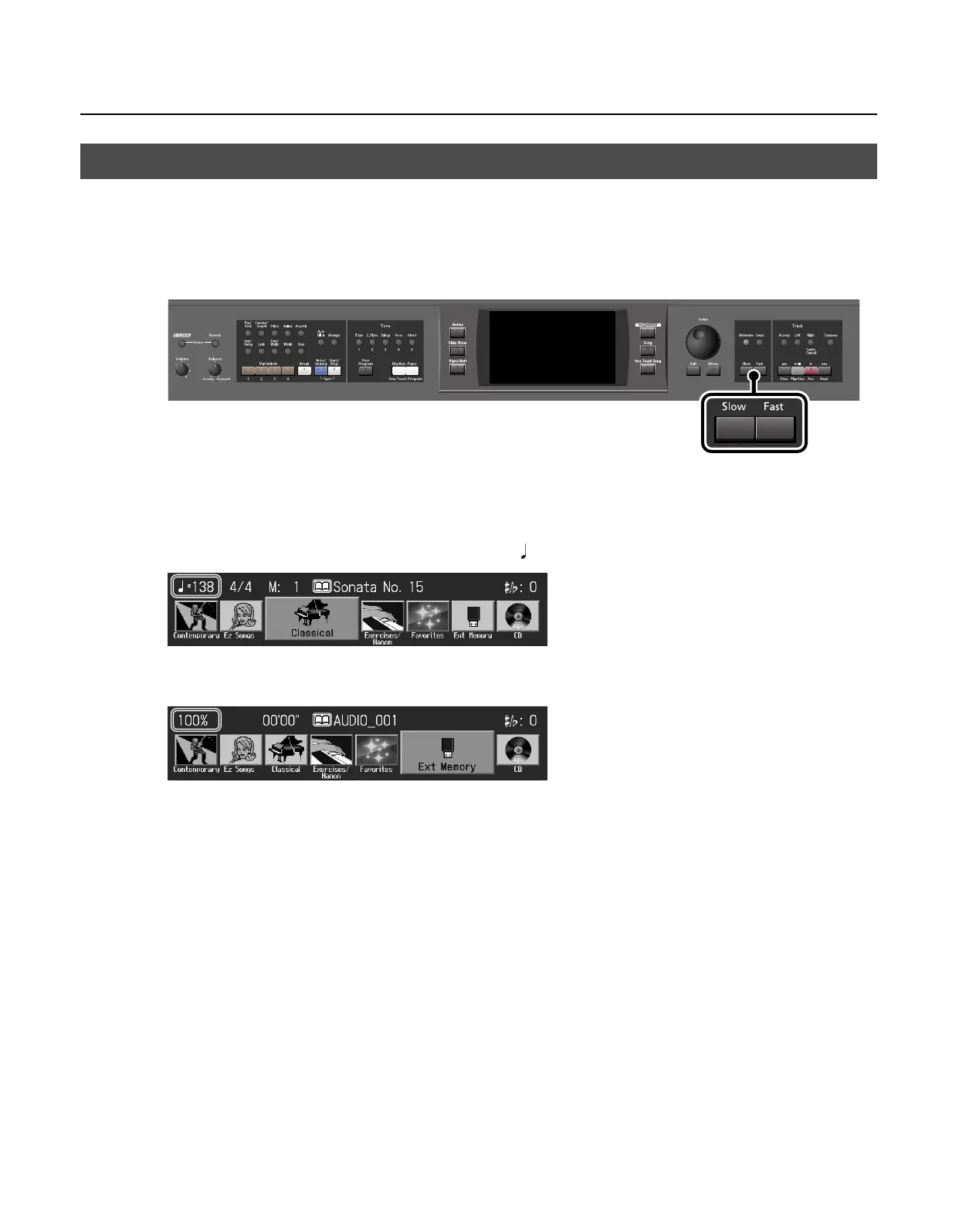
Press the Tempo [Slow] [Fast] buttons to adjust the tempo (playback speed).
Pressing the Tempo [Slow] button will make the tempo slower, and pressing the Tempo [Fast] button will make the tempo faster.
• For an SMF format song, the tempo can be adjusted in a range of =10–500.
• For a music CD song or an audio/MP3 format song, you can adjust the playback speed in a range of 75%–125% relative to an
original playback speed of 100%.
2.
To return to the normal tempo (playback speed) of the song, press the Tempo [Slow] and [Fast] buttons
simultaneously.
The “normal tempo (playback speed)” is the appropriate tempo that is pre-specified for each song.
Changing the Tempo (Playback Speed) of a Song
RM-700_e.book 82 ページ 2009年3月18日 水曜日 午前11時5分



 To Next Page