98
Using the Practice Functions
“Wonderland” allows children to experience a variety of sounds and internal songs with easy operation and enjoyable animation.
1.
Press the [Menu] button so its indicator is lit.
2.
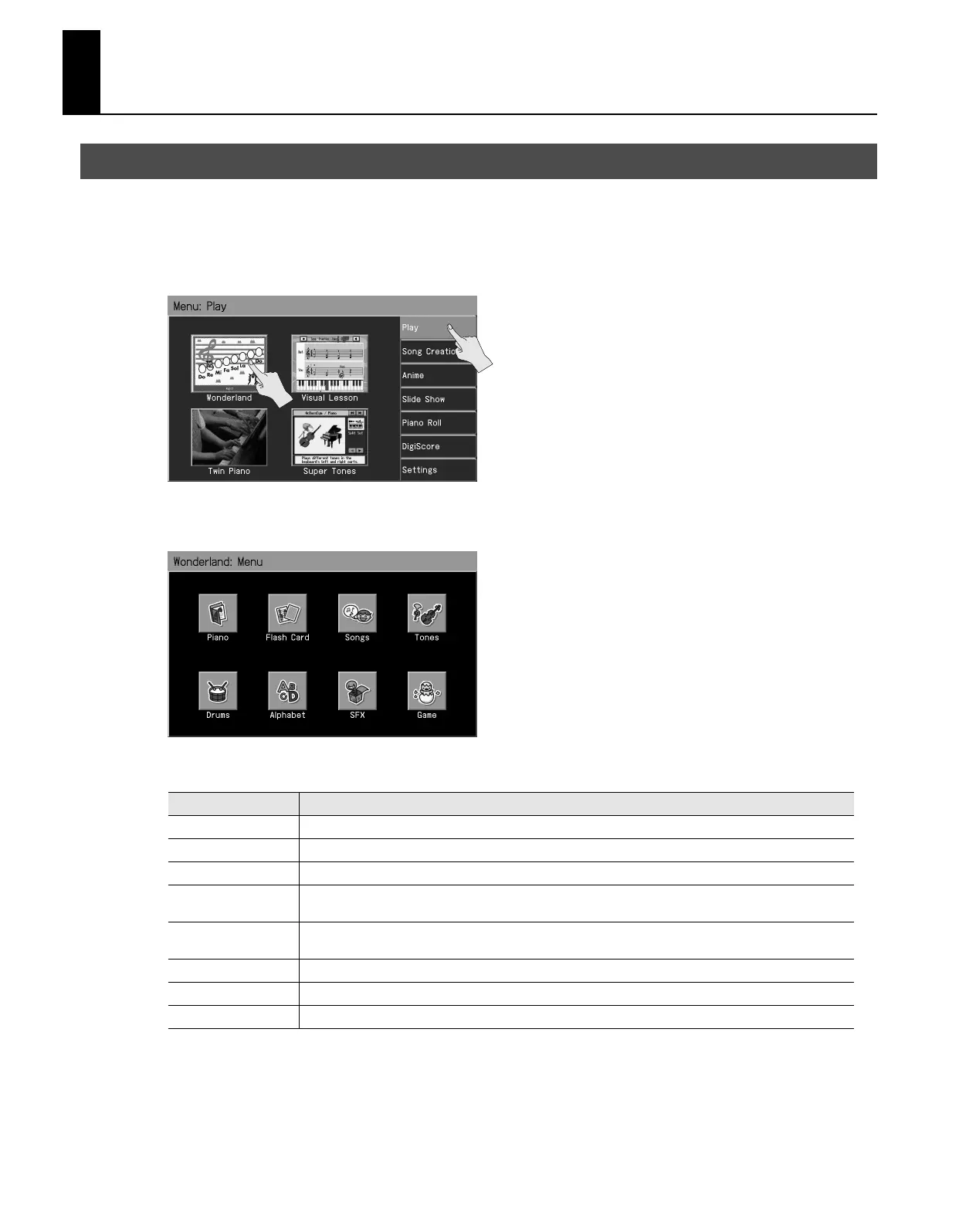
Touch <Play>.
3.
Touch <Wonderland>.
The Wonderland Menu screen appears.
4.
Touch the screen to select an item.
5.
Try playing as you view the screen.
6.
To exit Wonderland, press the [Exit] button a number of times.
Playing in a Wonderland of Sound
Item
How it is used
Piano
Learn how the piano is constructed.
Flash Card
In this game, you play the notes shown on the cards.
Songs
Listen to the internal songs.
Tones
Select a picture of an instrument to hear the sound of that instrument.
Play the keyboard to play the selected instrument.
Drums
Select a picture of a percussion instrument to hear the sound of that instrument.
Play the keyboard to play the selected percussion instrument.
Alphabet
Use the keyboard to become familiar with the alphabet.
SFX
Listen to a wide variety of sound effects.
Game
In this game, you try to the tone name, chords, and rhythms that you hear.
RM-700_e.book 98 ページ 2009年3月18日 水曜日 午前11時5分



 To Next Page