68
Automatic Accompaniment
Normally, when using Automatic Accompaniment in a performance, sounds are not produced by playing the left-hand part of the
keyboard. When you touch the <Lower 1> or <Lower 2> icon, you can have Tones from the left side of the keyboard play
simultaneously with the Automatic Accompaniment.
1.
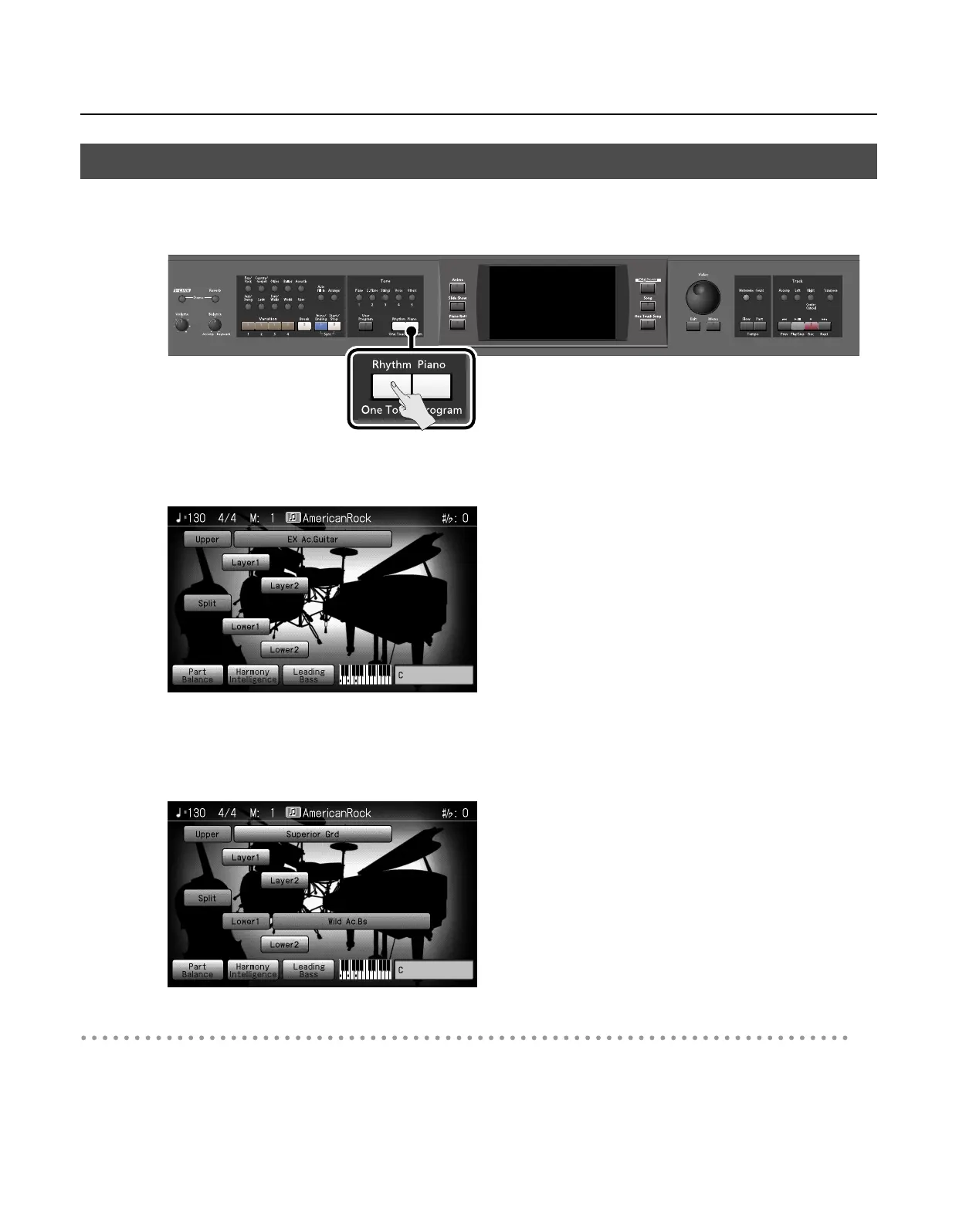
Press the One Touch Program [Rhythm] button.
The Basic screen appears.
2.
Touch <Lower 1>.
Now when you play a chord in the left-hand keyboard area, the notes you play will sound, and the accompaniment chord changes.
In the same manner, you can play the lower tone by touching <Lower 2>.
By touching both <Lower 1> and <Lower 2>, you can get a Layer performance for the left-hand.
Stopping the Sound in the Left-hand
3.
Touch <Lower 1>.
The <Lower 1> icon returns to the original color.
To have <Lower 2> play as well, also touch <Lower 2>.
The lower Tones stop playing.
Playing Sounds in the Left Hand During a Performance (Lower Tone)
RM-700_e.book 68 ページ 2009年3月18日 水曜日 午前11時5分



 To Next Page