138
Recording and Saving the Performance
Try recording a performance along with the Automatic Accompaniment.
Settings for Recording Performances
1.
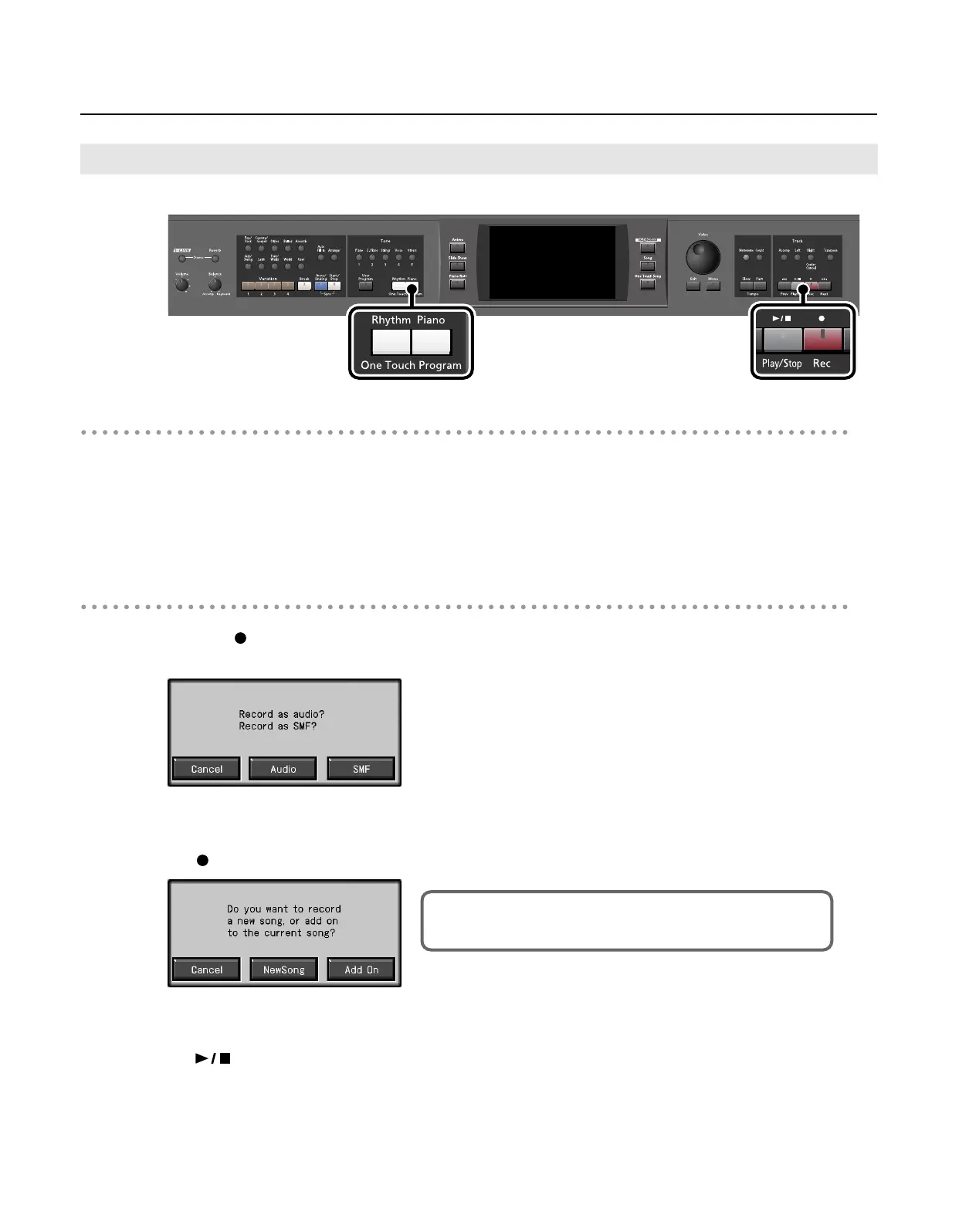
Press the One Touch Program [Rhythm] button.
This chooses the setting for Automatic Accompaniment.
2.
Decide on the Music Style.
When you have finished choosing the settings, press the [Exit] button to display the Basic screen.
Recording Settings
3.
Press the [ (Rec)] button.
The following screen appears.
* If you decide not to record, touch <Cancel>.
4.
Touch <Audio>.
The [
(Rec)] button will light, and the following screen appears.
* If you decide not to record, touch <Cancel>.
5.
Touch <NewSong>.
The [
(Play/Stop)] button will blink, and the RM-700 will enter recording-standby mode.
6.
Decide on the tempo.
Recording With Accompaniment
This screen will not appear if “New Song” is selected.
In this case, proceed to step 6.
RM-700_e.book 138 ページ 2009年3月18日 水曜日 午前11時5分



 To Next Page