75
Song Playback
The RM-700 lets you play back internal songs, songs that you yourself recorded, songs that are saved on USB memory (sold separately),
songs from a music CD, or songs in audio/MP3 format.
You can also play back separately available VIMA TUNES songs (CD-ROMs produced for VIMA).
Selecting the Song
• If you want to playing a song from USB memory, connect the USB memory to the External Memory connector.
• If you want to playing a song from a CD-ROM, insert the CD-ROM into the CD drive.
1.
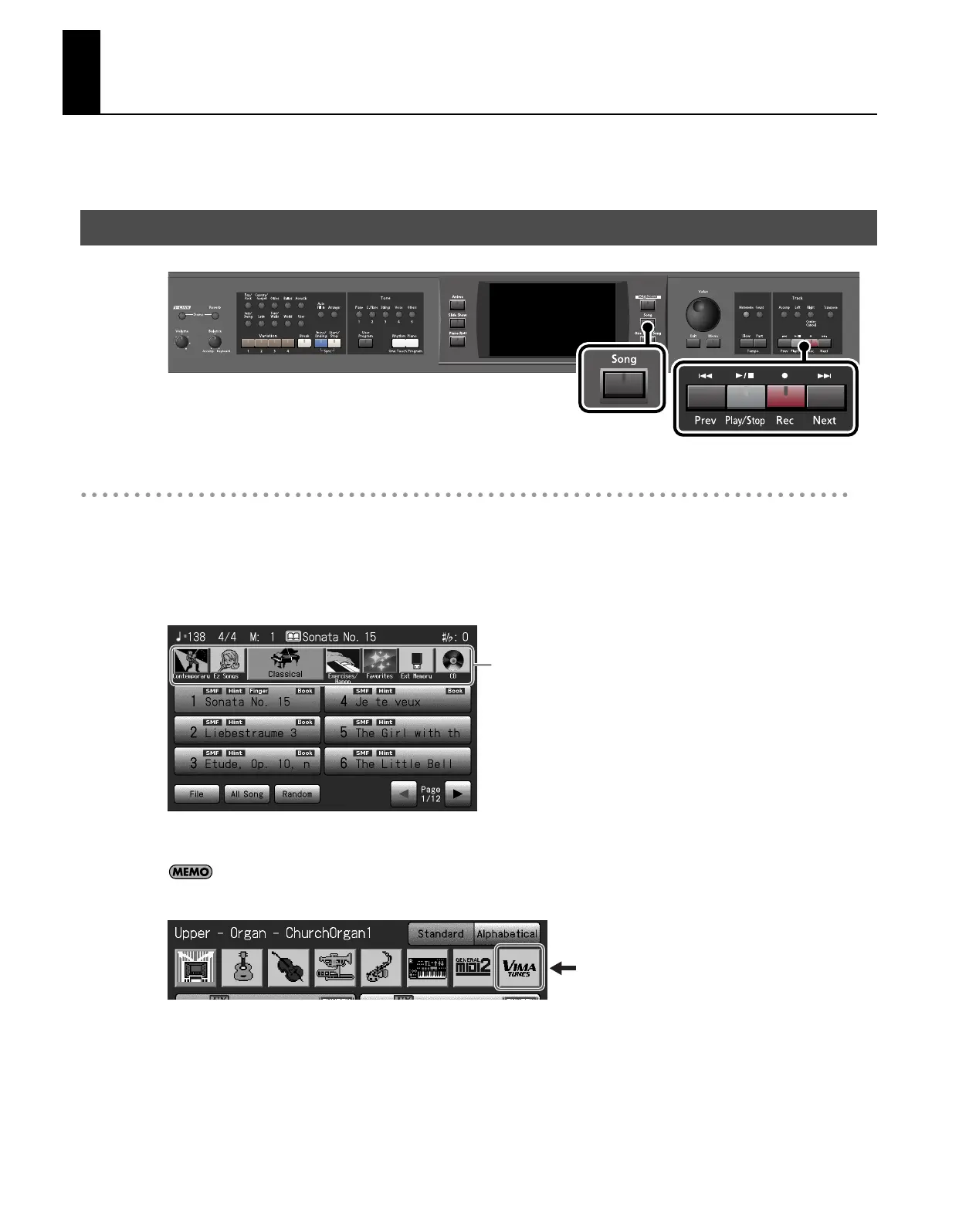
Press the [Song] button so its indicator is lit.
The Song selection screen appears.
2.
Touch the genre icon to select the desired song genre.
If you press the [Others] button when a VIMA TUNES song is selected, <VIMA TUNES> will appear in the sound selection
screen. If you touch this <VIMA TUNES> indication, the recommended tones will be displayed.
Playing a Song
Genre
RM-700_e.book 75 ページ 2009年3月18日 水曜日 午前11時5分



 To Next Page