45
Performance
You can adjust the brightness of the sound heard.
The Brilliance setting has no effect during audio recording (p. 136).
1.
Press the [Menu] button so its indicator is lit.
2.
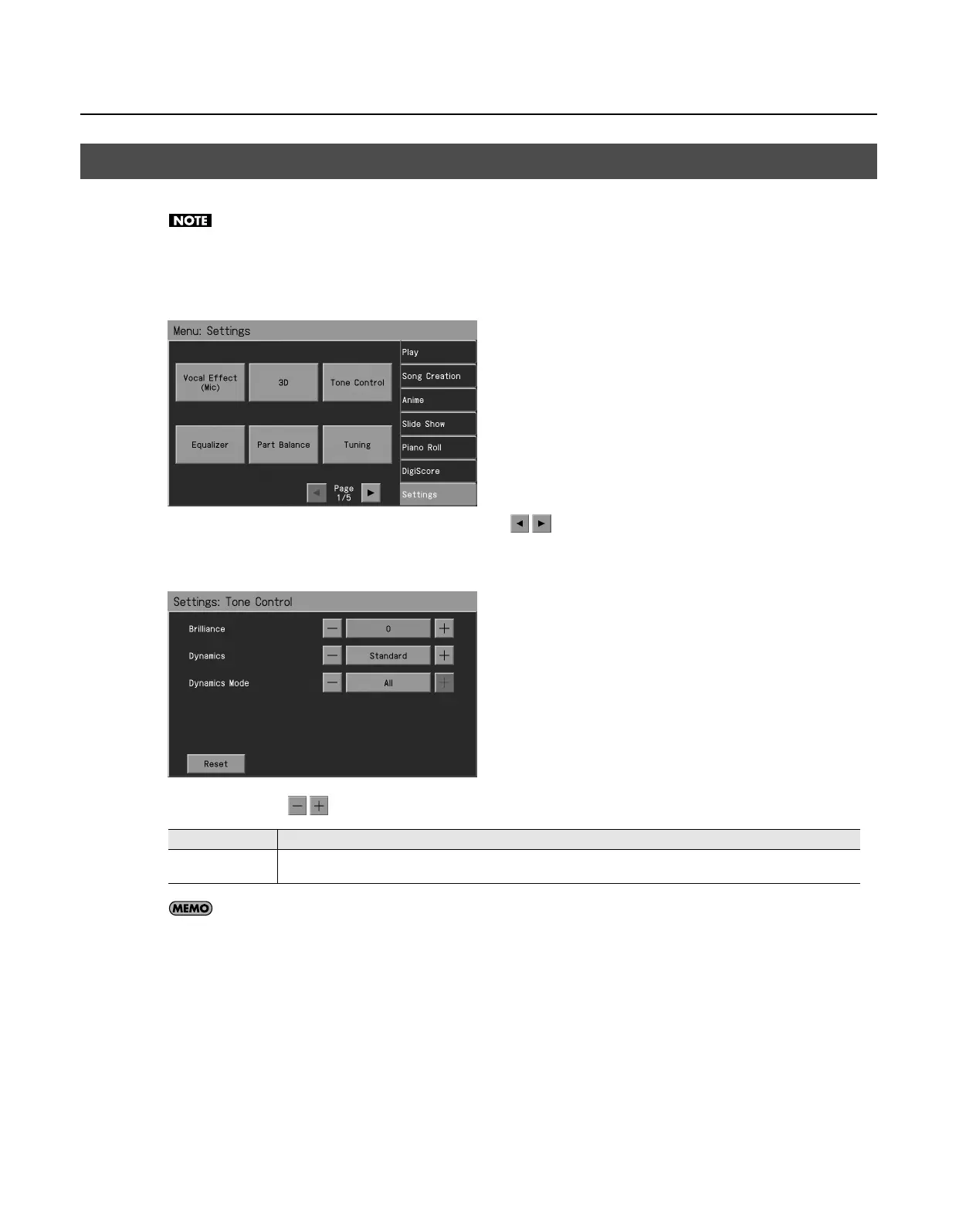
Touch <Settings>.
* The Menu screen for Settings contains five screen pages. Touch
to switch between the pages.
3.
Touch <Tone Control>.
The “Tone Control” screen appears.
4.
Touch <Brilliance>
to adjust the setting.
If you touch <Reset>, the currently selected setting (parameter) will return to its factory setting.
5.
Press the [Exit] button when you’ve finished making settings.
Changing the Brightness of the Sound (Brilliance)
Setting
Explanation
-10–0–10
“0” is the standard brightness.
Values below 0 will produce a more mellow sound. Values above 0 will make the sound brighter.
RM-700_e.book 45 ページ 2009年3月18日 水曜日 午前11時5分



 To Next Page