106
Playing an Audio CD
TheprocedurestoplayanaudioCDaredescribedbelow.
1
Launch AVStation premium and insert an audio CD
into the CD drive.
2
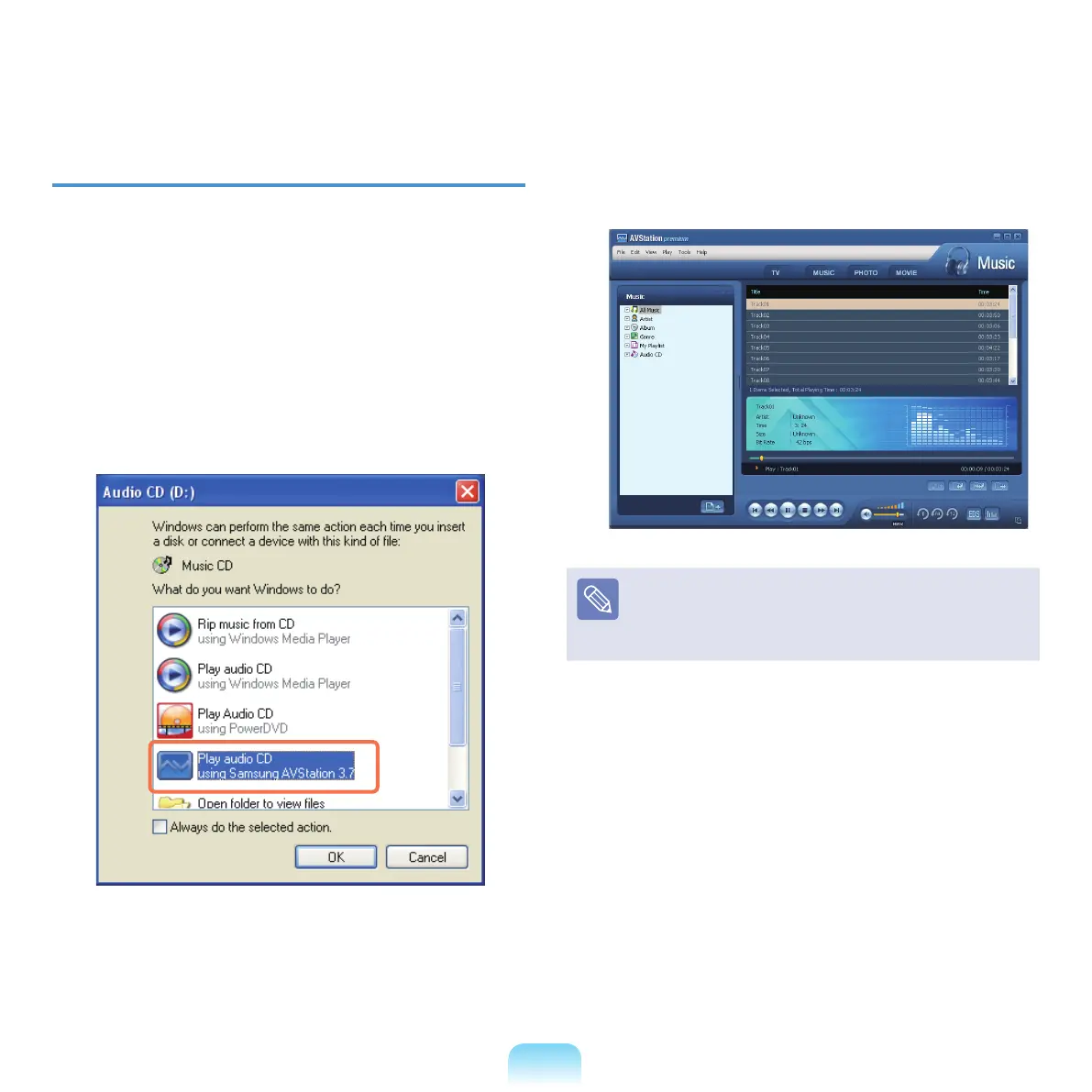
In the Audio CDwindow,selectPlay Audio CD
using Samsung AVStation and click OK.
3
The tracks on the audio CD are displayed in the
Playlistandthersttrackisautomaticallyplayed.
IfanaudioCDisalreadyintheCDdrive,double-click
the album title in the Audio CD
folderoftheLibrary
and add the tracks to the Playlist. The tracks added to
the Playlist are played.



 To Next Page