108
Adding Music Files to the Library
MUSICLibraryisalibraryholdingmusiclesusedby
MUSIC Station.Theprocedurestoaddmusiclessaved
onthecomputertotheLibraryaredescribedbelow.
Youcanaddlesandfoldersor,searchandaddles.As
anexample,theprocedurestoaddafolderaredescribed
below.
1
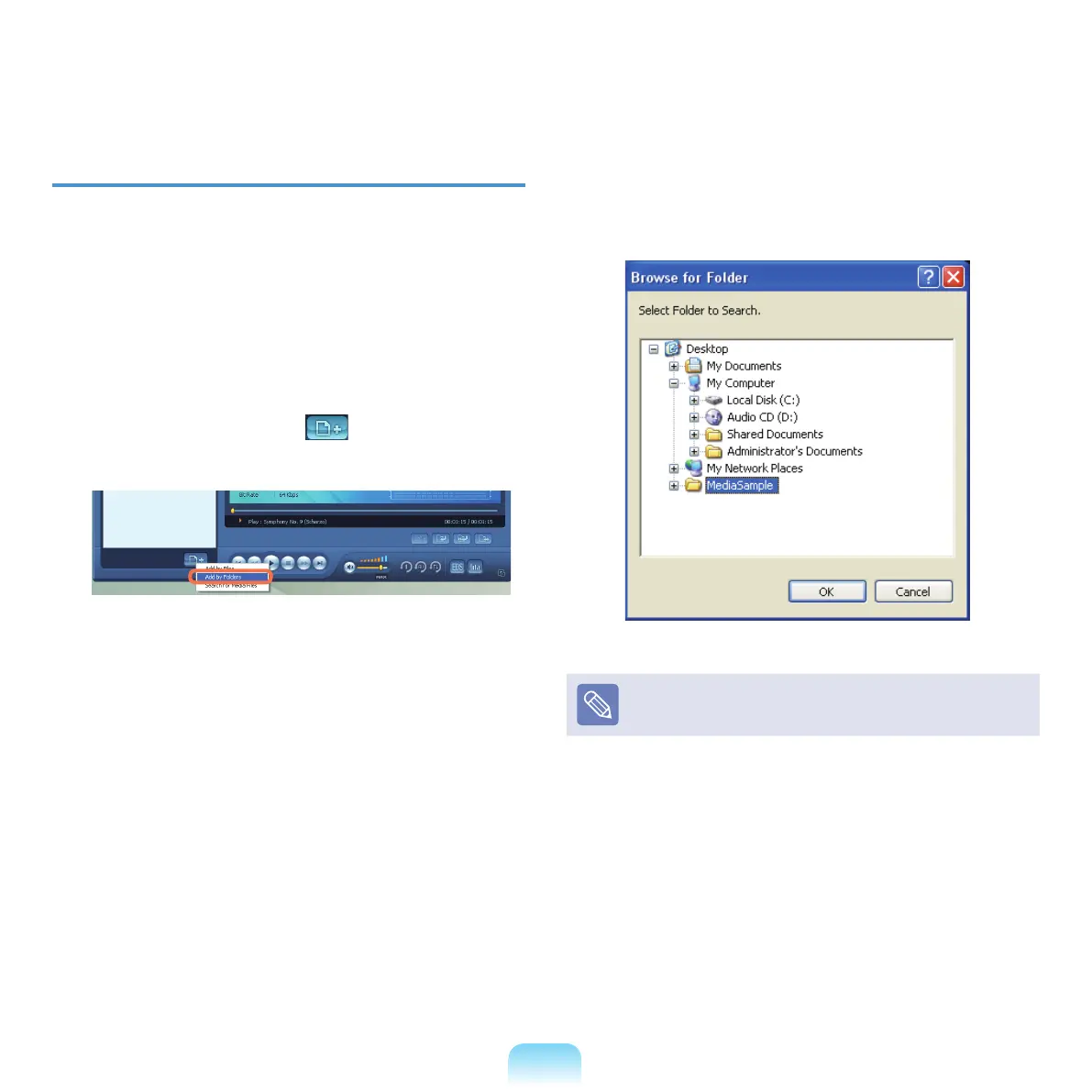
Click the Register a File ( )buttonbelowthe
LibraryandclickAdd by Folders.
2
Selectafolderwhichincludedmusiclesandclick
OK.Themusiclesinthefolderareaddedtothe
Library.
The tracks used in AVStation are automatically added to
theLibrary.



 To Next Page