6
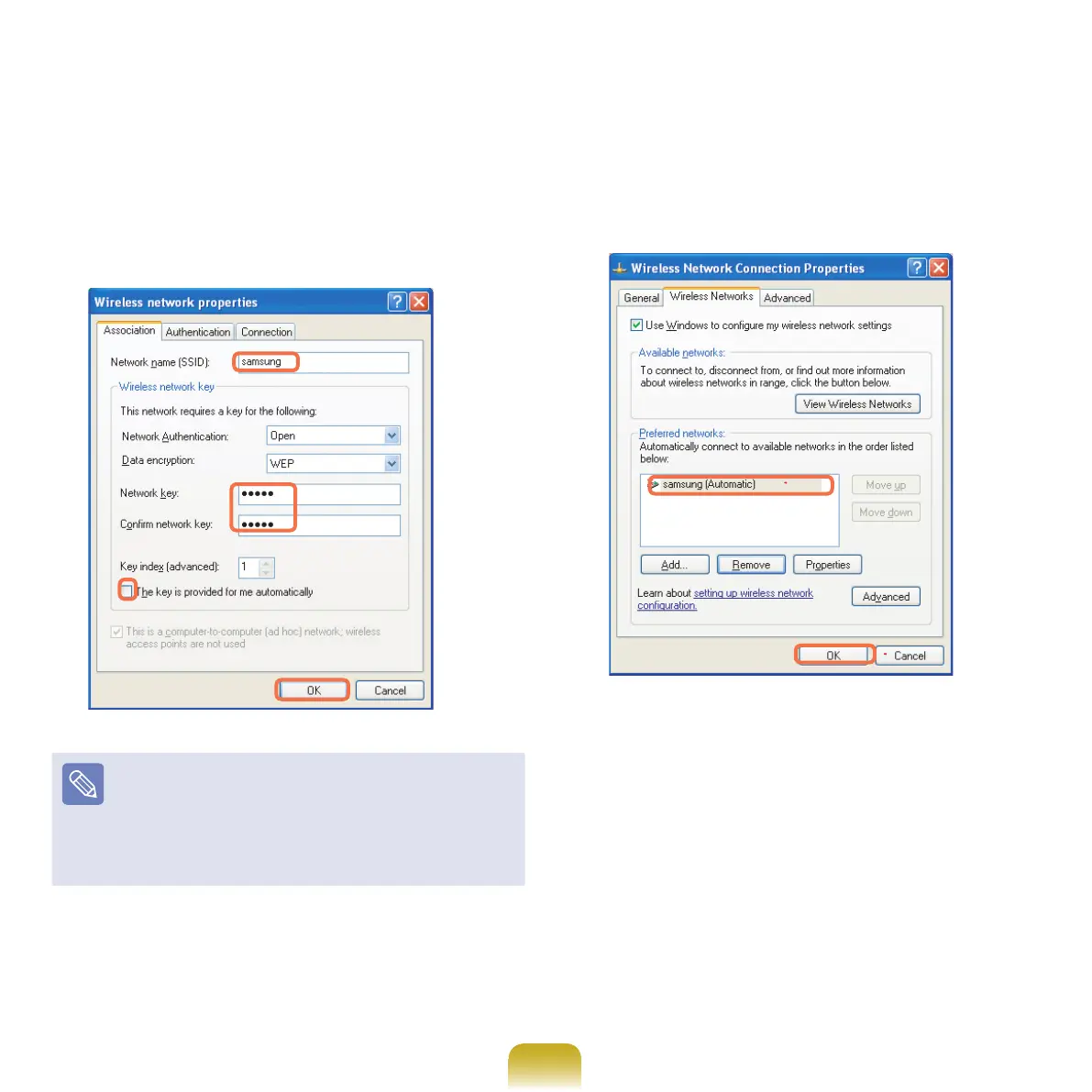
Enterthenetworkname(e.g.samsung),and
unselect‘Thekeyisprovidedformeautomatically’.
EntertheencryptionkeyintheNetworkkeyeld,
andclickOK.
Topreventanetworkconnectionfromanunauthorized
user,itwouldbebettertocongureanetworkkey
(encryptionkey).Anetworkkeyconsistsof5~13
alphanumericcharacters(e.g.magic),orof10~
26hexadecimalnumbers(ahexadecimalnumberis
representedbynumbers‘0’to‘9’orletters‘a’to‘f’).
7
Checkthatthecongurednetworkname(e.g.
samsung)isinthe’Preferrednetworks’item,and
click OK.



 To Next Page