User manual
SANTEC IP cameras
_________________________________________________________________________________
- 121 -
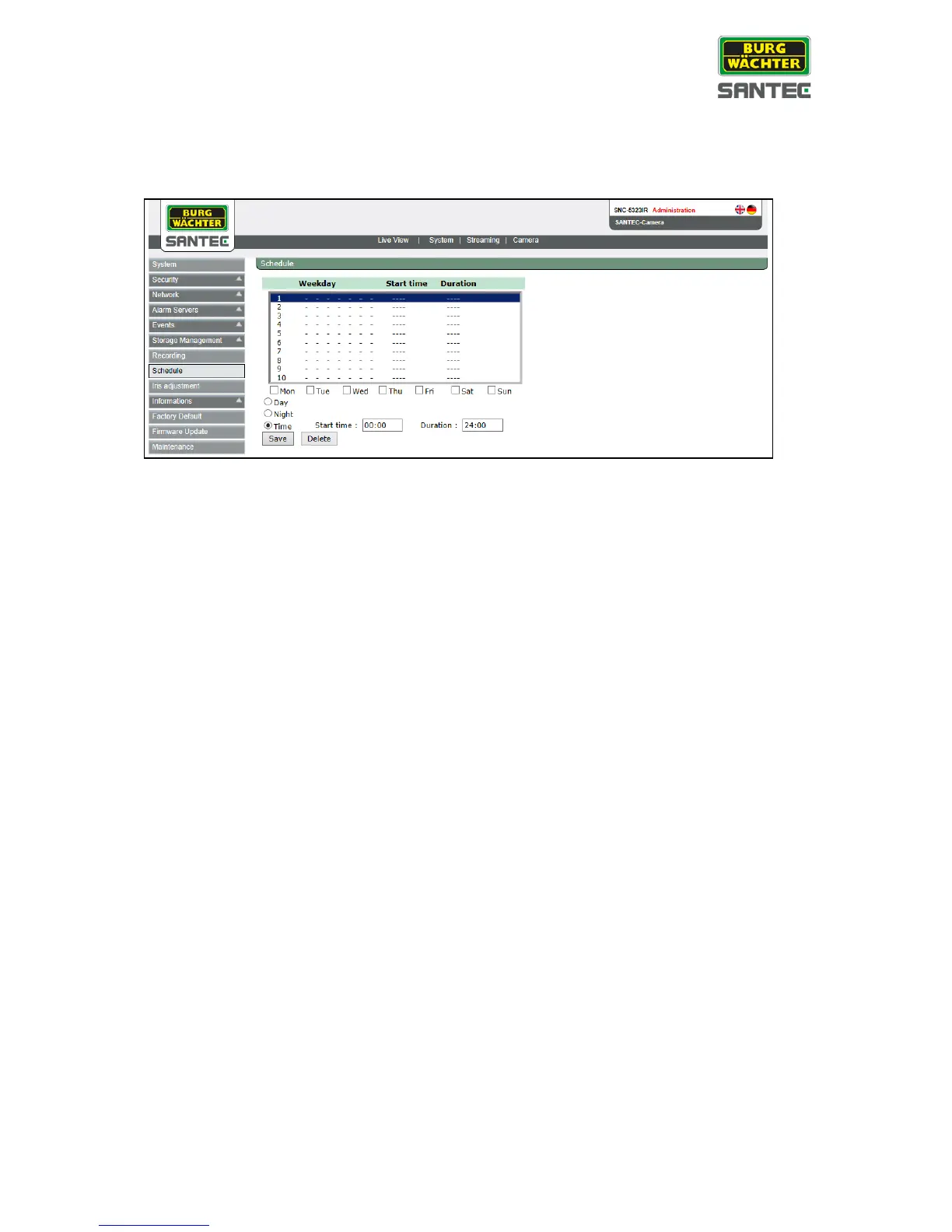
2.3.8 Schedule
This setting can be found under this path: System > Schedule
If you want to define a schedule for alarm management via I/O contact, motion detection,
camera profile or tampering, you can define days and times on this page.
For the schedule, a start time and an end time can be set or activated automatically when the
camera switches into day resp. night mode.
Up to 10 schedules can be defined for alarm I/O, motion detection, camera profile and
tampering.
Only if you have defined at least one schedule on this page, you can select a schedule on
the respective event pages. Please also read chapter 2.3.5.1 (alarm IO), chapter 2.3.5.2
(motion detection), chapter 2.3.5.3 (tampering) and chapter 2.5.1 (camera profile).


 To Next Page