2.7.3 Cruise
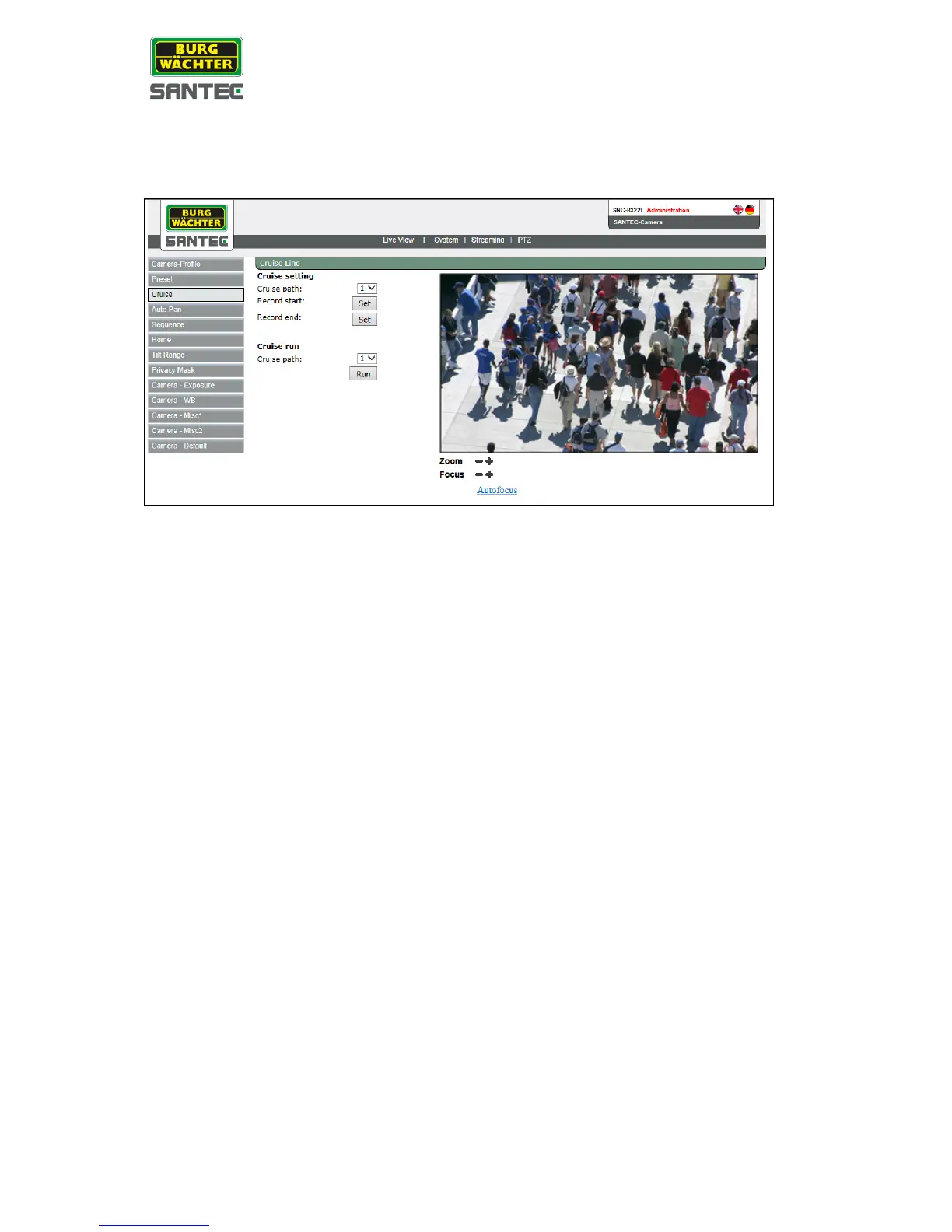
The cruise setting can be found under this path: PTZ > Cruise
Cruise setting:
• Select a cruise path (=tour number) from the drop-down list. Overall, 8 cruises can be
defined.
• Left-click into the live picture.
The cursor turns into a red arrow/dot. You can now move the picture to the desired
position.
• If required, you can adjust the picture by clicking on the zoom and focus buttons.
• Click on „Record start: Set“ to start the cruise.
• Click on „Record end: Set“ to end the cruise.
Cruise run list:
To run a specific cruise, select the desired cruise path (= cruise number) from the drop-down
list.
To display the cruise as full screen, right-click in the live picture and select “Fullscreen”. By
double-clicking in the full screen picture, you return to the regular view.


 To Next Page