User manual
SANTEC IP cameras
_________________________________________________________________________________
- 40 -
SNC-6302, SNC-6312IRH, SNC-6315IRH, SNC-6323IRH:
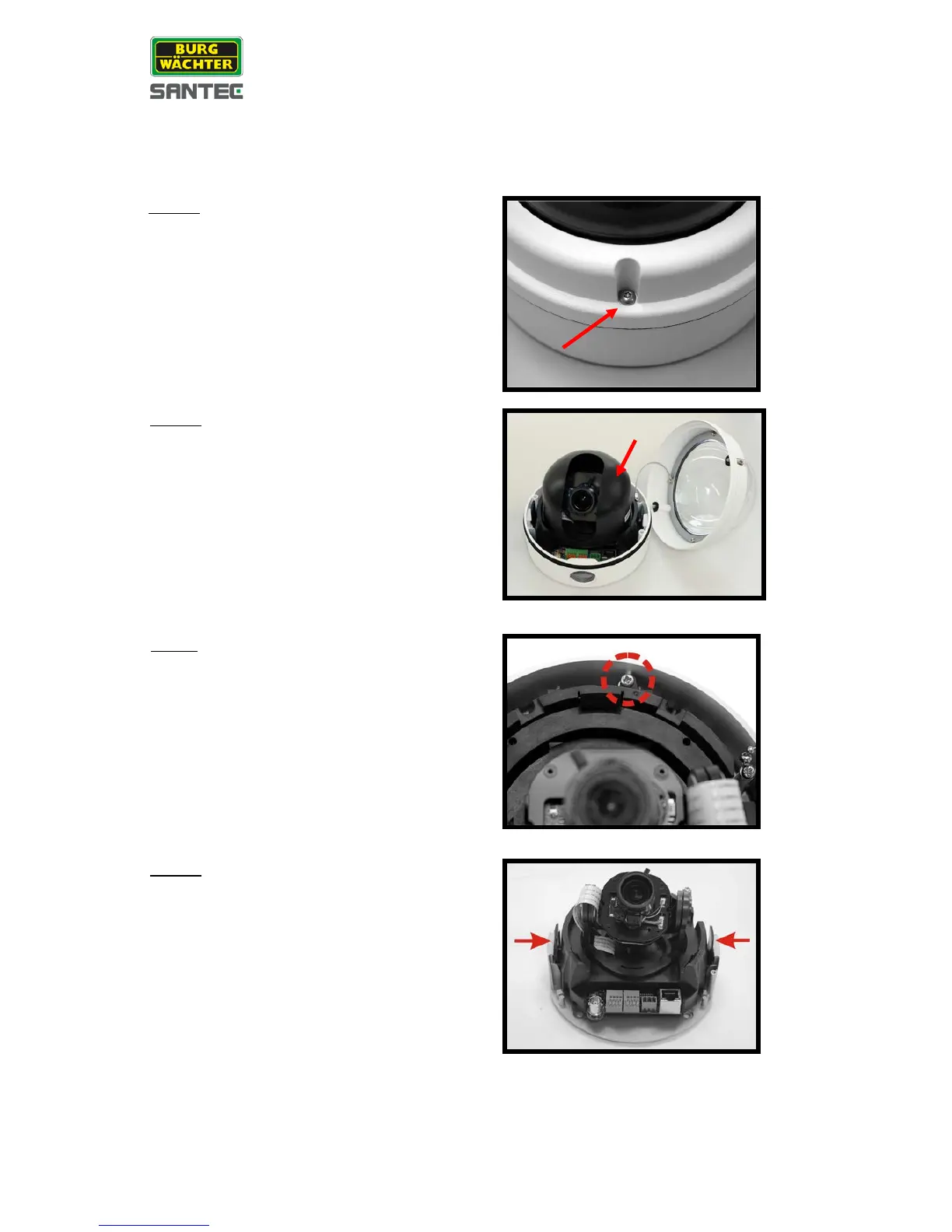
Please follow the steps below to surface-mount the camera indoors.
Loosen the 2 captive security screws with the
supplied torx wrench and pull-off the dome
housing.
Press both sides of the inner cover and
remove it from the camera module.
Unscrew the module-fastened screw, as
indicated in the figure, with a screw driver.
Press the sides of the snap-on camera
module, as indicated in the figure, and detach
it from the dome camera’s housing plate.



 To Next Page