QUICK INSTALLATION GUIDE: SNC-6202 and SNC-6212IR
To operate the IP dome camera, please follow these steps:
1. Install the camera in the desired location.
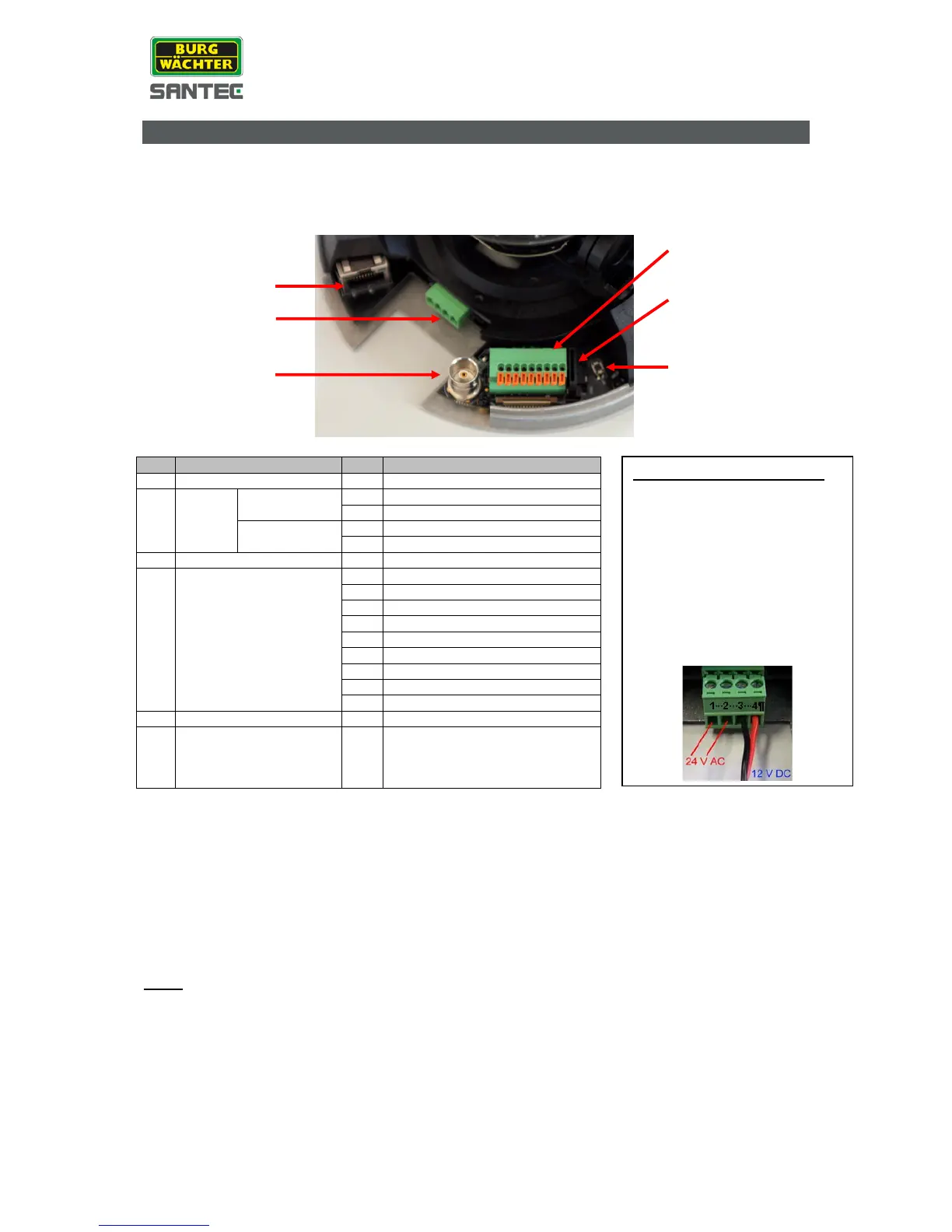
2. Connect the camera to power using PoE (PoE switch or PoE injector required) or
12 V DC / 24 V AC.
3. Insert the CD (included in the delivery) into your PC/laptop and install the IP-finder.
4. The IP-finder displays an IP address for the camera. Double-click on the IP address
and the Internet Explorer comes up automatically. In case this doesn’t work, you may
also enter the IP address (as shown by the IP-finder) manually into the Internet
Explorer. Using the IP-finder, another IP address can be assigned to the camera, if
required.
Note:
The camera comes with a default IP address:
Default IP address: 192.168.1.168 (or by DHCP, if available)
User name: admin
Pass word: 9999
Please refer to the following chapters in this user manual for further installation information
and on camera configurations.
When connecting power,
please note that the
connection pins on the 4-pin
plug are separate for 12 V
DC and 24 V DC.
Improper power connection
may lead to camera
damages and to invalidation
of warranty!



 To Next Page