User manual
SANTEC IP cameras
_________________________________________________________________________________
- 47 -
2.2 Connect to power
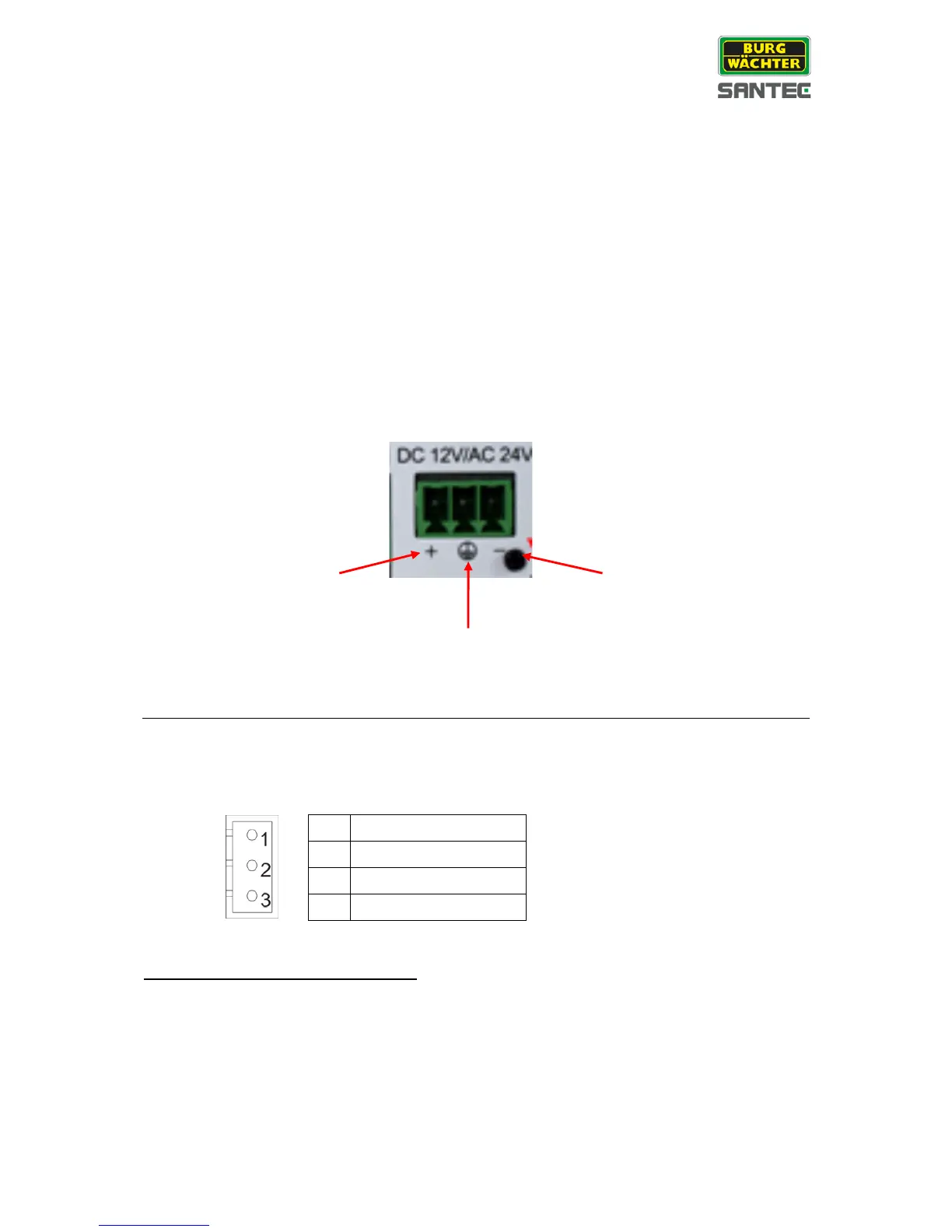
Please also see chapter “1.5 Connectors”.
Connect the Ethernet cable to the cameras PoE port and plug the other end of the cable into
a PoE switch.
If using PoE, make sure Power Sourcing Equipment (PSE) is in use in the network, e.g. a
hub or a router.
When using PoE, please only use a PoE + power adapter (IEEE 802.3at) which has at least
the same power consumption as the camera.
SNC-3322: Connect to power:
To connect the camera to power, please use a 12 V DC / 24 V AC power adapter with open
cable ends and the included power plug (also see chapter „1.5 Connectors“).
Only for SNC-8322I, SNC-8322HO:
To connect the camera to power, please use a 24 V AC power adapter with open cable ends
and the included power plug (also see chapter „1.5 Connectors“).
Only for SNC-8322HO: Built-in heater:
Camera SNC-8322HO is equipped with a built-in heater.
Please note that the heater only works if the camera is powered by 24 V AC.
The heater doesn’t operate if PoE is used.



 To Next Page