User manual
SANTEC IP cameras
_________________________________________________________________________________
- 28 -
1.5 Connections
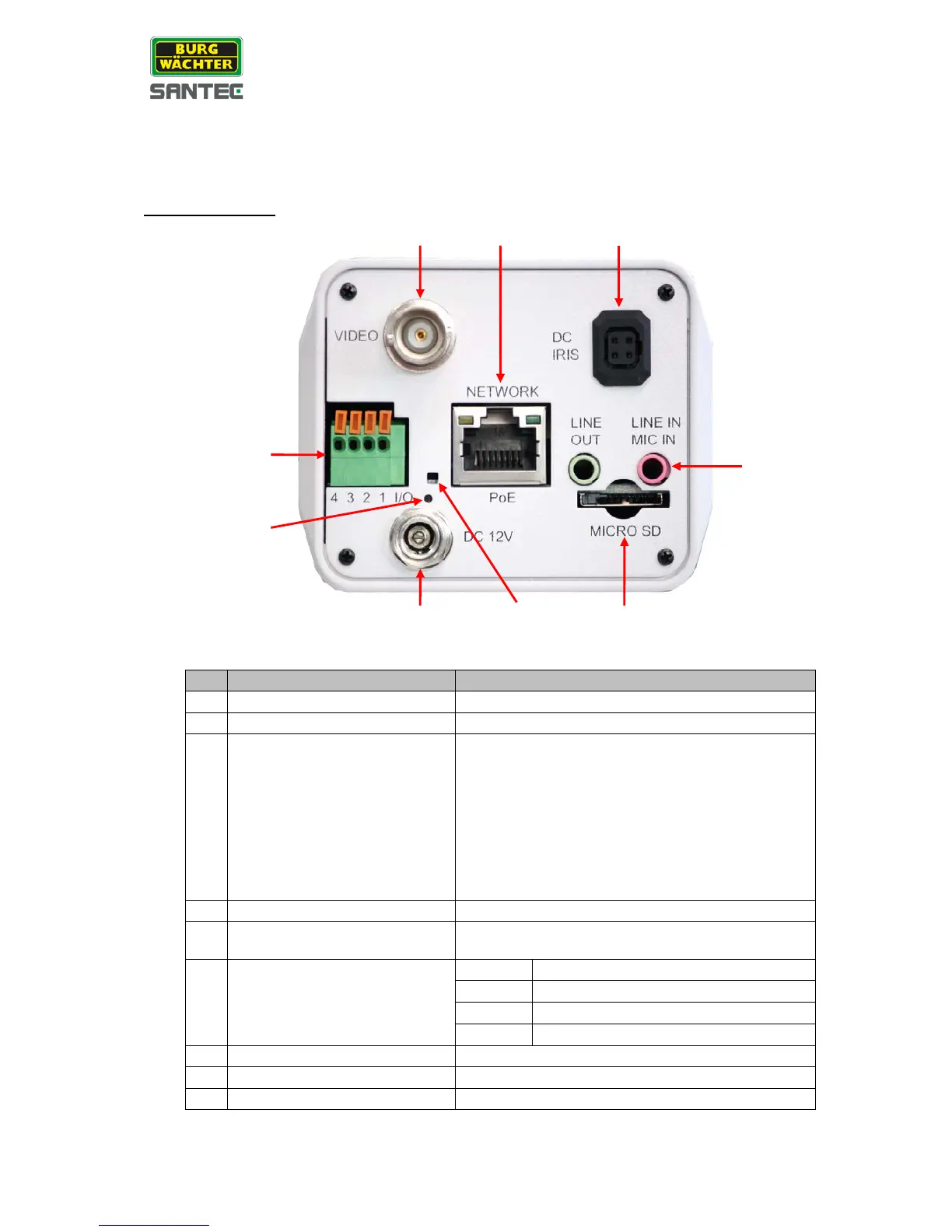
SNC-3302, SNC-3303 and SNC-3305:
Camera rear view:
Line out & Line in/ Mic in
Two-way audio transmission
Power connection indication (green light)
Reset to factory default settings:
• Keep camera connected to power.
• Use a pointed device to press onto the
reset button and hold it for approx. 1 sec.
• Release the button and wait approx. 1 sec.
• Press and hold the reset button for approx.
30 sec.
• The camera is now restored to factory
Network (PoE) and
network LEDs
RJ-45 connector,
indicator for network connection
For video recording storage



 To Next Page