User manual
SANTEC IP cameras
_________________________________________________________________________________
- 30 -
SNC-4302:
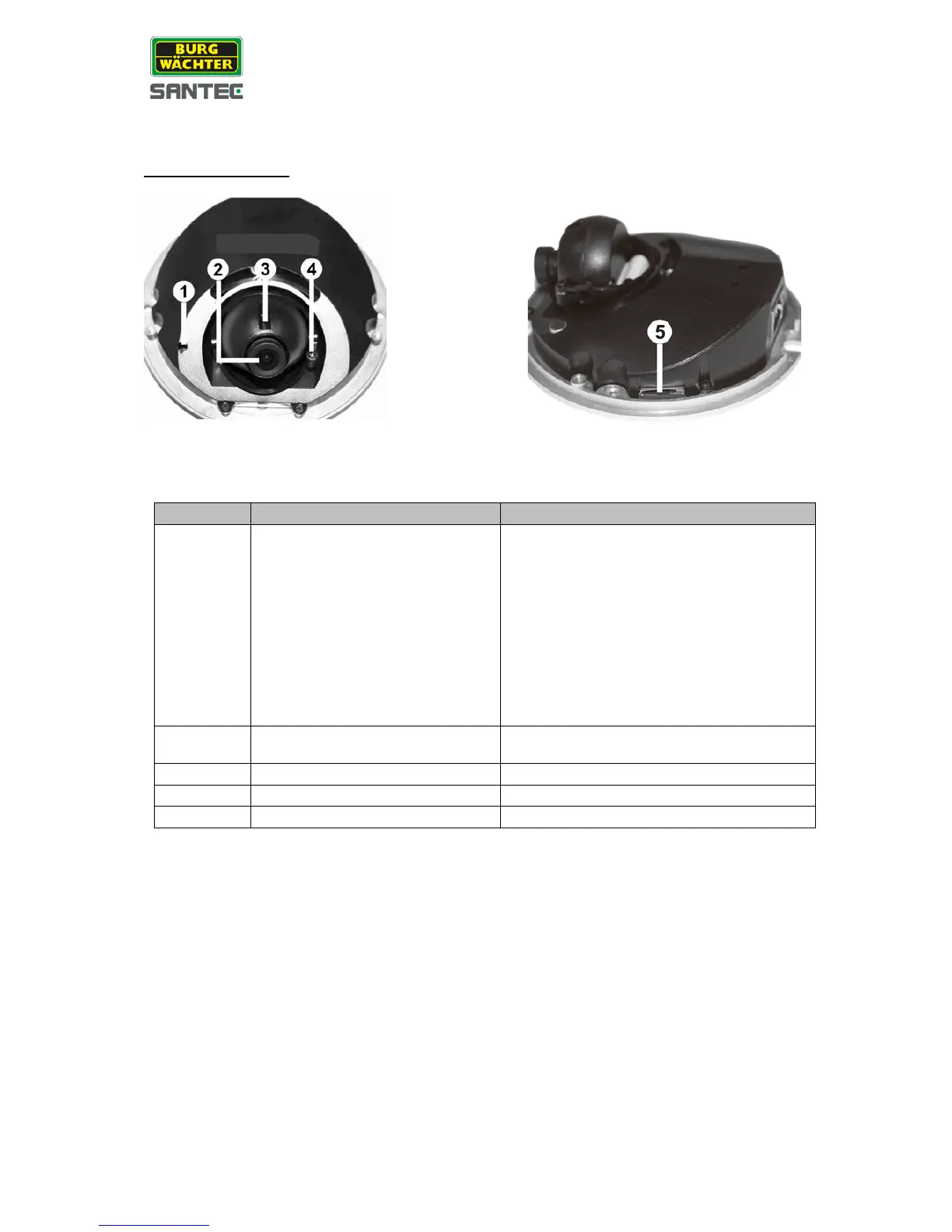
Camera inside view:
Reset to factory default.
• Keep camera connected to power.
• Use a pointed device to press onto
the reset button and hold it for
approx. 1 sec.
• Release the button and wait approx.
1 sec.
• Press and hold the reset button for
approx. 30 sec.
• The camera is now restored to
factory default settings.
Turn the lens clockwise/counter-
clockwise to adjust the focus.
Loosen the screw to adjust the lens.
Loosen the screw to adjust the tilt angle.
For video recording storage.



 To Next Page