EasyManua.ls Logo

Santec SNC-3302 - Snc-6202, Snc-6212 Ir

Santec SNC-3302
160 pages
Print Icon
To Next Page IconTo Next Page
To Previous Page IconTo Previous Page
Loading...
User manual
SANTEC IP cameras
_________________________________________________________________________________
- 37 -
SNC-6202 and SNC-6212IR:
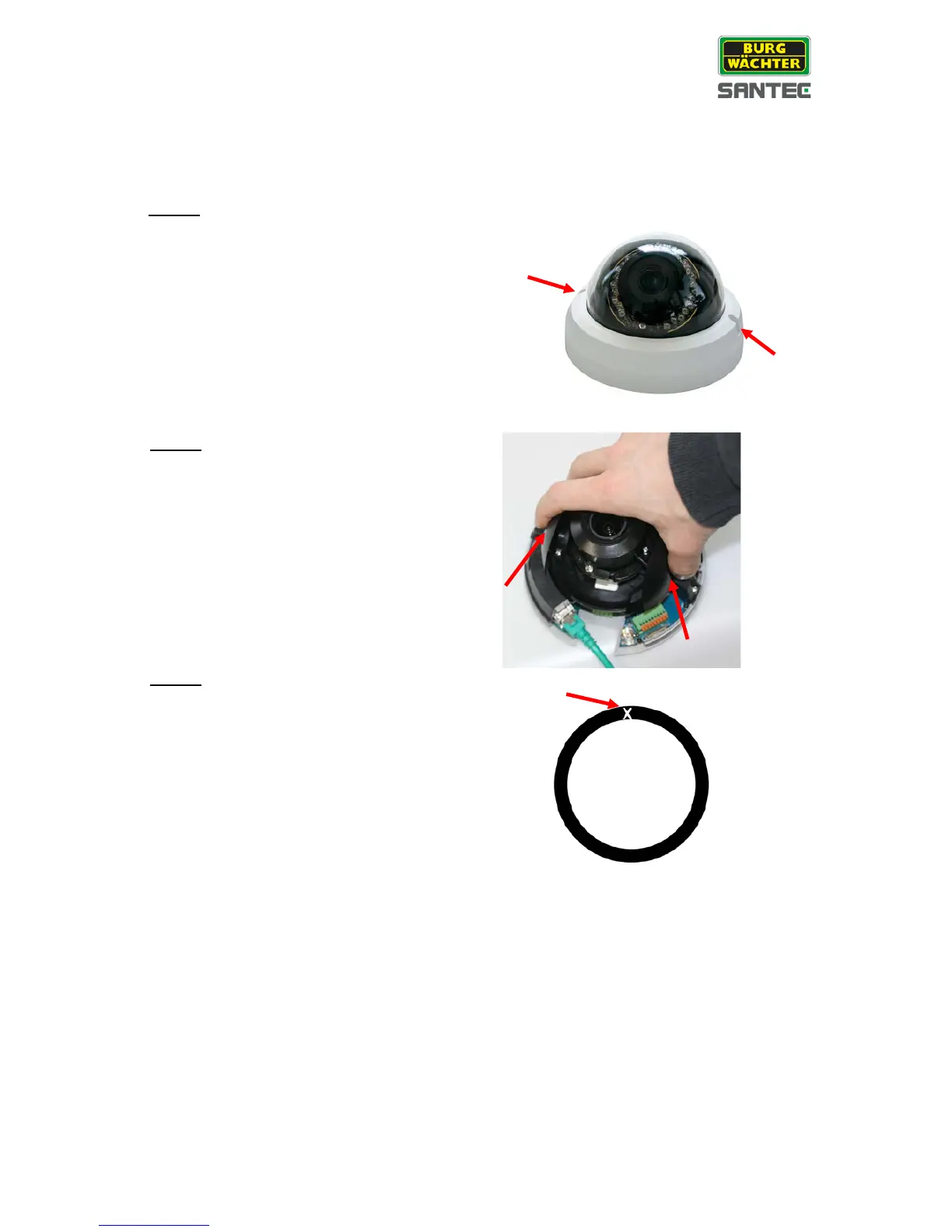
Please follow the steps below to surface-mount the camera indoors.
Step 1:
Loosen the 2 captive security screws with a
screw driver and pull-off the dome housing.
Step 2:
Press both sides of the inner cover and
remove it from the camera module.
Step 3:
Stick the supplied rubber gasket onto the
bottom of the camera housing.
Use a sharp knife to cut a cross-like hole into
the rubber gasket at the position where the
hole for the cables is located.

Table of Contents

Related product manuals