User manual
SANTEC IP cameras
_________________________________________________________________________________
- 151 -
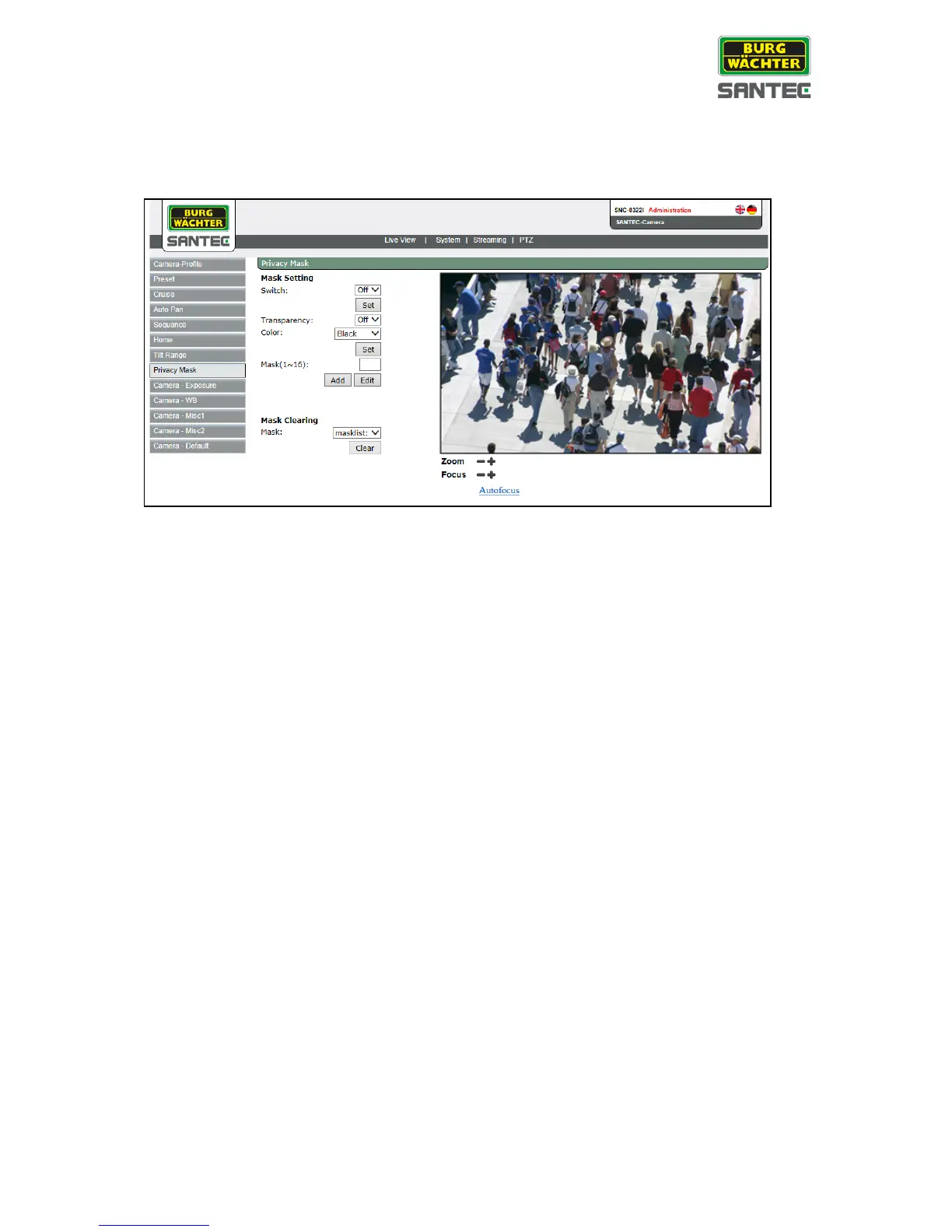
2.7.8 Privacy mask
These settings can be found under this path: PTZ > Privacy mask
Privacy mask setting:
• Enable or disable the mask setting.
• Transparancy:
Define whether the privacy mask should be displayed as transparent or not.
• Colour:
Enter the colour of the privacy mask.
• Mask:
Assign a number to the respective privacy mask (1-16). Overall, up to 16 privacy
masks can be defined.
• Width, height:
Define the size of the privacy mask.
• Click on „Add“ to add the privacy mask into the live picture.
Mask clearing:
From the drop-down list, select the desired privacy mask and click on „Clear“ to delete it.



 To Next Page