User manual
SANTEC IP cameras
_________________________________________________________________________________
- 38 -
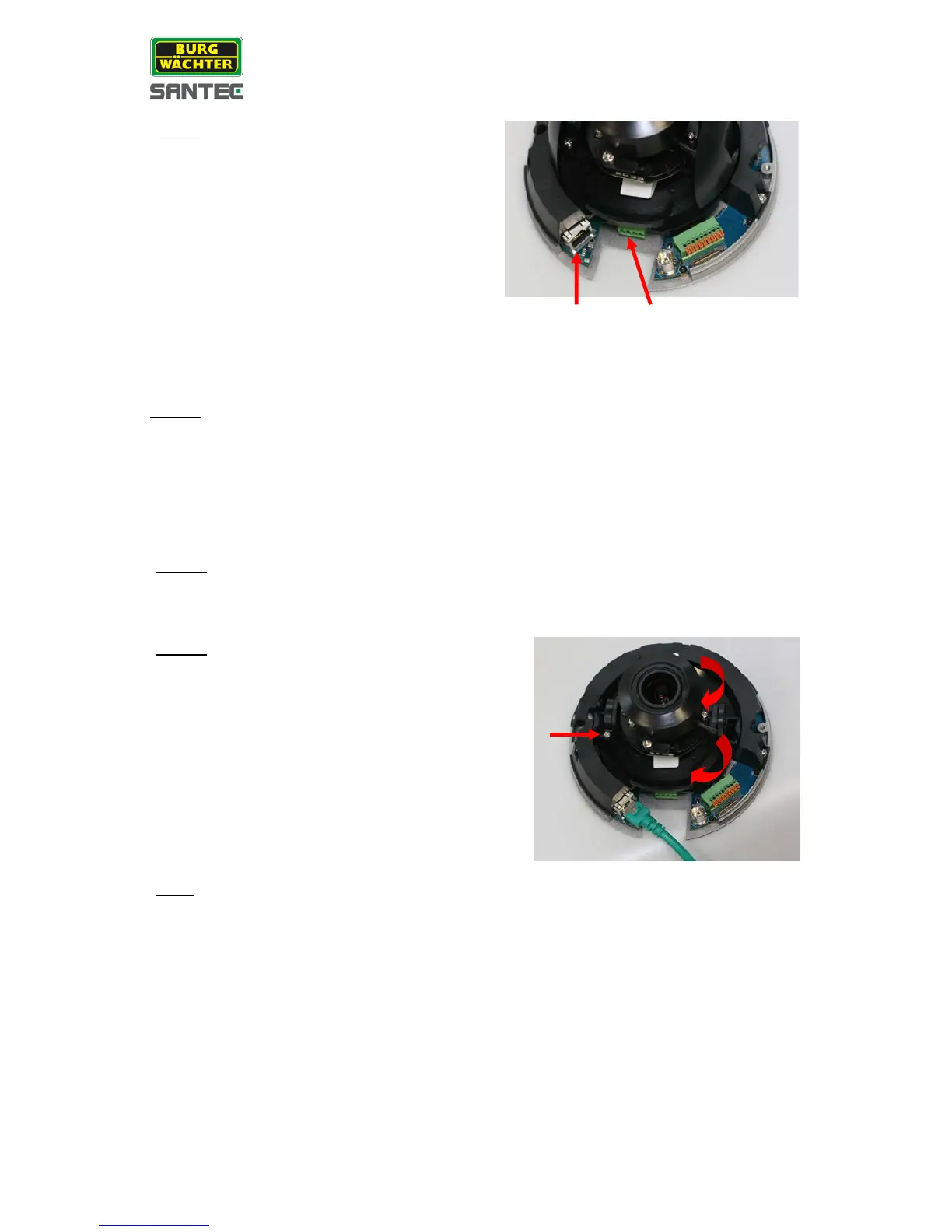
Lead the required cables through the cross-like
hole in the rubber gasket and connect the
camera to power:
• If using 12 V DC / 24 V AC:
Use the supplied power cable with the
terminal block.
Connect a network cable.
• If using PoE:
Connect the camera with a PoE network
cable. A PoE switch or a PoE injector are
additionally required (not included in the
delivery).
• Mark the positions of the two screw holes on the base plate at the chosen installation
location.
• In the marked locations, drill each hole slightly smaller than the supplied screw anchors.
Put the supplied anchors into these drilled holes.
• Screw the camera tight with the two supplied self-tapping screws
Access the camera by its web browser and display the live view (see “Part II, chapter 1
General”).
Adjust the camera’s pan/tilt holder to the
desired angle while observing the picture
quality in the web browser’s live view.
1. Use a Phillips screwdriver to loosen the
screw at the pan/tilt holder.
2. Tilt the lens carefully to the desired
position.
3. Turn the holder to the desired position.
4. Tighten the screw at the pan/tilt holder
again.
Note:
Adjust the lens very carefully within the
limits or the cables underneath might be
damaged
Connection for
12 V DC / 24 V AC



 To Next Page