11
4.01 MAIN MENU Page
(GPS Map → MAIN MENU)
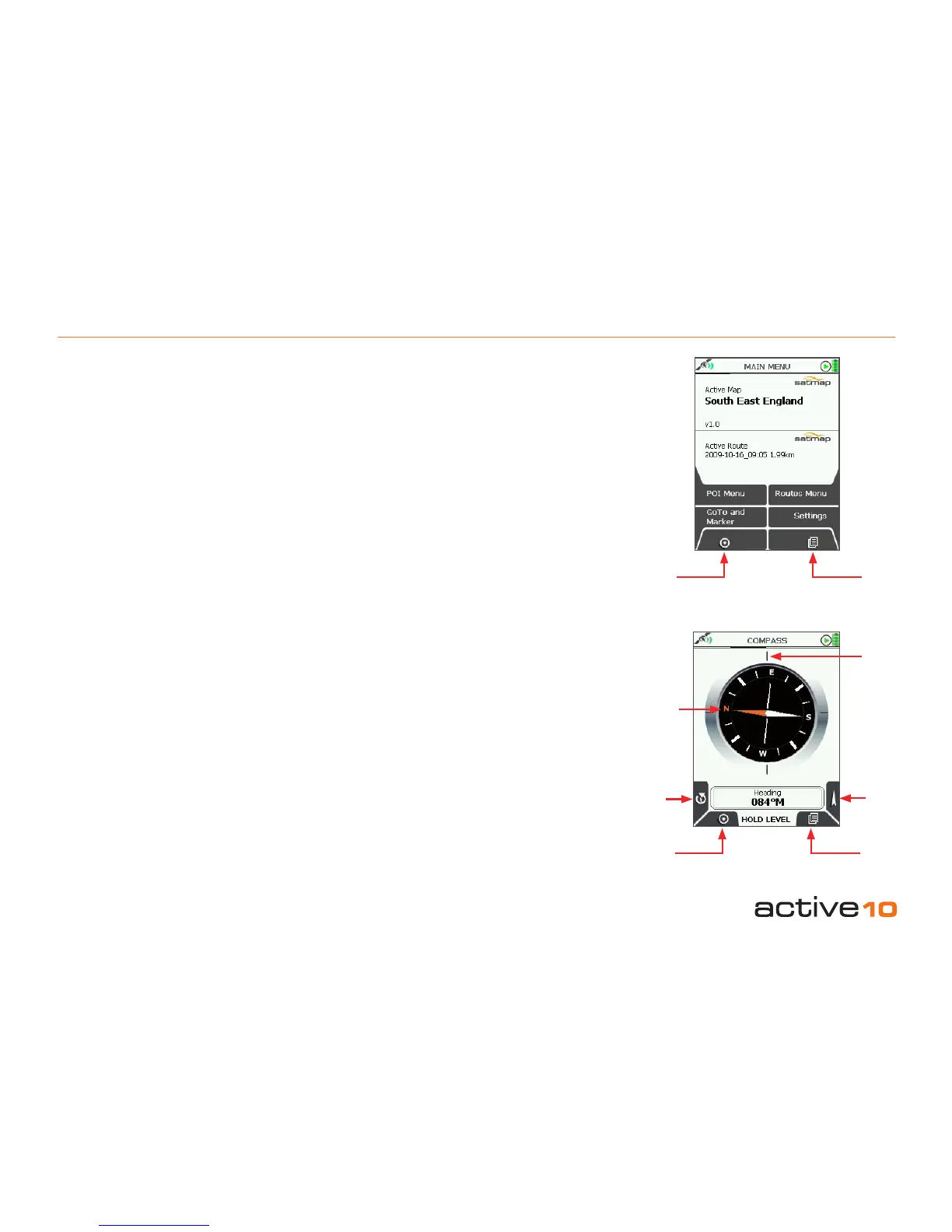
The MAIN MENU page gives access to some
of the Active 10’s main functions.
The upper half of the MAIN MENU page
shows the title of the Active Map, ie. the
loaded map card. The lower half of the MAIN
MENU page shows the name of the Active
Route (section 7.00).
Buttons:
POI Menu
Go to POI Menu page (section 9.00)
GoTo and Marker
Set GoTo point/marker either by co-ordinates
or postcode (sections 10.01/10.02)
Lock to GPS
Return to last map screen
ROUTES MENU
Go to ROUTES MENU page (section 7.00)
Settings
Go to SETTINGS MENU page (section 5.00)
Page
Go to COMPASS page (section 4.02)
4.02 COMPASS Page
(GPS Map → MAIN MENU → COMPASS)
The Active 10 has an electronic compass and
a GPS ‘compass’ and switches between the
two at a preset speed (section 5.07). This is
because the GPS compass is accurate with
forward speed but not when static, whereas
the electronic compass works better when
static. It is important that the unit is held level
(just like using a normal magnetic compass)
and is calibrated correctly (section 5.11).
Buttons:
Calibrate Compass
Go to Calibrate Compass page (section
5.11)
Lock to GPS
Return to last map screen
Pointer
Go to POINTER page (section 4.02a)
Page
Go to TRIP LOG page (section 4.03)
Note: An electronic compass does not give as
accurate a bearing as a standard magnetic
compass.
4.01 MAIN MENU & COMPASS Page
Figure 4.02
Figure 4.01
Lock to
GPS
Page
Bearing
indication
given here
Orange
tipped
north
indicator
Pointer
Calibrate
Compass
Lock to
GPS
Page



 To Next Page