18
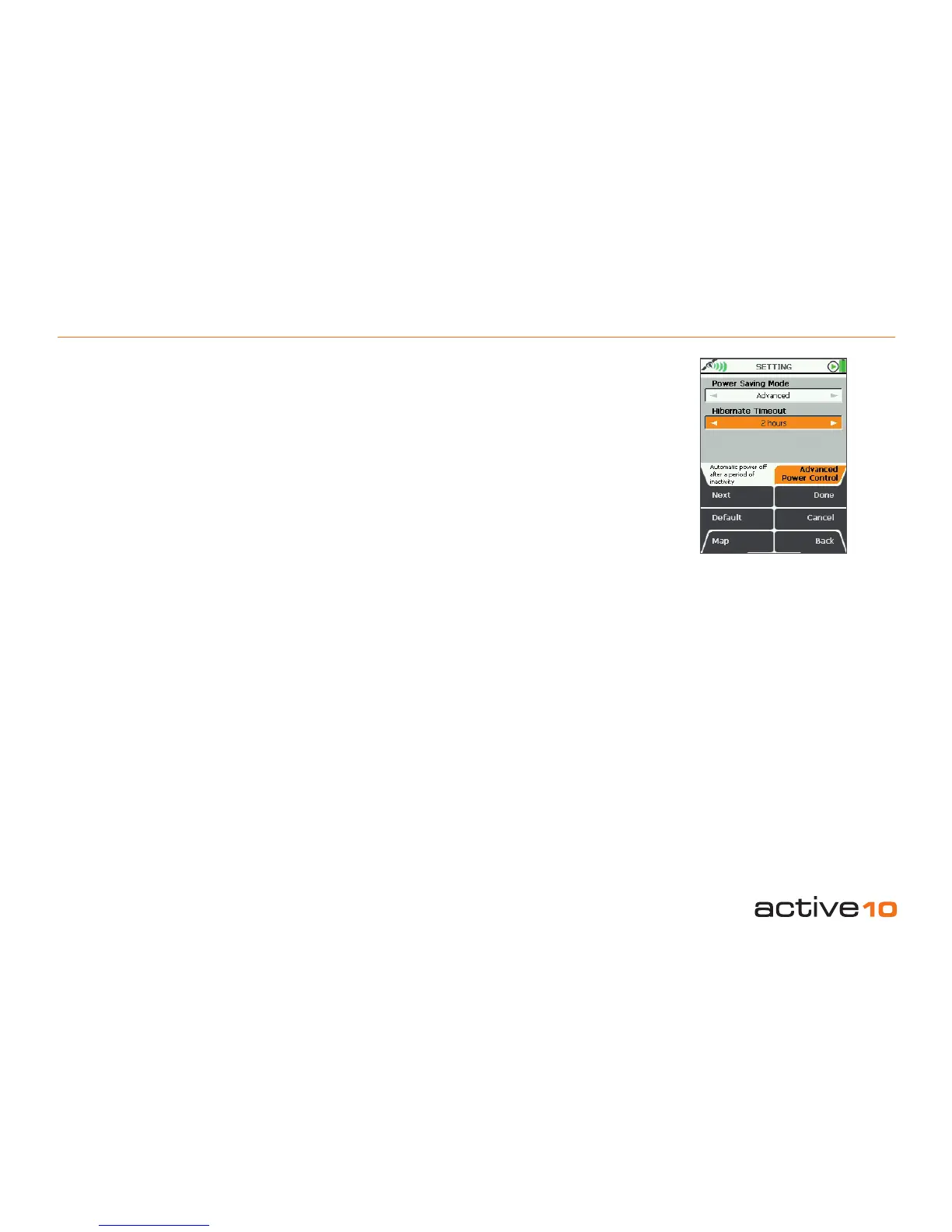
5.02 Advanced Power Control
(GPS Map → MAIN MENU → Settings →
Advanced Power Control)
Power Saving Mode
To save power, select Advanced power
saving mode and the screen will update every
four seconds instead of every second.
In this mode Trail Up is disabled and the
Backlight setting is reduced to 80%. This
setting may be adjusted, though increasing
the backlight will negate some powersave
benets.
• Use the joystick, moving left/right to select
Normal or Advanced.
• Press Done or centre press the joystick to
return to SETTINGS MENU.
Hibernate Timeout
This feature comes as standard on all units
bought after December 2009. For all earlier
units this is an optional feature via the
Platform Software Upgrade card which is
available from satmap.com.
This feature may be thought of as an ultra
powersave setting.
In this mode the unit can be switched off and
will retain satellite position data using a trickle
charge. On switching the unit back on the last
screen is shown and satellite lock takes only
a few seconds.
If you re-locate whilst in hibernate mode the
unit will briey show your position as where
you last had lock until the new satellite
positions are acquired.
Note: Trip log data is not stored in this mode.
• Use the joystick, moving left/right to select
from Off to 8 hours.
• Press Done or centre press the joystick to
return to SETTINGS MENU.
Pressing Default restores the following:
Power Saving Mode
Normal
Hibernate Timeout
2 hours
Note: For the time that Hibernate Timeout
has been set, you will be unable to switch
off the unit completely until the time has
passed, eg. if Hibernate Timeout is set to 2
hours, you will be unable to switch off the unit
completely for 2 hours – it will be in hibernate
mode. If you wish to switch off the unit
completely in that time, you will need to select
Off under the Hibernate Timeout menu.
5.02 Advanced Power Control
Figure 5.02



 To Next Page