48
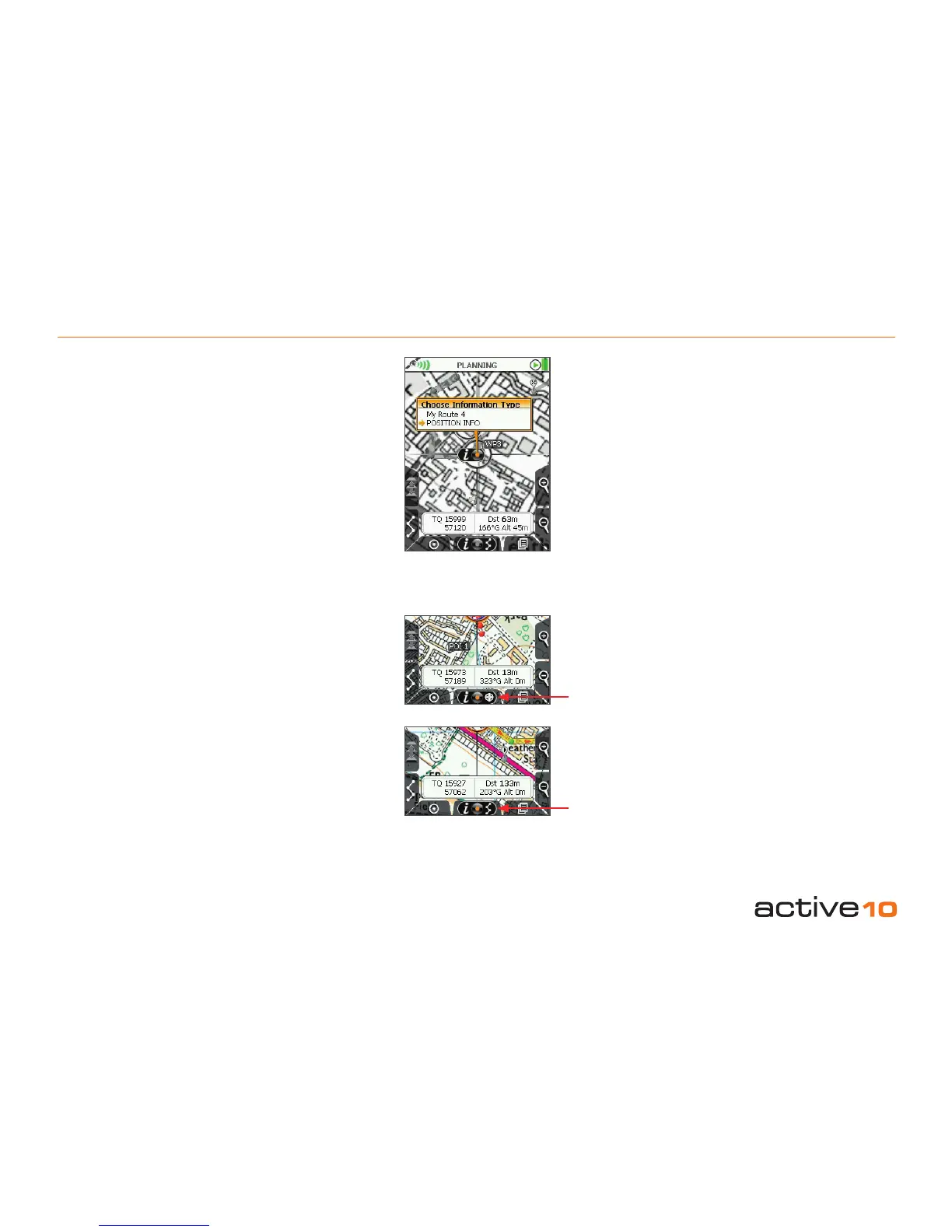
9.08 POI Indicator Icon
9.08 POI Indicator Icon
On both the GPS Map screen and the
PLANNING screen, when the locator
crosshair is over a POI or a route, an indicator
icon is displayed at the bottom of the screen.
It comprises three elements:
• ‘i’ for information
• joystick image
• POI/route symbol
Centre press the joystick for further
information. The screen turns grey and an
overlay gives options to select;
• If the crosshairs are on a POI, centre press
the joystick to access:
- POI details
- POSITION INFO page (section 8.00)
• If the crosshairs are on a route, centre press
the joystick to access:
- Route details (ROUTE MAP section 7.03)
- POSITION INFO page
To cancel the grey screen without accessing
further information, press either of the
front buttons.
Figure 9.08
POI
Indicator
Route
Indicator



 To Next Page