17
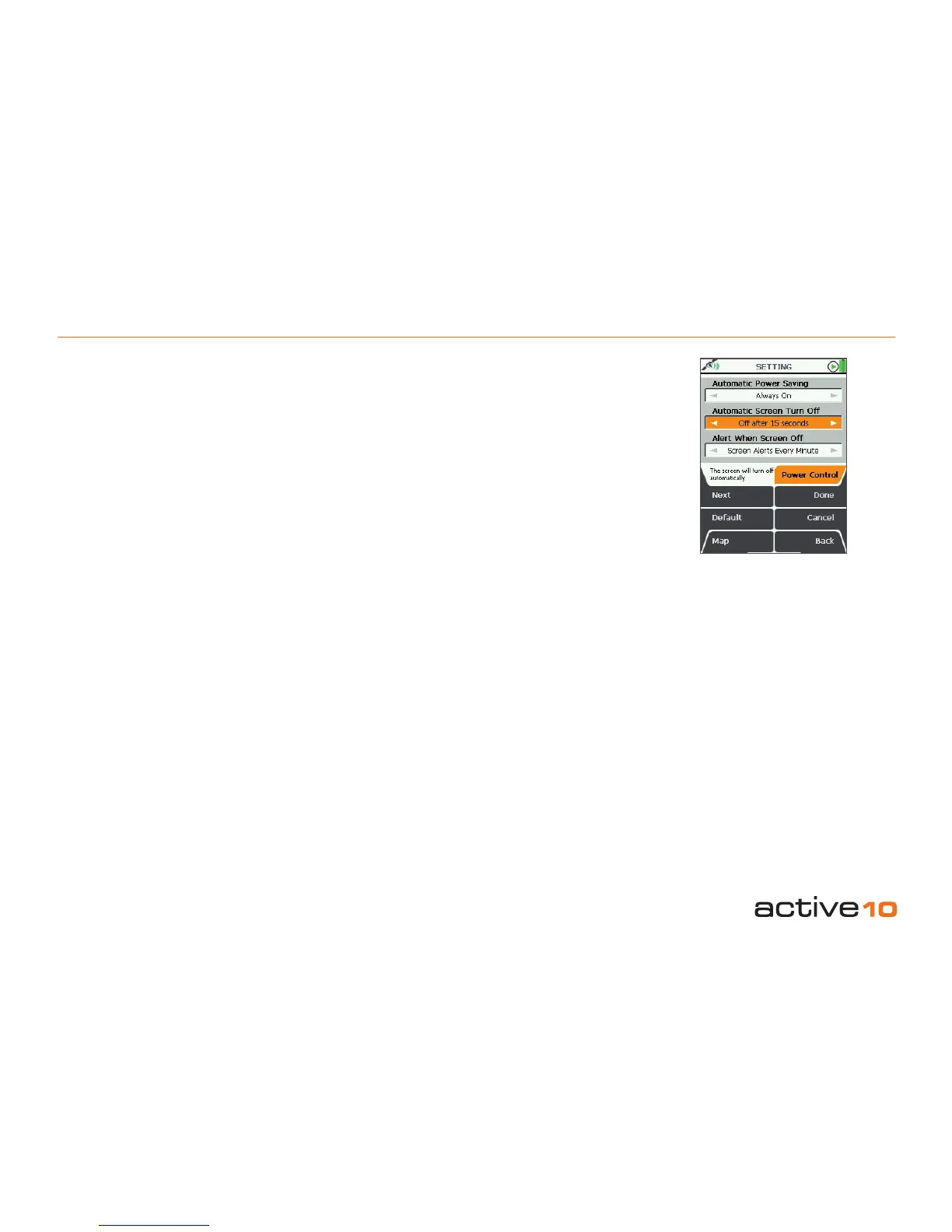
5.01 Power Control
(GPS Map → MAIN MENU → Settings →
Power Control)
Automatic Power Saving
• Use the joystick, moving left/right to select
desired time the unit will stay powered on
for.
• Press Done or centre press the joystick to
return to SETTINGS MENU.
Note: allowing the unit to power off will cause
it to lose GPS lock.
Automatic Screen Turn Off
This is a powersave option.
• Use the joystick, moving left/right to select
desired time before the screen will power off
leaving the unit still operating.
• Press Done or centre press the joystick to
return to SETTINGS MENU.
GPS lock will be maintained and the unit will
continue to log your position.
• To instantly re-activate the screen,
press any button.
Alert when screen off
• Use the joystick, moving left/right to toggle
between Off and Screen Alerts Every
Minute.
• Press Done or centre press the joystick to
return to SETTINGS MENU.
With the alerts mode selected the screen will
ash on at 1 minute intervals to remind you
the unit is switched on - particularly useful
when dark.
Pressing the Default button restores the
following settings:
Automatic Power Setting
Always On
Automatic Screen Turn Off
Always On
Alert When Screen Off
Screen Alerts Every Minute
5.01 Power Control
Figure 5.01



 To Next Page