39
8.00 POSITION INFO
8.00 POSITION INFO Page
(GPS Map → POSITION INFO via centre
press)
Alternative access:
PLANNING → POSITION INFO via centre
press
If accessed from GPS Map, the upper left
button is Create New Route (section 7.01).
If accessed from PLANNING, the upper left
button is Set Marker/Clear Marker.
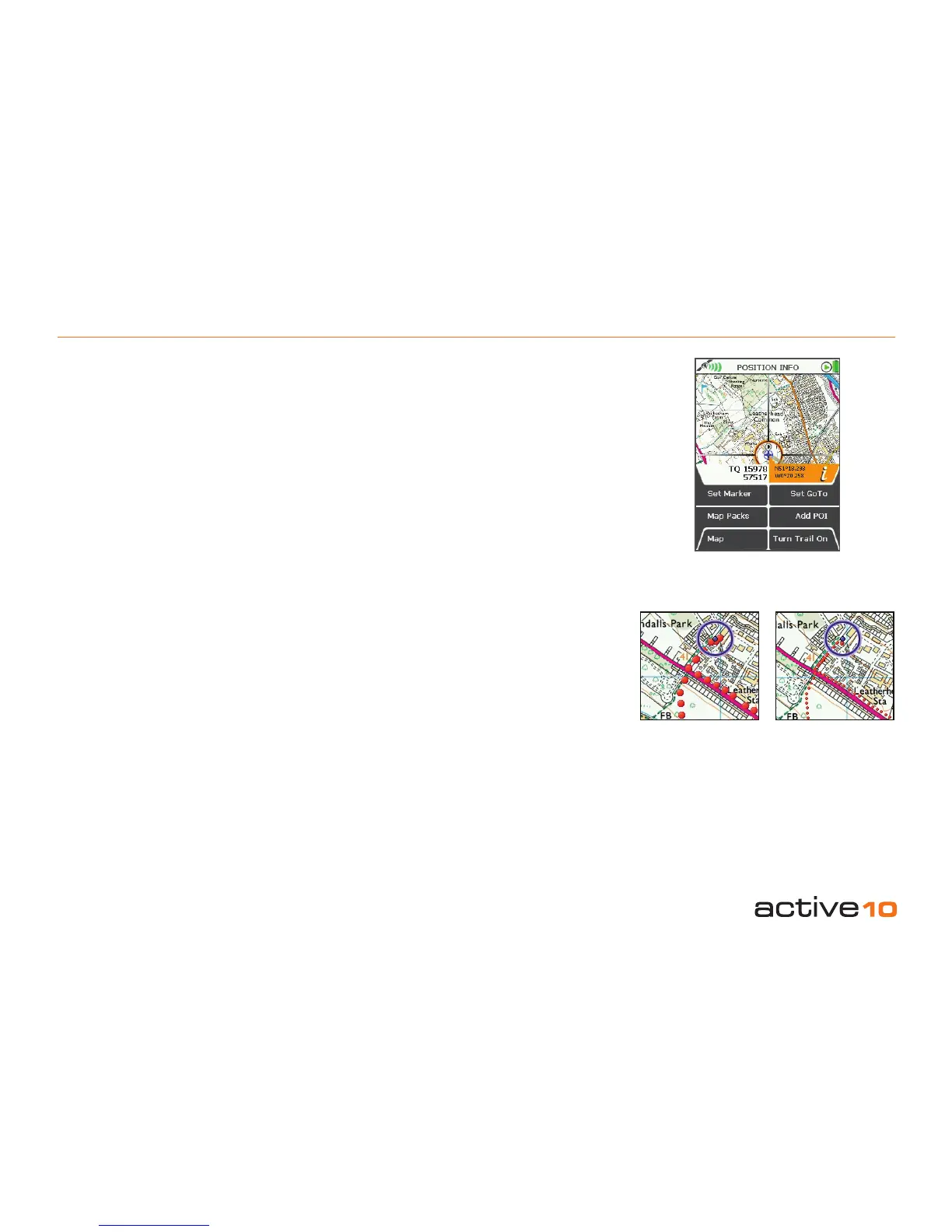
This page gives location co-ordinates by grid
reference and also lat/long. Options are given
to set a marker, view map packs, set a GoTo
point, add a POI and to adjust the size of
snail trail dots.
Set Marker marks the position with a red ag.
As you move the map using the joystick, a
red line is drawn from the marker to the point
selected. The overlay shows the grid ref and
altitude of the point selected, plus the
distance and bearing to the point. To clear
the marker, centre press the joystick and
select Clear Marker.
Set GoTo marks the position with a green
ag denoting a GoTo point. A yellow route to
the GoTo point is shown plotted from your
location. Setting a new GoTo point will replace
the previous one. To clear the GoTo point,
centre press the joystick and select
Clear GoTo. (See also section 10.00).
The Turn Trail On/Small/Off button
allows you to vary the size of snail trail dots.
Buttons:
Set Marker/Clear Marker/Create New Route
Function varies depending on whether
the page was accessed from GPS Map or
PLANNING.
Map Packs
Go to Map Packs page (section 3.01)
Map
Return to last map screen
Set GoTo
Set orange locator circle crosshairs as a
GoTo point, joined with a straight line route
from your current location
Add POI
Lay down a Point Of Interest, POI (section
9.00)
Trail On/Small/Off
Toggle between settings:
Trail On: large red dots
Trail Small: tiny red dots
Trail Off: no tracking dots
Figure 8.00
Trail On Trail Small



 To Next Page