24
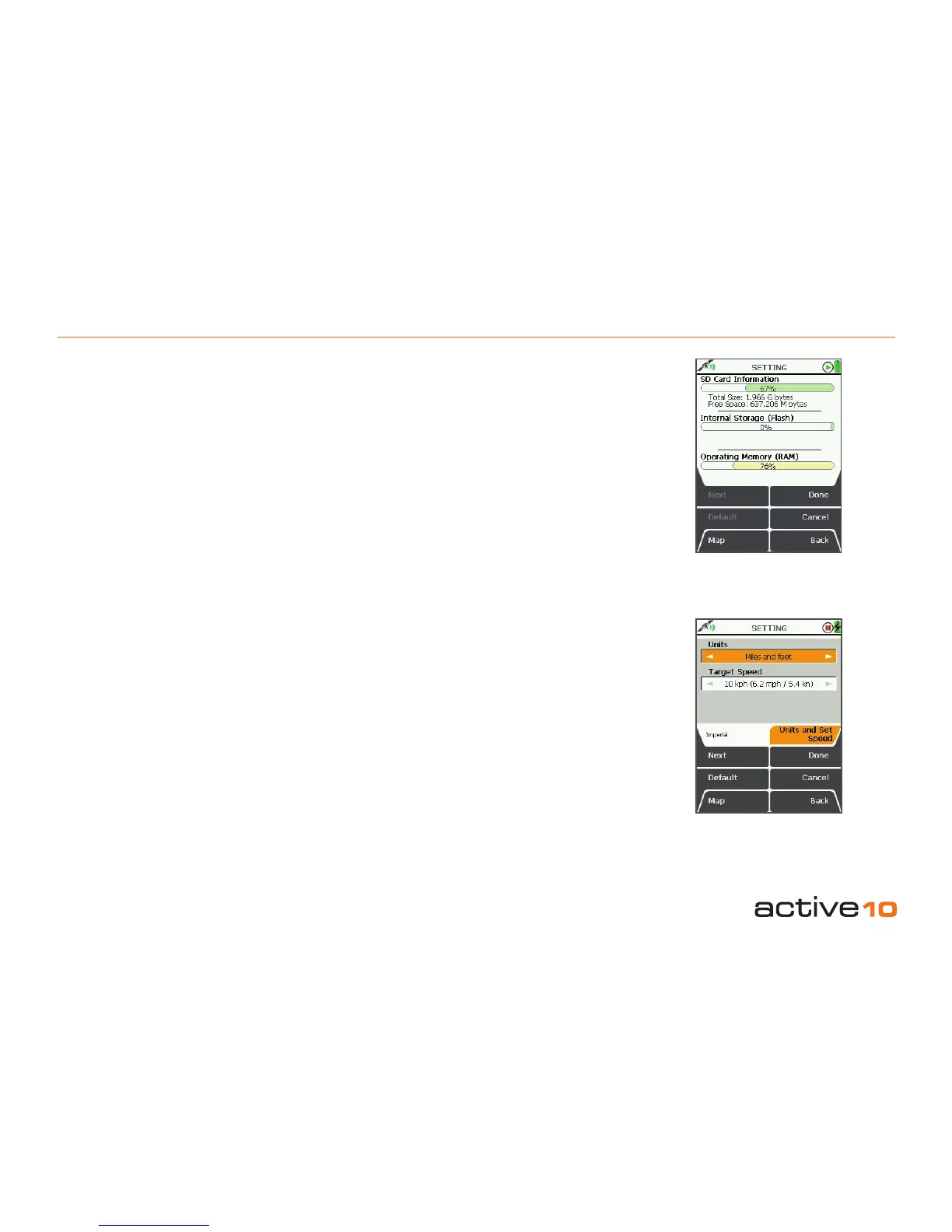
5.09 Units and Set Speed
(GPS Map → MAIN MENU → Settings →
Units and Set Speed)
Units
• Use the joystick, moving left/right to toggle
between Miles and feet, Kilometres and
metres, Nautical Miles and Knots.
• Press Done or centre press the joystick to
return to SETTINGS MENU.
Target Speed
This is the speed on which Estimated Time of
Arrival calculations are based.
• Use the joystick, moving left/right to select
the Target Speed from 1 kph (0.6 mph) to 80
kph (50 mph).
• Press Done or centre press the joystick to
return to SETTINGS MENU.
Pressing the Default button restores the
following settings:
Units
Kilometres and metres
Target Speed
10 kph (6.2 mph / 5.4 kn)
.
5.08 Memory Status & Units
5.08 Memory Status
(GPS Map → MAIN MENU → Settings →
Memory Status)
This page provides information on the
capacity of three elements:
• SD Card Information
The size of the SD card is given with an
indication of how much space remains.
• Storage Memory (Flash)
This is where maps and saved routes are
stored.
• Operating Memory (RAM)
This is the memory needed to operate the
unit. Full RAM may result in the unit
‘freezing’.
Figure 5.08
Figure 5.09



 To Next Page