49
10.00 GoTo & Marker
10.00 GoTo and Marker Page
(GPS Map → MAIN MENU → GoTo and
Marker)
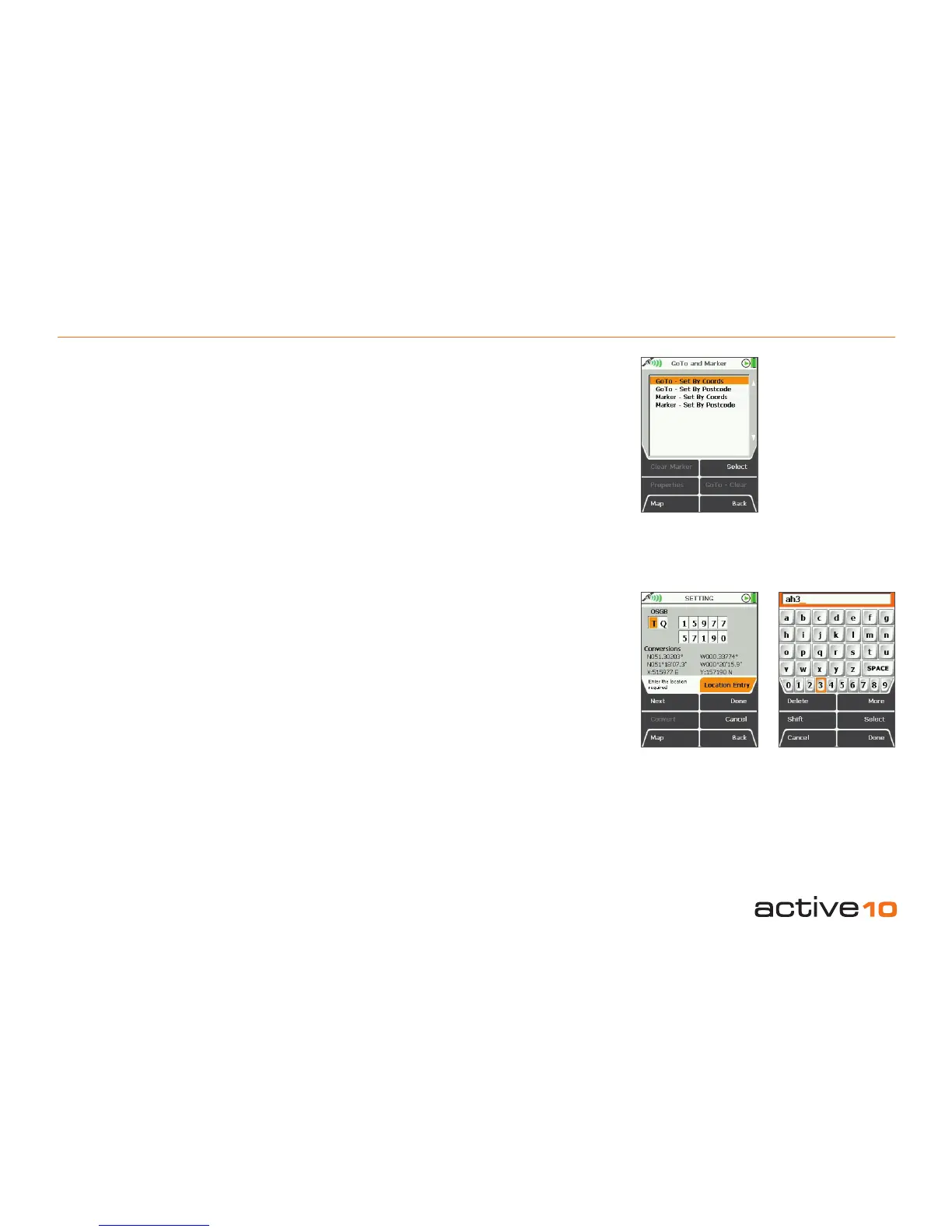
Menu options are as follows:
• GoTo – Set Coords
• GoTo – Set By Postcode
• GoTo – Route*
• Marker – Set By Coords
• Marker – Set By Postcode
*Available once a GoTo point has been set.
Note: GoTo and Marker function for setting
by postcode is not available for all versions of
software.
Clear Marker and GoTo – Clear buttons are
active once a point/marker has been set.
(See also section 8.00).
10.01 GoTo – Set By Coords
Marker – Set By Coords
Selecting this option brings up a page on
which grid references may be entered
(section 9.04d).
Use the joystick to change coordinates.
Buttons:
Next
Inoperative
Convert
Update coordinates conversions on screen
Map
Return to last map screen
Done
Press to set coordinates of GoTo point/marker
Cancel
Return to GoTo and Marker page
Back
Return to PLANNING screen
10.02 GoTo – Set By Postcode
Marker – Set By Postcode*
Selecting this option brings up the keypad
(section 9.03).
Use the joystick to move the cursor around
the page. Quicker navigation may be possible
by moving the cursor off the page above,
below, left and right.
Buttons:
Delete
Delete characters in the window
Shift
Access upper case and additional symbols
Cancel
Return to GoTo and Marker page
More
Access additional symbols
Select
Press Select or centre press the joystick to
select a character
Done
Return to PLANNING screen
Figure 10.00
Figure 10.01 Figure 10.02
*Please note:
postcode lookup is
not available on all
versions of software.



 To Next Page