42
9.04b Copy POI Category
(GPS Map → MAIN MENU → POI Menu →
(folder/category) → Edit → Copy)
Highlight Copy POI Category and press
Copy. You will go to the POI Menu where
there is a new entry, Copy of My POIs.
9.04c Delete POI Category
(GPS Map → MAIN MENU → POI Menu →
(folder/category) → Edit → Delete)
Highlight Delete POI Category and press the
Delete button.
9.03 Keypad & POI CATEGORY
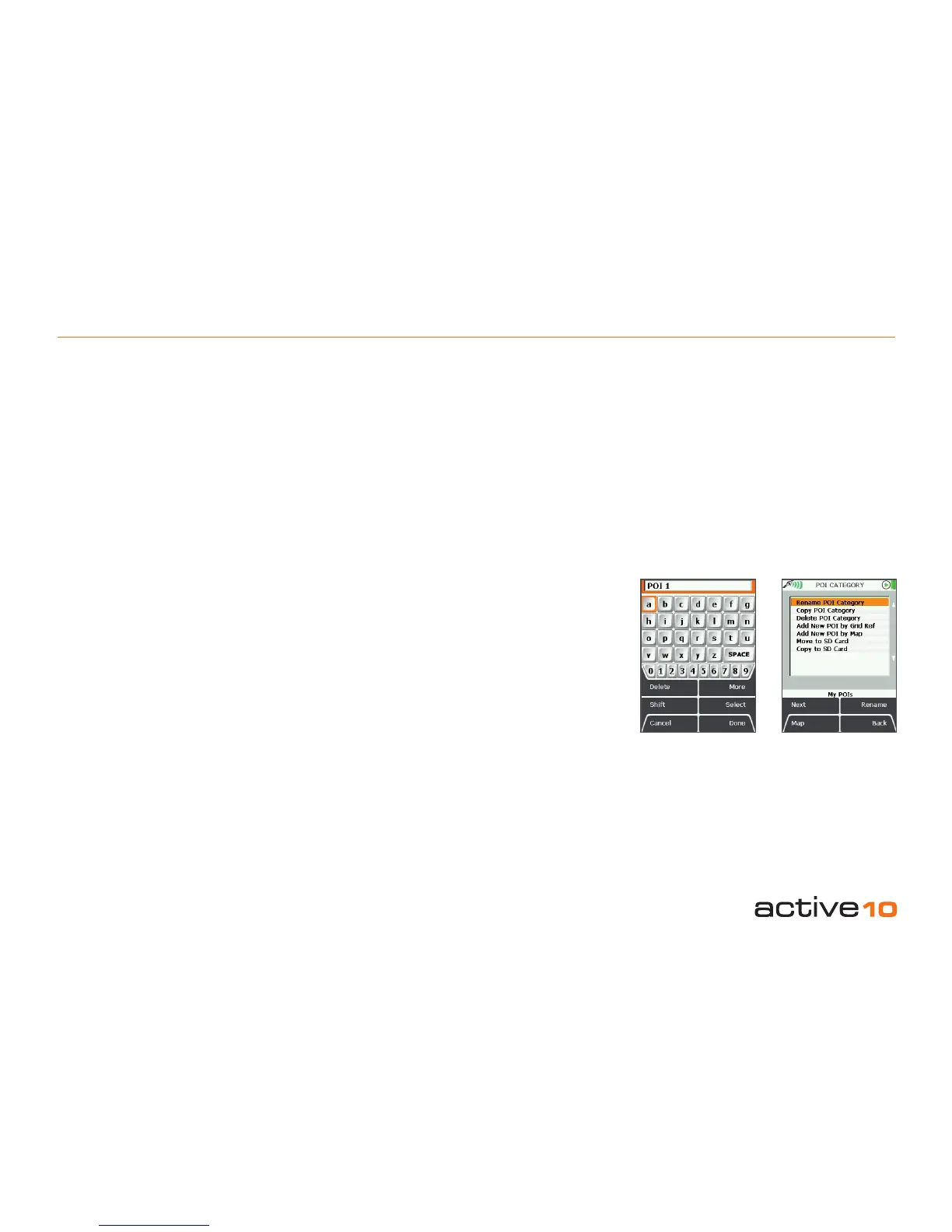
9.03 Keypad
There are several instances when the
keypad is used. One example is:
GPS Map → MAIN MENU → POI Menu →
My POIs → Edit → Rename POI Category
Other instances include:
• Naming a POI
• Adding comments to a POI
• Naming a POI category
• Naming a route
• Adding comments to a route
• Entering postcode
Use the joystick to navigate around the
keypad (including going off the ‘edge’ left/
right and up/down). Press Select or centre
press the joystick for character selections.
Use Shift to access upper case and More for
more characters. Press Done when nished
to return to the POI Menu.
Buttons:
Delete
Delete characters in the display
Shift
Access upper case letters
Cancel
Options depends on the context
More
Access more characters
Select
Character selection
Done
Options depends on the context
9.04 POI CATEGORY Page
(GPS Map → MAIN MENU → POI Menu →
(folder/category) → Edit)
This page can only be accessed once a POI
has been added. The rst time a POI is
created, it is automatically stored in a POI
category (section 9.00).
The menu options are as follows:
• Rename POI Category
• Copy POI Category
• Delete POI Category
• Add New POI by Grid Ref
• Add New POI by Map
• Add new POI by Postcode*
• Move to SD card**
• Copy to SD card**
(Scroll up/down using the joystick).
*Not available with all versions of software.
**Available when a mapcard is inserted.
9.04a Rename POI Category
(GPS Map → MAIN MENU → POI Menu →
(folder/category) → Edit → Rename)
On the POI Menu highlight the category to
be renamed. Press Edit, then Rename.
The keypad page appears. Use the joystick to
rename the POI category.
Figure 9.04Figure 9.03



 To Next Page