29
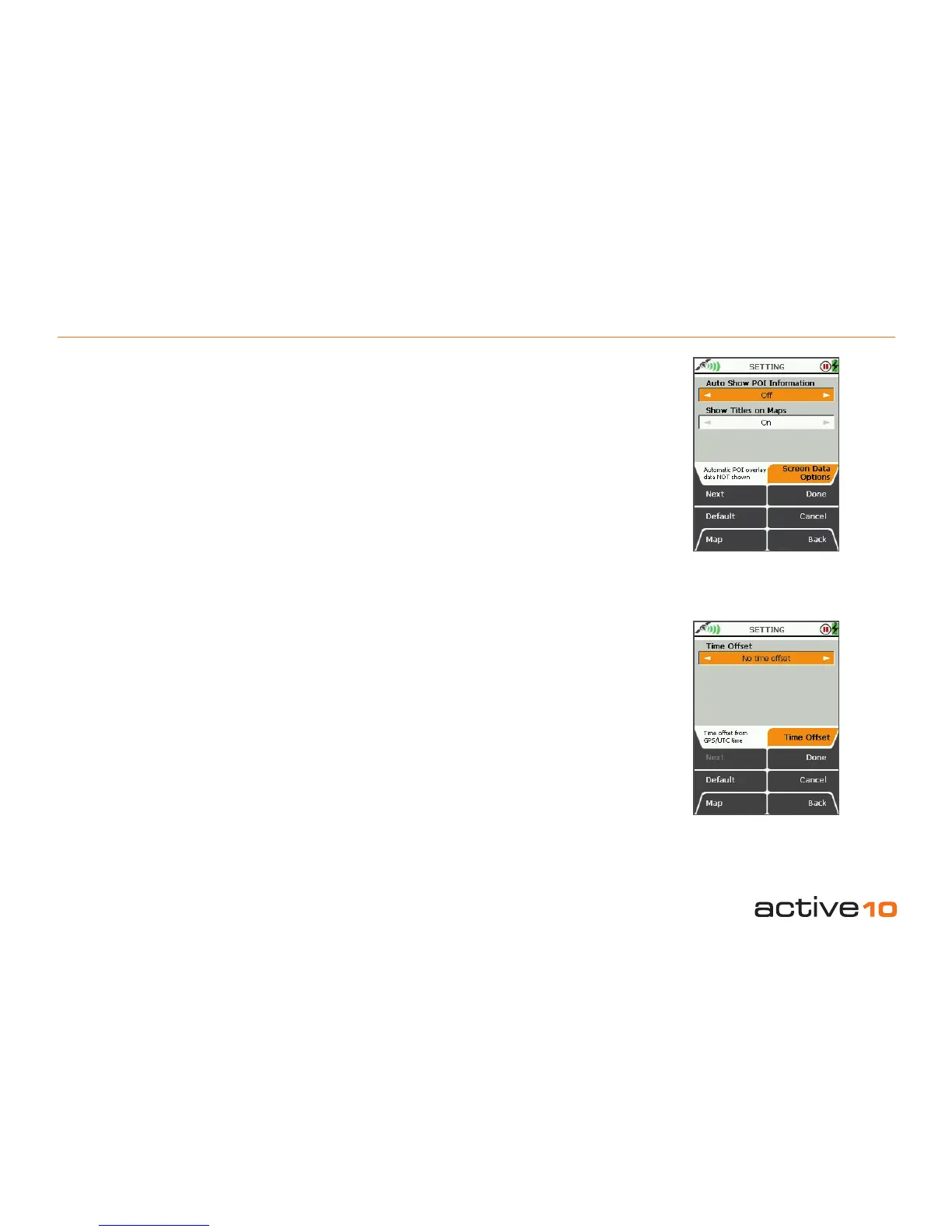
5.15 Screen Data Options & Time Offset
5.15 Screen Data Options
(GPS Map → MAIN MENU → Settings →
Screen Data Options)
Pressing the Default button restores the
following settings:
Auto Show POI Information: Off
Show Titles on Maps: On
Auto Show POI Information
• Use the joystick, moving left/right to toggle
between;
On: POI overlay data is automatically shown
when nearby.
Off: POI overlay data is not automatically
shown.
• Press Done or centre press the joystick to
return to SETTINGS MENU.
Show Titles on Maps
• Use the joystick, moving left/right to toggle
between;
On: POIs, waypoints and route names
shown on maps
Off: Names not shown on maps
• Press Done or centre press the joystick to
return to SETTINGS MENU.
Note: v1.4 has the World Base Map instead of
the road names option which was previously
available on this settings page.
5.16 Time Offset
(GPS Map → MAIN MENU → Settings →
Time Offset)
This function allows you to vary the time
setting in relation to GMT (eg. for British
Summer Time add one hour).
• Use the joystick, moving left/right to select
the time offset.
• Press Done or centre press the joystick to
return to SETTINGS MENU.
GPS/UTC time (appears in the on-screen
descriptor) is the same as Greenwich Mean
Time, GMT. An explanation of UTC is given in
section 15.00.
Figure 5.15
Figure 5.16



 To Next Page