B.12
SEL-387-0, -5, -6 Relay Instruction Manual Date Code 20170601
SEL-300 Series Relays Firmware Upgrade Instructions
Upgrade Procedure
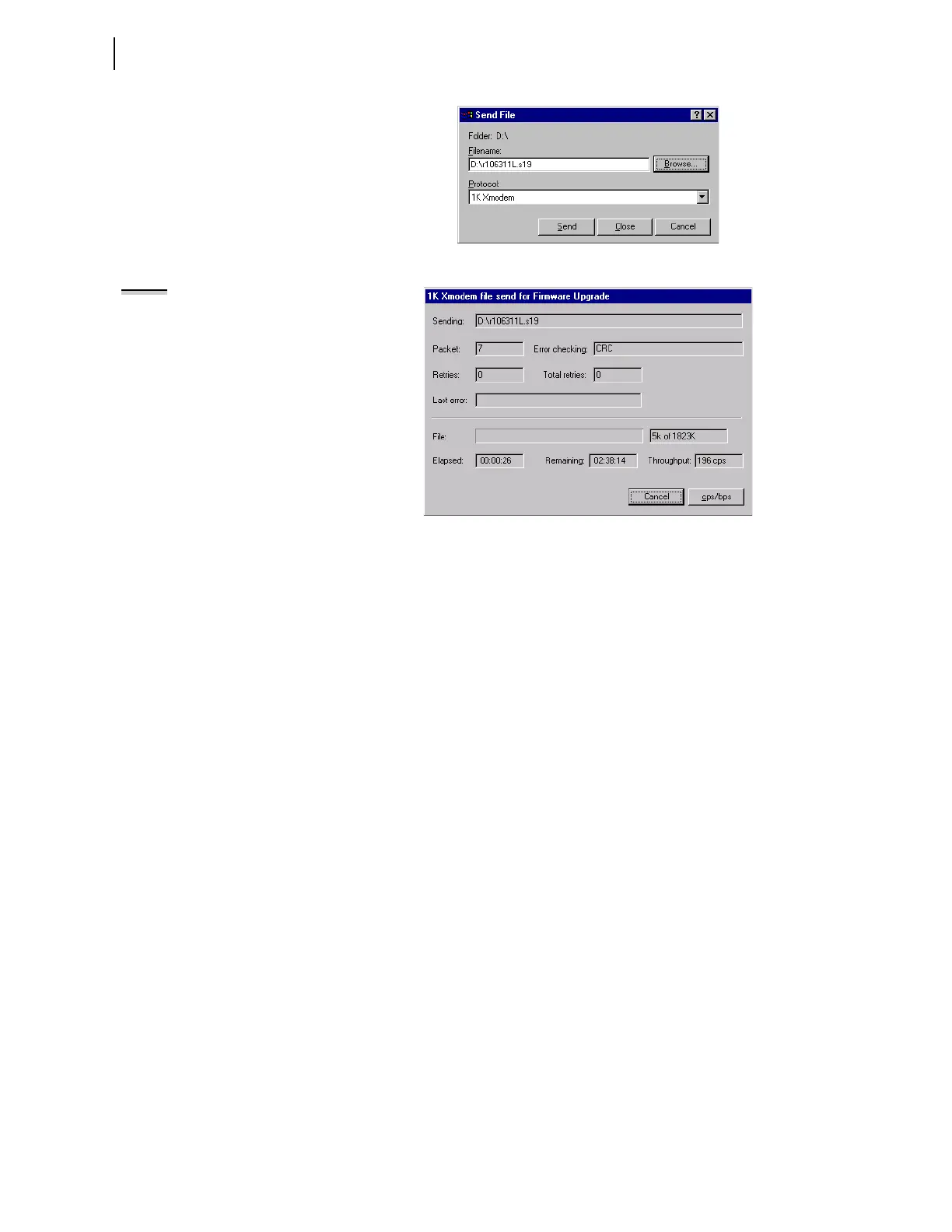
Figure B.14 Selecting New Firmware to Send to the Relay
Figure B.15 Transferring New Firmware to the Relay
Step 7. Press <Enter> and confirm that the Access Level 0 = prompt
appears on the computer screen.
Step 8. If you see the Access Level 0
= prompt, proceed to G. Check
Relay Self-Tests on page B.13.
No Access Level 0 = Prompt
If no Access Level 0 = prompt appears in the terminal emulation window, one
of three things could have occurred. Refer to Table B.1 to determine the best
solution:
NOTE: The relay restarts in SELBOOT
if relay power fails while receiving
new firmware. Upon power-up, the
relay serial port will be at the default
2400 baud. Perform the steps
beginning in B. Establish a Terminal
Connection on page B.2 to increase
the serial connection data speed.
Then resume the firmware upgrade
process at F. Upload New Firmware on
page B.10.


 To Next Page