B.16
SEL-387-0, -5, -6 Relay Instruction Manual Date Code 20170601
SEL-300 Series Relays Firmware Upgrade Instructions
Upgrade Procedure
Step 4. Use the firmware identification string (FID) to verify download
of the correct firmware:
a. From the File menu, choose Properties.
b. Select the Settings tab in the Properties dialog box
(Figure B.4).
c. Click ASCII Setup.
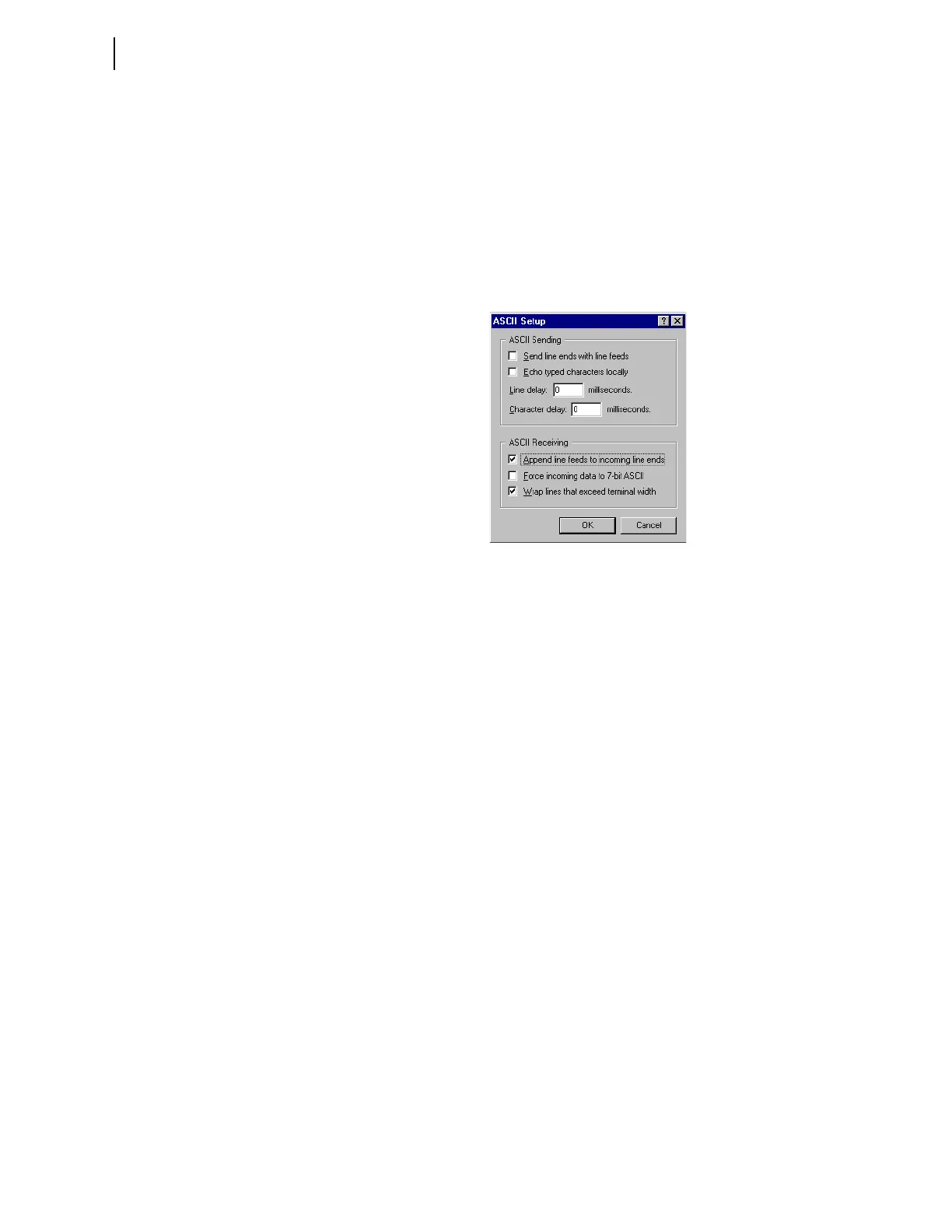
You should see a dialog box similar to Figure B.16.
d. Under ASCII Receiving, select the check box to
Append line feeds to incoming line ends.
Figure B.16 Preparing HyperTerminal for ID Command Display
e. Click OK twice to return to the terminal emulation
window.
f. Type ID <Enter> and compare the number the relay
displays against the number from the firmware
envelope label.
g. If the label FID and part number match the relay
display, proceed to Step 5.
h. For a mismatch between a displayed FID or part
number, and the firmware envelope label, reattempt the
upgrade or contact the factory for assistance.
Step 5. Type STA <Enter> and verify that all relay self-test parameters
are within tolerance.
Step 6. If you use the Breaker Wear Monitor, type BRE <Enter> to
check the data and see if the relay retained breaker wear data
through the upgrade procedure.
If the relay did not retain these data, use the BRE Wn
command to reload the percent contact wear values for each
pole of Circuit Breaker n (n = 1, 2, 3, or 4) you recorded in C.
Save Settings and Other Data on page B.6.
Step 7. Apply current and voltage signals to the relay.
Step 8. Type MET <Enter> and verify that the current and voltage
signals are correct.
Step 9. Use the TRIGGER and EVENT commands to verify that the
magnitudes of the current and voltage signals you applied to
the relay match those displayed in the event report.
If these values do not match, check the relay settings and
wiring.


 To Next Page